UT-4500 Series C- and Ku-Band Up Converters MN/UT4500.IOM
Front Panel Operation Revision 3
6–5
6.1.4 Keypad
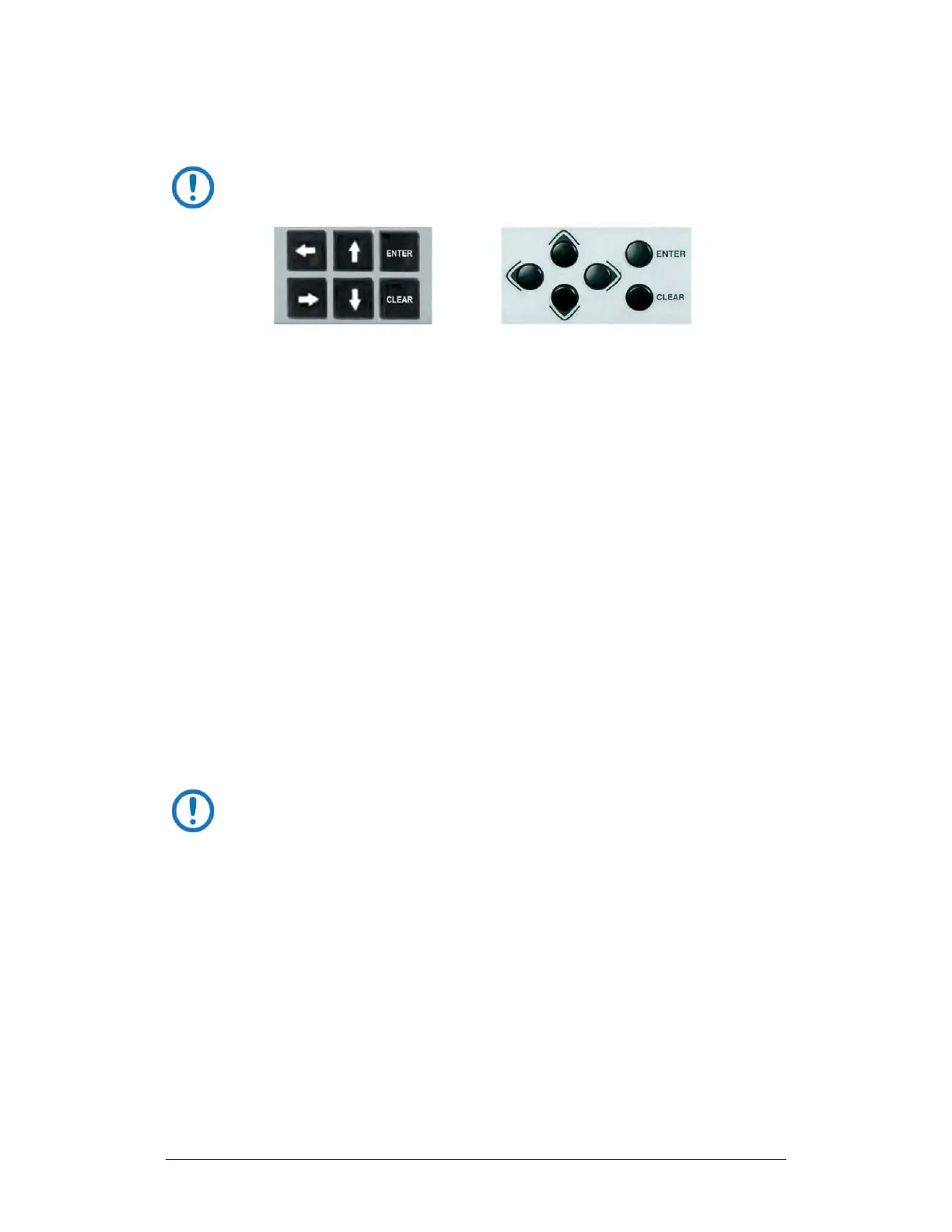
The keypads for the initially-released chassis and the current
production unit differ as follows:
(LEFT) “Square” Button Keypad – Initially Released Chassis
(RIGHT) “Round” Button Keypad – Current Production Unit
See Figure 6-1, Item 3. The keys for the current production unit keypad have a
positive ‘click’ action that provides tactile feedback.
Enter data via the keypad. Data, prompts, and messages are displayed on the
VFD. Operation of the individual keys is as follows:
• Use the ENTER key to select a displayed function or to execute a unit
configuration change.
• Use the CLEAR key to back out of a selection or to cancel a configuration
change that has not been executed using ENTER. Pressing CLEAR
generally returns the display to the previous selection.
• Use the (LEFT) and (RIGHT) keys to move to the next selection or to
move the cursor functions. At times, they may also used to move from
one section to another.
• Use the (UP) and (DOWN) keys to change configuration data
(numbers). You may also use these keys to move from one section to
another.
The keypad has an auto-repeat feature. If a key is held down for more
than 1 second, the key action will repeat, automatically, at the rate of
15 keystrokes per second. This is particularly useful when editing
numeric fields, with many digits, such as the IP Address assignments.



 To Next Page