UT-4500 Series C- and Ku-Band Up Converters MN/UT4500.IOM
Ethernet Interface Operation Revision 3
7–17
7.5.3 Config (Configuration) Pages
Click the Config tab, and then select the Converter, Ref, Pre-selects, Utility, or
Redundancy hyperlink to continue.
7.5.3.1 Config | Converter
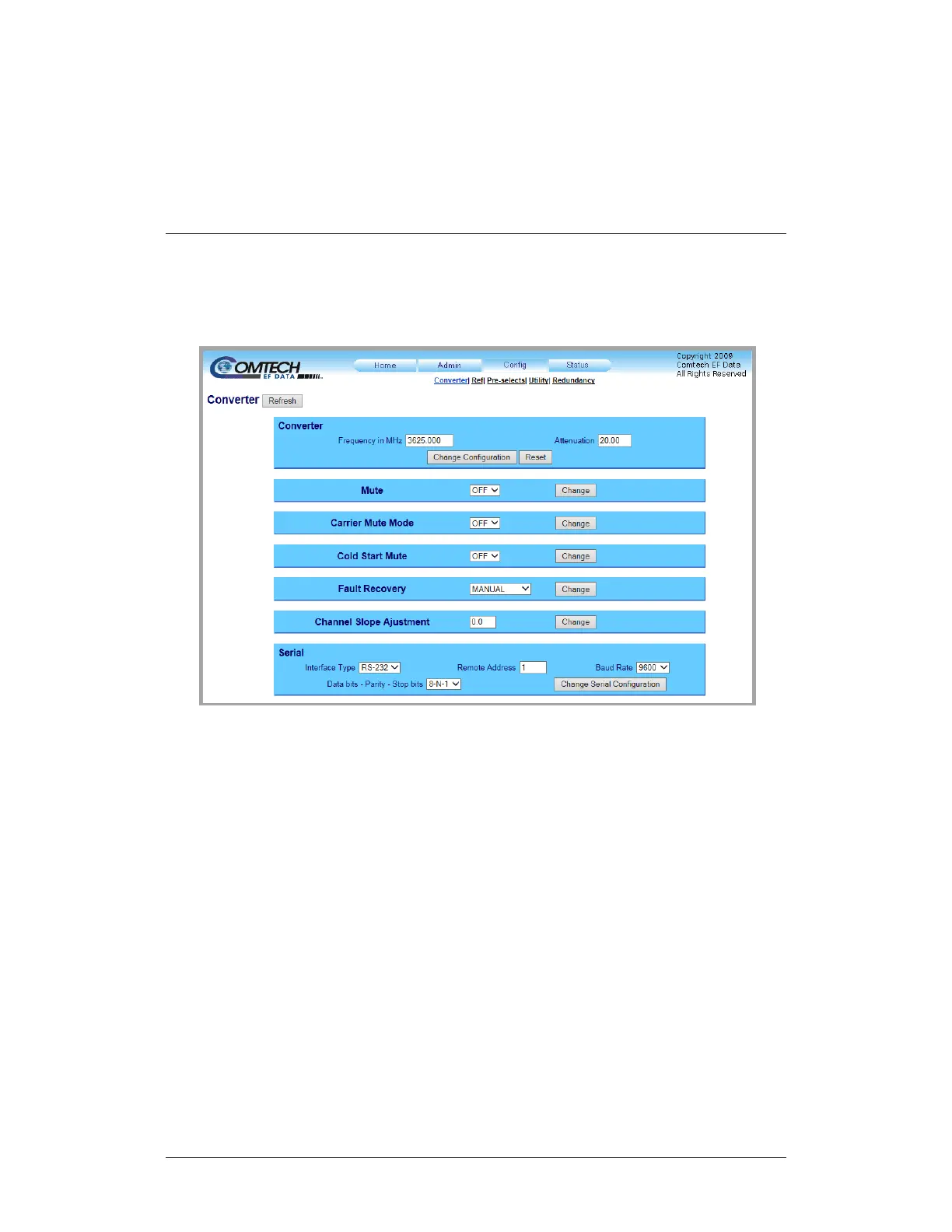
Use this page to configure the communications, operations, and alarms/faults
handling for the unit.
Figure 7-11. ‘Config | Converter’ Page
Converter
Frequency in MHz – Enter an operating RF Frequency in MHz, in 125 kHz steps (1
kHz steps optional); otherwise, this field displays as N/A.
Attenuation (dB) – Enter a valid attenuation level (00.00 to 20.00 dB) in 0.25 dB
steps (0.1 dB steps optional).
Click [Change Configuration]. Click [Reset] to revert to the previously assigned
parameters.



 To Next Page