UT-4500 Series C- and Ku-Band Up Converters MN/UT4500.IOM
Appendix A Revision 3
A–14
A.4.2 Redundant System Configuration Using the
UT-4500 HTTP Interface
Chapter 7. ETHERNET INTERFACE OPERATION
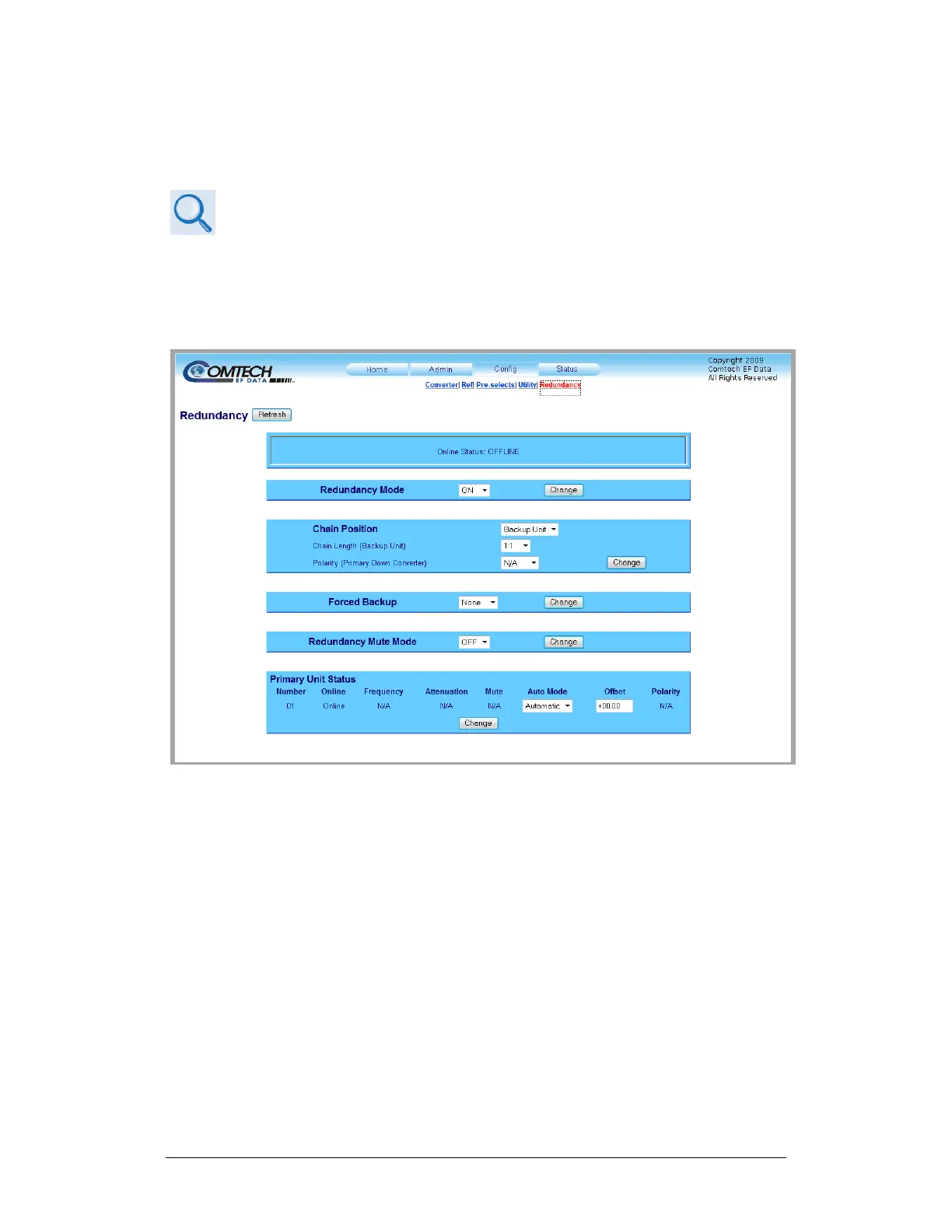
You may use the UT-4500 HTTP Interface to configure and monitor redundancy
operations. Log onto the HTTP Interface. Click the Config navigation tab, and
then select the Redundancy hyperlink.
Figure A-14. ‘Config | Redundancy’ Page
Click [Refresh] to update the page with its latest operating parameters.
Online Status
This read-only section identifies the unit’s status as ONLINE or OFFLINE.
Redundancy Mode
Use the drop-down list to select Redundancy Mode as OFF or ON. Click [Change].



 To Next Page