UT-4500 Series C- and Ku-Band Up Converters MN/UT4500.IOM
Ethernet Interface Operation Revision 3
7–24
7.5.4 Status Pages
Use these pages to review operational statistics, status windows, and the stored
faults table.
Click the Status tab, and then select the Summary or Faults hyperlink to continue.
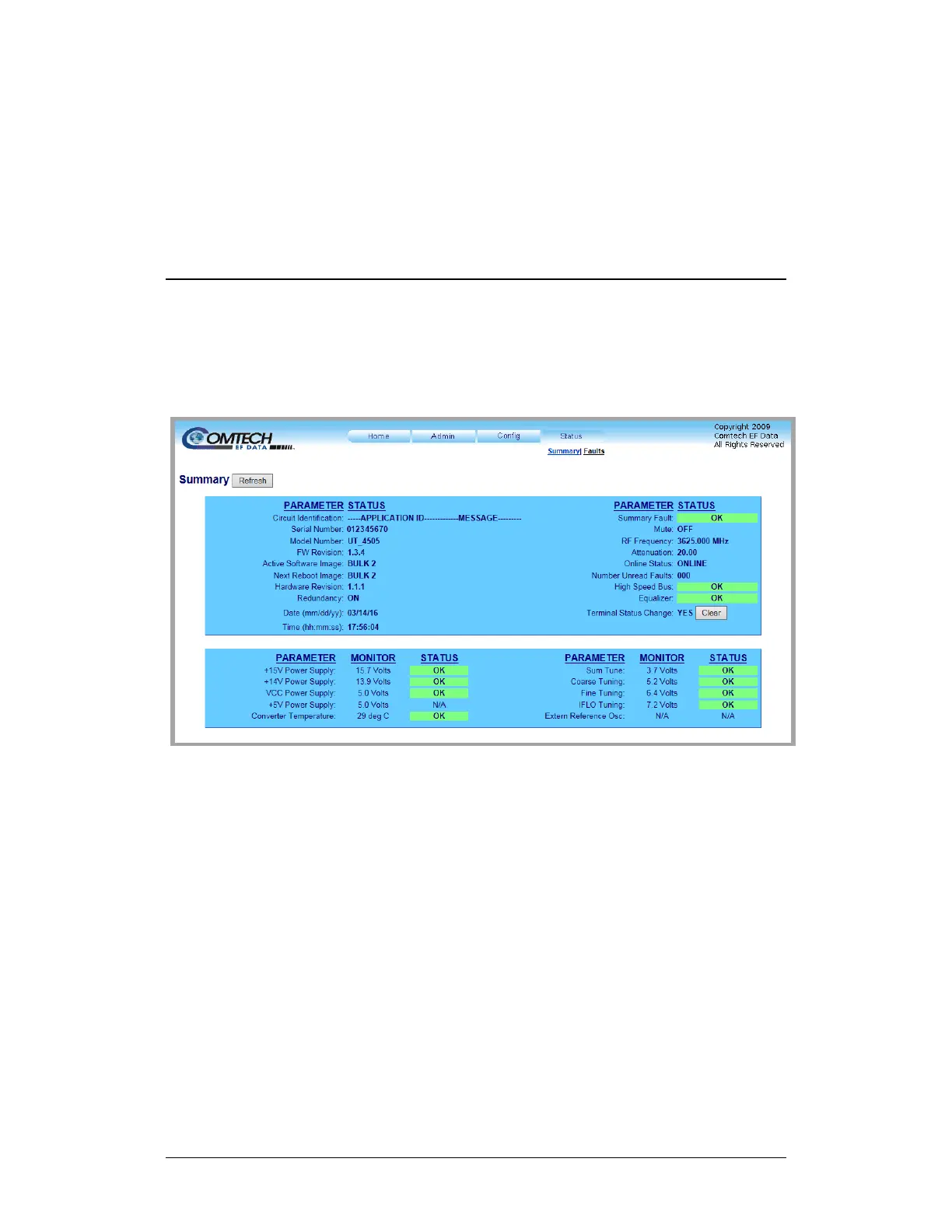
7.5.4.1 Status | Summary
Use this read-only page to review pertinent information about the configured
setup of the converter, its current operating parameters, and the operational
status of the unit.
Figure 7-16. ‘Status | Summary’ Page
Typical for all sections, when operating parameters are within acceptable limits
for any parameter, the STATUS box color is GREEN and reads “OK.”
If a fault condition exists, the item’s STATUS box color changes to RED and reads
“FAULT.”
Terminal Status Change reads “YES” if the unit identifies any configuration
settings updates since the last reboot. Click [Clear] to reset this monitoring
feature (Terminal Status Change changes to read “NO”).



 To Next Page