UT-4500 Series C- and Ku-Band Up Converters MN/UT4500.IOM
Ethernet Interface Operation Revision 3
7–25
7.5.4.2 Status | Faults
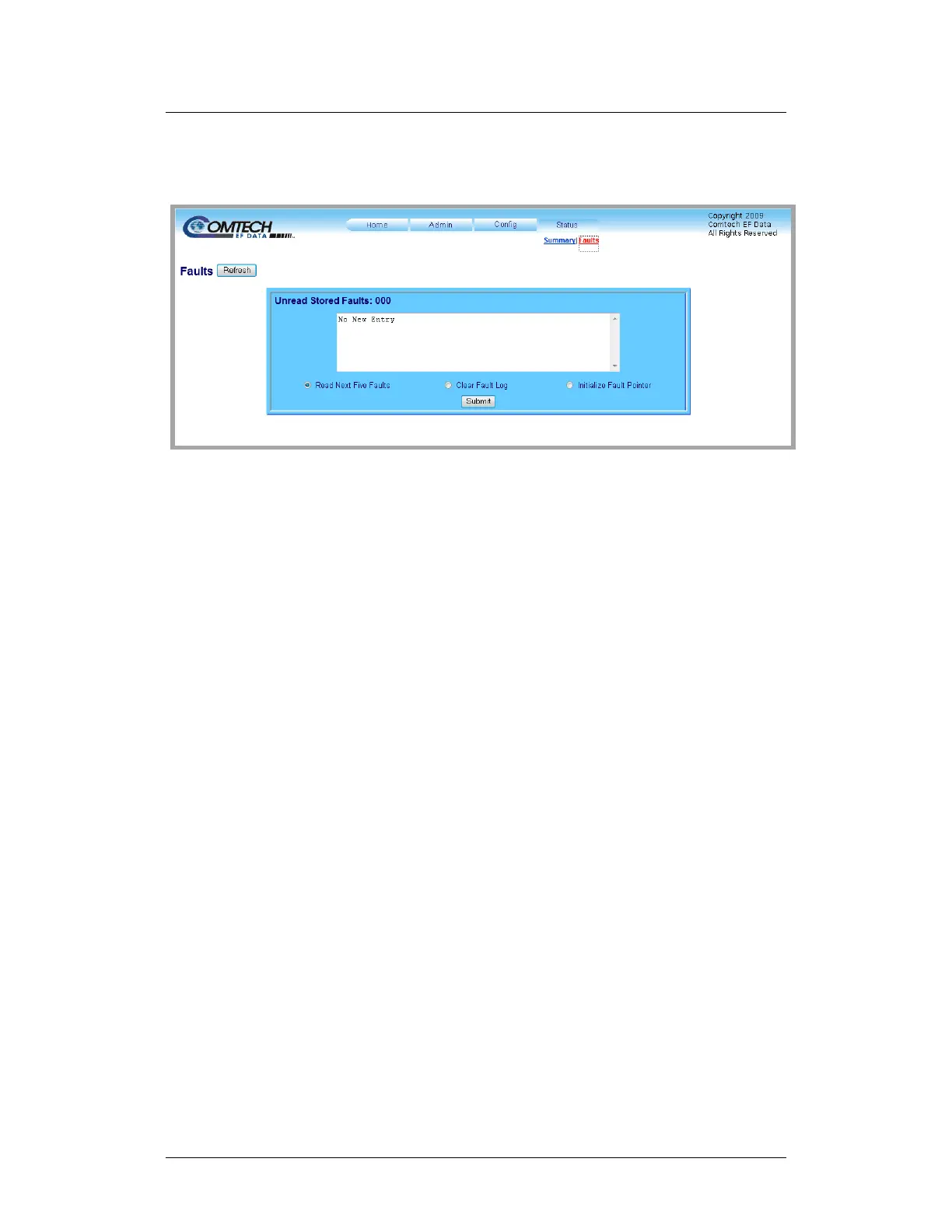
Use this read-only page to review the current stored faults.
Figure 7-17. ‘Status | Faults’ Page
This page features a scrollable window that displays the unread stored faults log
in sequential, date-stamped format.
Unread Stored Faults: ###
The section header displays the running tally of unread stored faults.
The event log displays the five oldest stored faults in the event log. The tally
decrements as events are transferred from the stored events log for display in
this window.
The bottom of the section provides the following management functions:
• Read Next Five Faults – Select this to display the next five unread stored
faults in the log.
• Clear Fault Log – Select this to clear all stored faults from the log.
• Initialize Faults Pointer – Select this to reset the internal pointer. This
allows queries to start at the beginning of the stored faults log.
Click [Submit].



 To Next Page