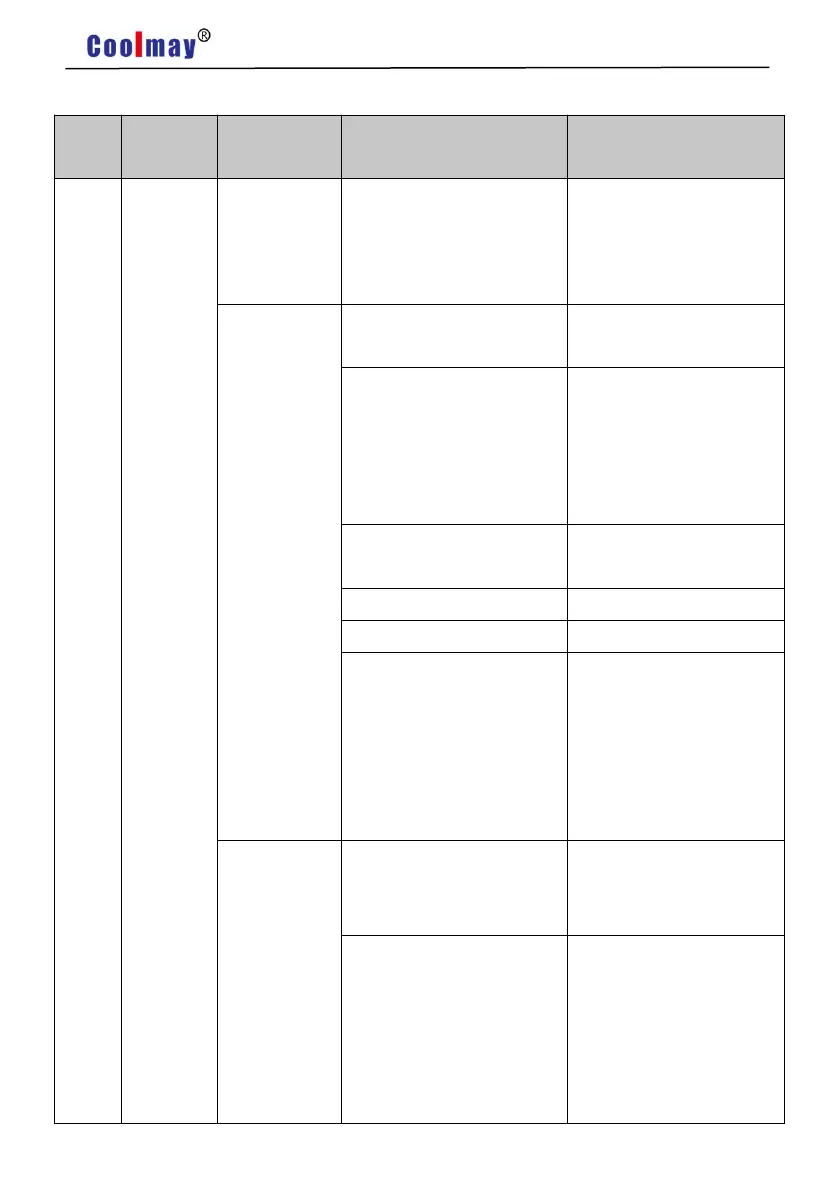
Chapter 10 Alarm processing method
Chapter 10 Alarm processing method
Appears
when the
control power
is turned on
1. The control circuit board
is faulty.
2. Encoder failure.
1. Replace the servo
driver.
2. Replace the servo
motor.
Appears
during motor
operation
The input command pulse
frequency is too high.
Correctly set the input
command pulse.
The acceleration /
deceleration time constant
is too small, which makes
the speed overshoot too
large.
Increase the acceleration /
deceleration time constant.
The input electronic gear
ratio is too large.
Replace the encoder cable
The servo system is
unstable, causing overshoot.
1. Reset the relevant gain
value.
2. If the gain cannot be set
to an appropriate value,
reduce the load inertia
ratio.
Appears
when the
motor is just
started
1. Reduce the load.
2. Replace the driver and
motor with higher power.
1. Encoder zero error.
2. Motor UVW lead is
wrongly connected.
3. Wrong cable connection
of encoder.
1. Replace the servo
motor.
2. Ask the manufacturer
to reset the encoder zero
point.
3. Correct wiring.


 To Next Page