Chapter 6 Operation And Display
Chapter 6 Operation And Display
6.1 Drive Panel Introduction
6.1.1 Front Panel
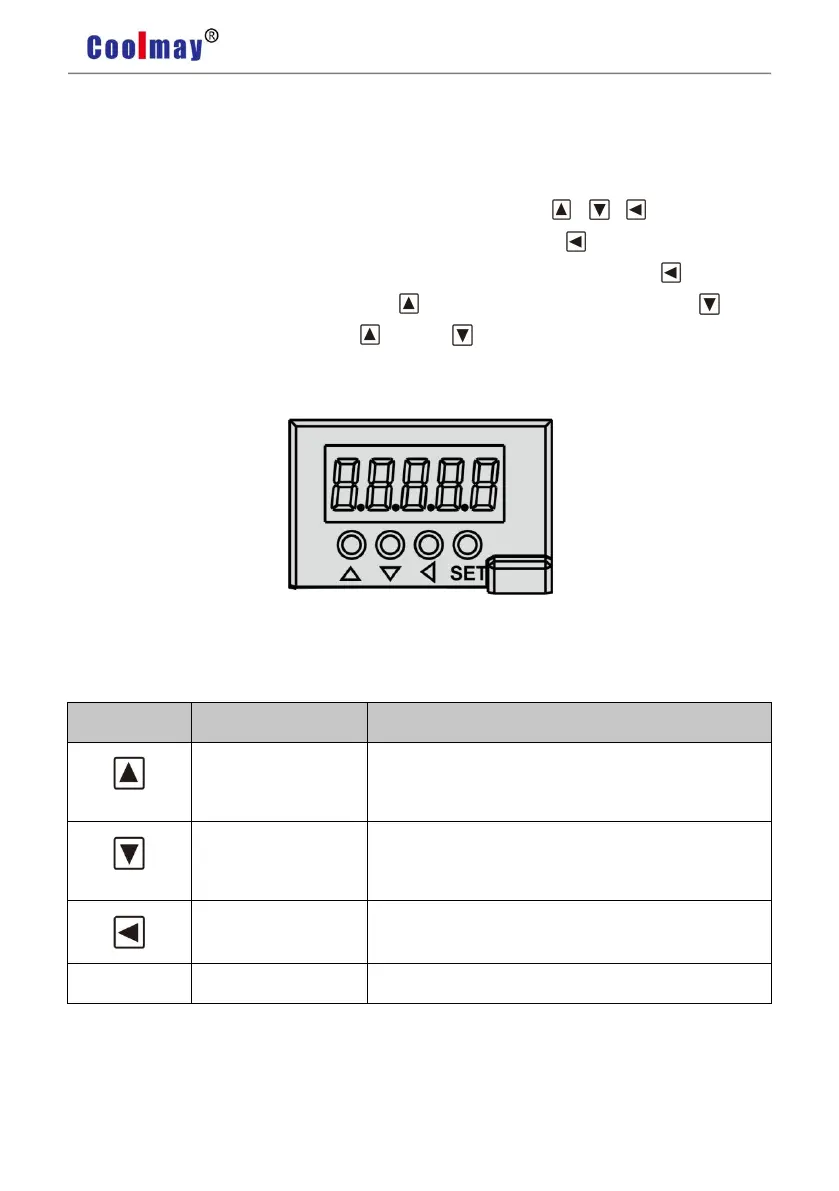
The panel consists of 5 digital LED and 4 buttons including 、 、 、SET to display
all system status and set parameters. The operation is hierarchical. button indicates “back”
and SET button indicates “forward” while it also has the meaning of “Enter” and button also
has the meaning of “Cancel” and “Exit”. button indicates “Increasing ” and button
indicates “decreasing”. If you press the button or button and maintain it, you would get a
duplicate result and stay longer, the repetition rate is higher.
Pic 6.1 Drive Panel Display
6.1.2 Front Keys Introduction
Increase sequence number or value;Press down and
hold to repeat increasing.
Decrease sequence number or value;Press down and
hold to repeat decreasing.
Menu exit; Cancel the operation
Menu entered; Confirm the operation


 To Next Page