Chapter 6 Operation And Display
6.4 Status Monitoring
The first layer is used to select the operation mode, there are 8 modes in total, use , to
change the mode, press the SET key to enter the second layer of the selected mode, and press
to return to the first layer from the second layer.
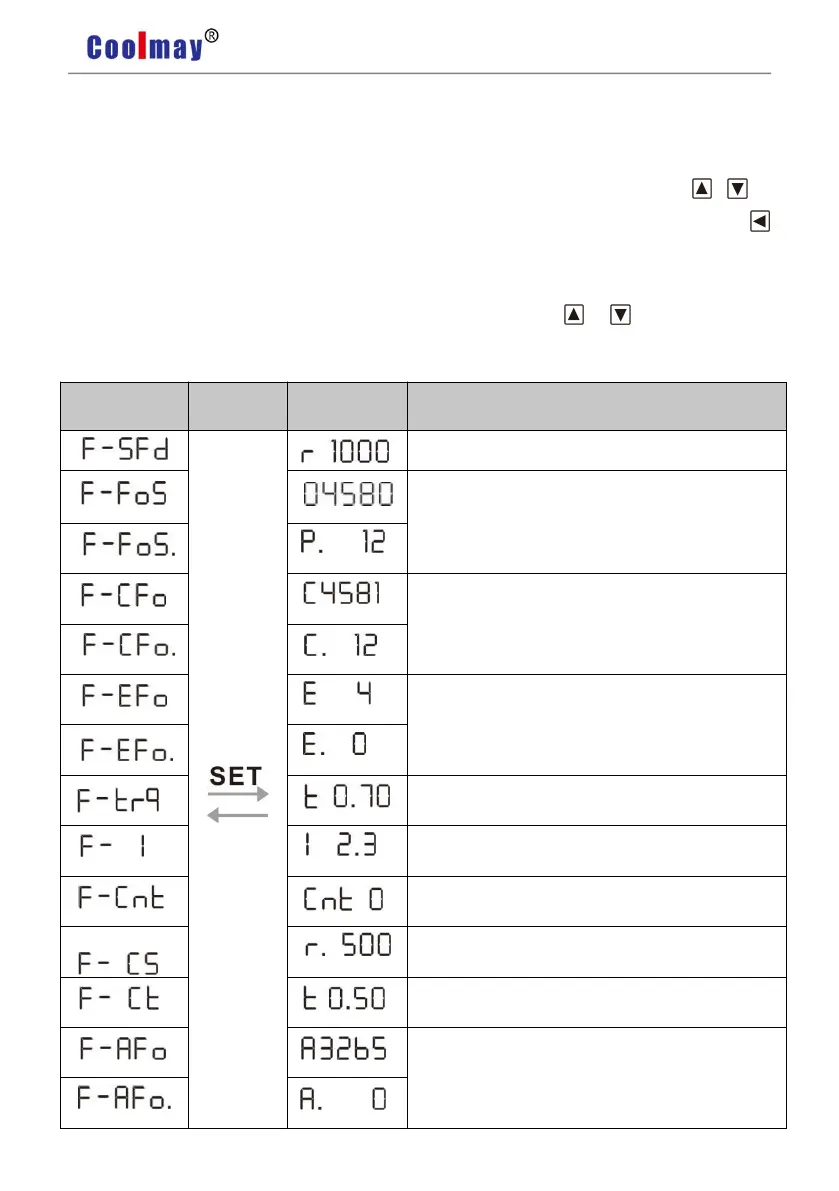
In the first layer,select “DP--” and press SET button to enter into monitoring mode. There
are 23 displays in total. Users select the desired display mode with or key, and then press
SET button to enter into the specific states.
The current position:124580
Position deviation:4 pulses
Control mode 0:position control
In speed mode,analog input speed: 500 r/min
In torque mode,analog input torque:50%
Absolute rotor position:3265


 To Next Page