2AV/X
1-6-24
1-6
(3) Detaching and refitting the laser scanner unit
Take the following procedure when the laser scanner unit is to be checked or replaced.
Procedure
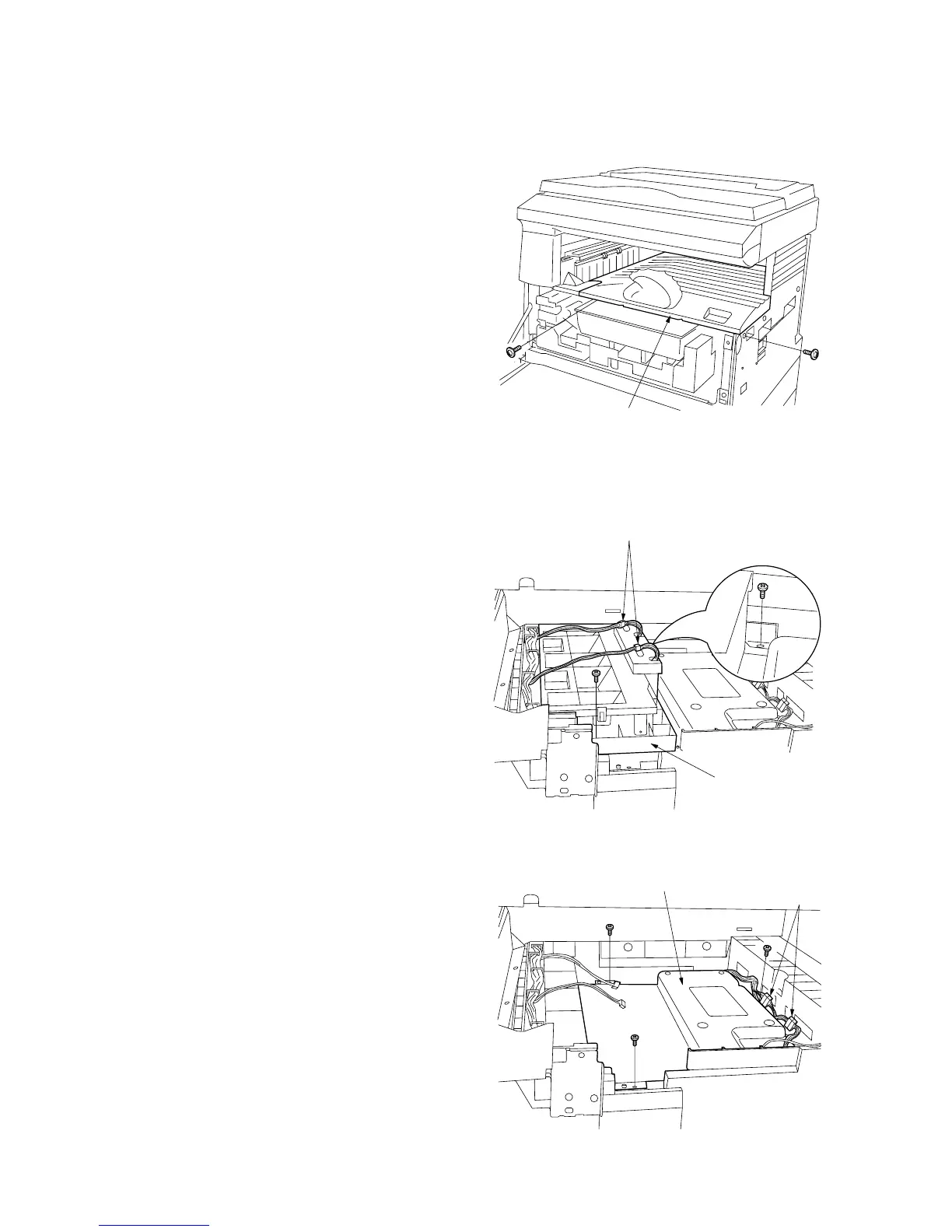
1. Open the front cover.
2. Remove the two screws holding the eject tray
and then the tray.
Figure 1-6-35
3. Remove the two screws and detatch the two
connectors and then remove the fan duct.
Figure 1-6-36
4. Remove the three screws and detatch the
two connectors and then remove the laser
scanner unit.
Figure 1-6-37
Eject tray
Fan duct
Connector
Laser scanner unit
Connector



 To Next Page