3BN/3A4
1-4-4
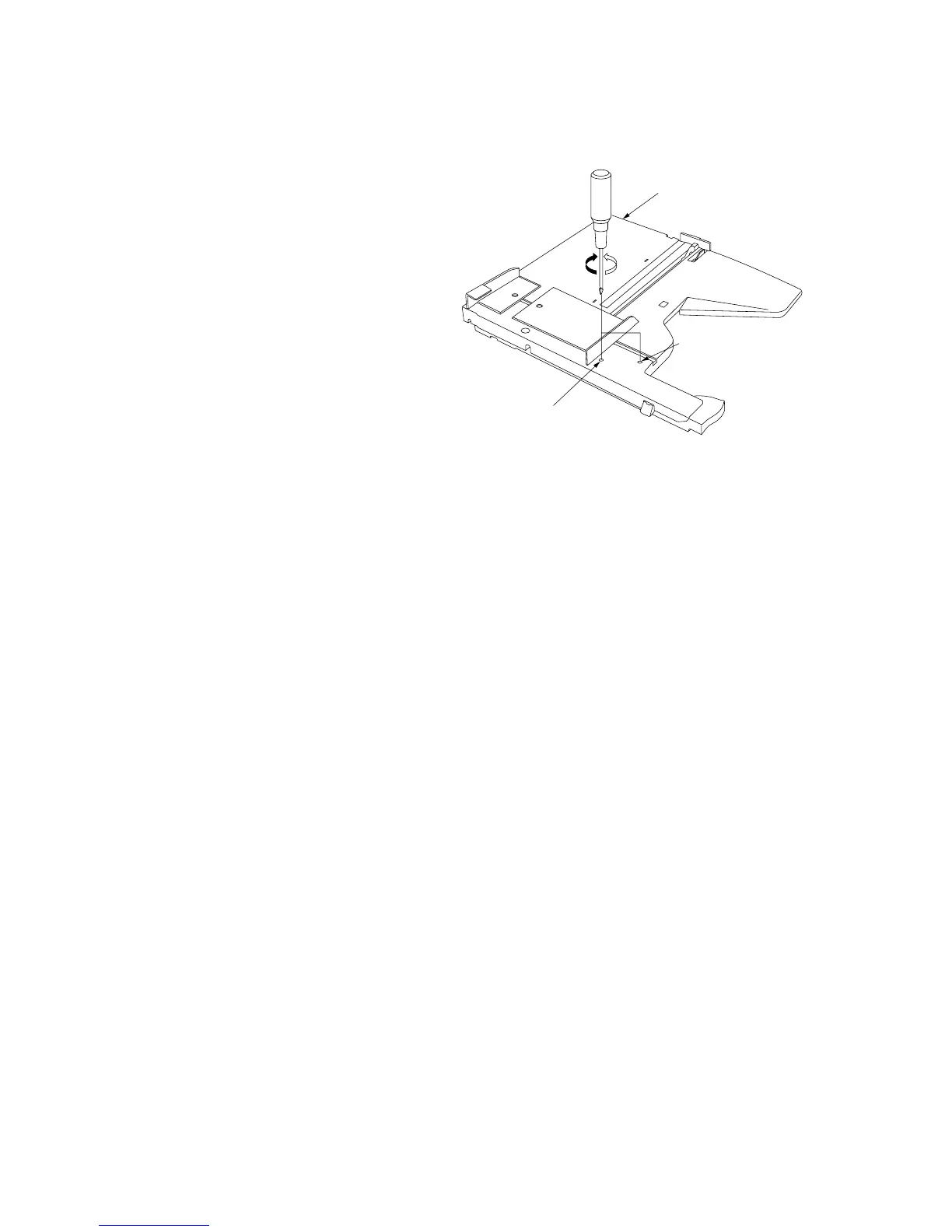
(3) Adjusting the tension of the front and rear side registration belts
Adjust the tension of each belt during periodic maintenance.
Procedure
1. Remove the intermediate tray unit from the
copier.
2. Loosen the tension adjustment screws for the
front and rear side registration belts. The
tension of the tension spring will be applied to
the belts.
3. Retighten the screws. Each belt will be
secured with the tension applied.
Figure 1-4-4
Intermediate tray unit
For adjusting the tension
of the front side
registration belt
For adjusting the tension of
the rear side registration belt



 To Next Page