3B1
1-3-5
Maintenance
Description
item No.
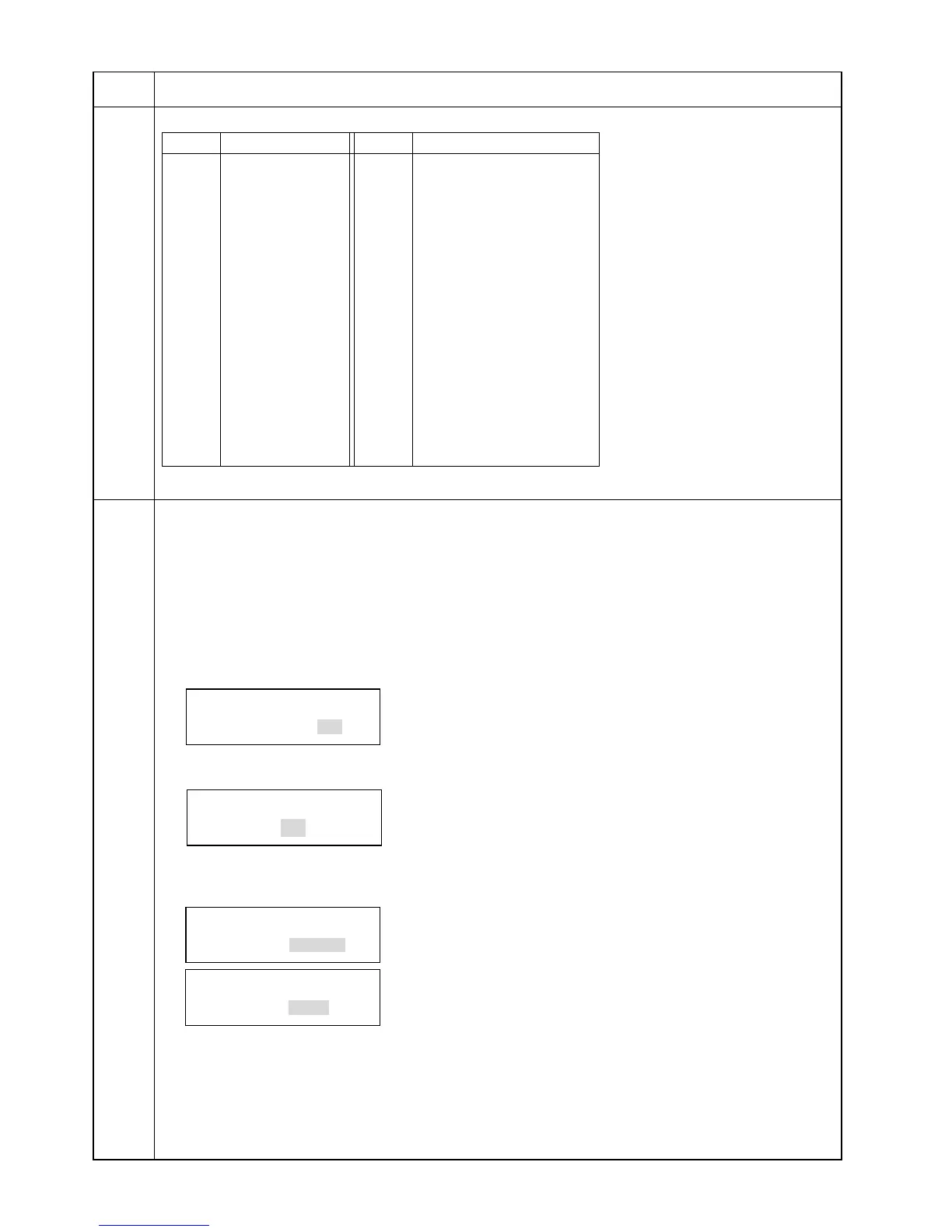
Destination code list
Japan
Australia
Canada
Greece
Hong Kong
Indonesia
Israel
Malaysia
New Zealand
Peru
Philippines
Middle East
Singapore
South Africa
Thailand
U.S.A.
South America
Saudi Arabia
Code
000
009
032
070
080
084
088
108
126
136
137
152
156
159
169
181
242
243
CTR21 (European nations)
Italy
Germany
Spain
U.K.
Netherlands
Sweden
France
Austria
Switzerland
Belgium
Denmark
Finland
Portugal
Ireland
Norway
Taiwan
253
254
Code
Destination
Destination
U600
(cont.)
U601 Initializing permanent data
Description
Initializes software switches other than that for machine data on the fax control PCB according to the
destination and OEM.
Purpose
Used to initialize the fax control PCB without changing user registration data and factory settings.
Method
1. Press the start key. The screen for entering the destination code is displayed.
Enter a destination code using the numeric keys (refer to the destination code list on page 1-3-5 for the
destination code).
INI. KEEP DATA
COUNTRY CODE:000
2. Press the start key. The screen for entering the OEM code is displayed.
There is no operation necessary on this screen.
INI. KEEP DATA
OEM CODE:000
3. Press the start key. Data initialization starts. To cancel data initialization, press the stop/clear key.
4. After data initialization, the entered destination and OEM codes are displayed, and the ROM version is
displayed two seconds later.
INI. KEEP DATA
COMPLETED 000 000
INI. KEEP DATA
COMPLETED V1.00
Caution
If initialized with "000" (code for Japan) entered as the destination code, service call code C082 (fax control
PCB problem) will be detected. Be sure to enter the correct destination code. If C082 (fax control PCB problem)
is detected, press the COPY/FAX switching key to put the machine in the copy mode, open the front cover and
then execute this maintenance item again to enter the correct destination code and initialize data.


 To Next Page