Artiglio Master Code User Manual 33
UK
5.1. TURNING THE MACHINE ON
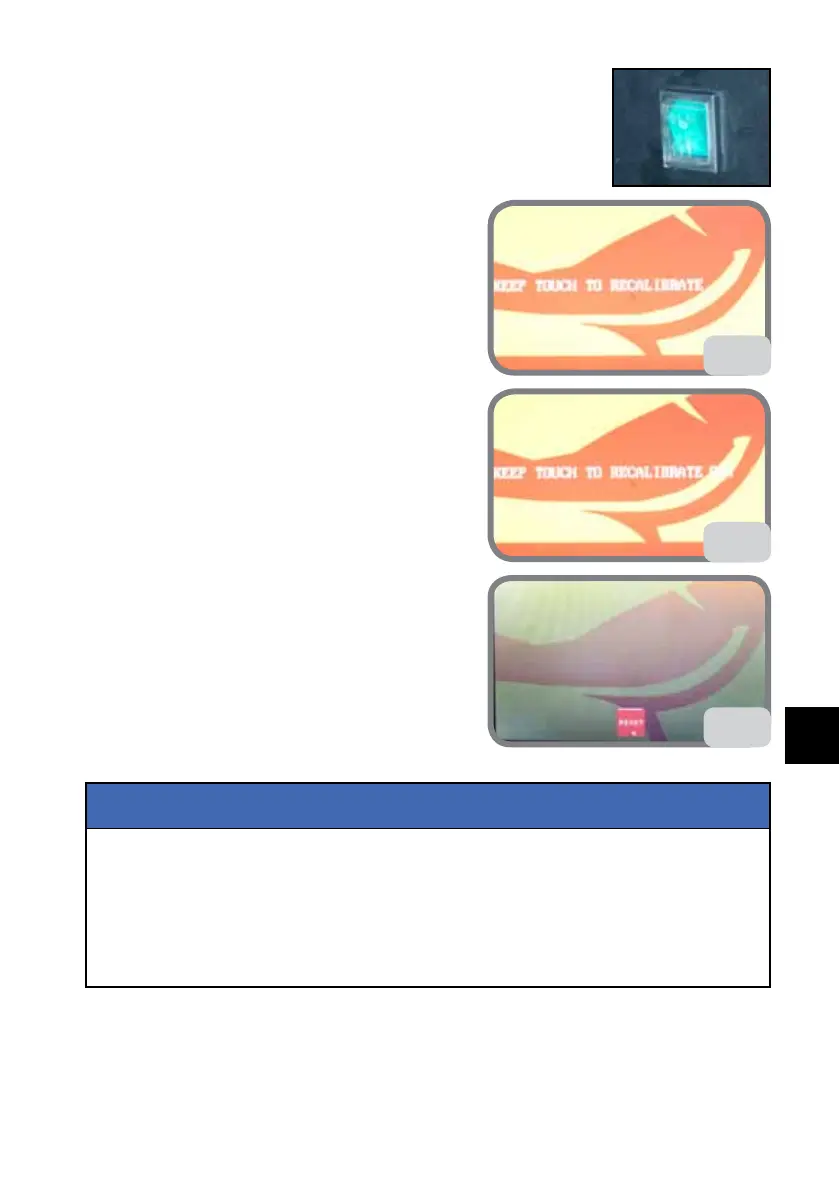
Move the main switch to I (ON) position.
The message “KEEP TOUCH TO RECALIBRATE”
appears on the screen while the software is load-
ing (Fig. 24a).
If the touch screen needs to be recalibrated (for
example the tyre changer had to be switched off
because no command could be given) press the
display until OK appears (Fig. 24b), after which the
calibration page will appear.
Proceed with calibration as described in paragraph
5.9.i in this manual.
N.B.: DO NOT press anything if the touch screen
does NOT require calibration. The software will be
loaded normally.
After the machine is switched on, the “reset” button
will appear on the display (see Fig. 24c). Press it to
reset the machine.
If the machine comes back on after a power failure, all tools must be moved away from the wheel,
before resetting the machine.
In these conditions, if the reset procedure is triggered accidentally, the movement can be stopped
by pressing the STOP button on the operating console. An image of the button will also appear
on the display. Reset the button to restore normal operating conditions.
Notes: during this operation, with the machine/support plate set to 32”, once the reset micro-
switch is tripped, the support plate moves back by about 1” before restarting the reset operation.
NOTICE
24c
24a
24b



 To Next Page