82 Artiglio Master Code User Manual
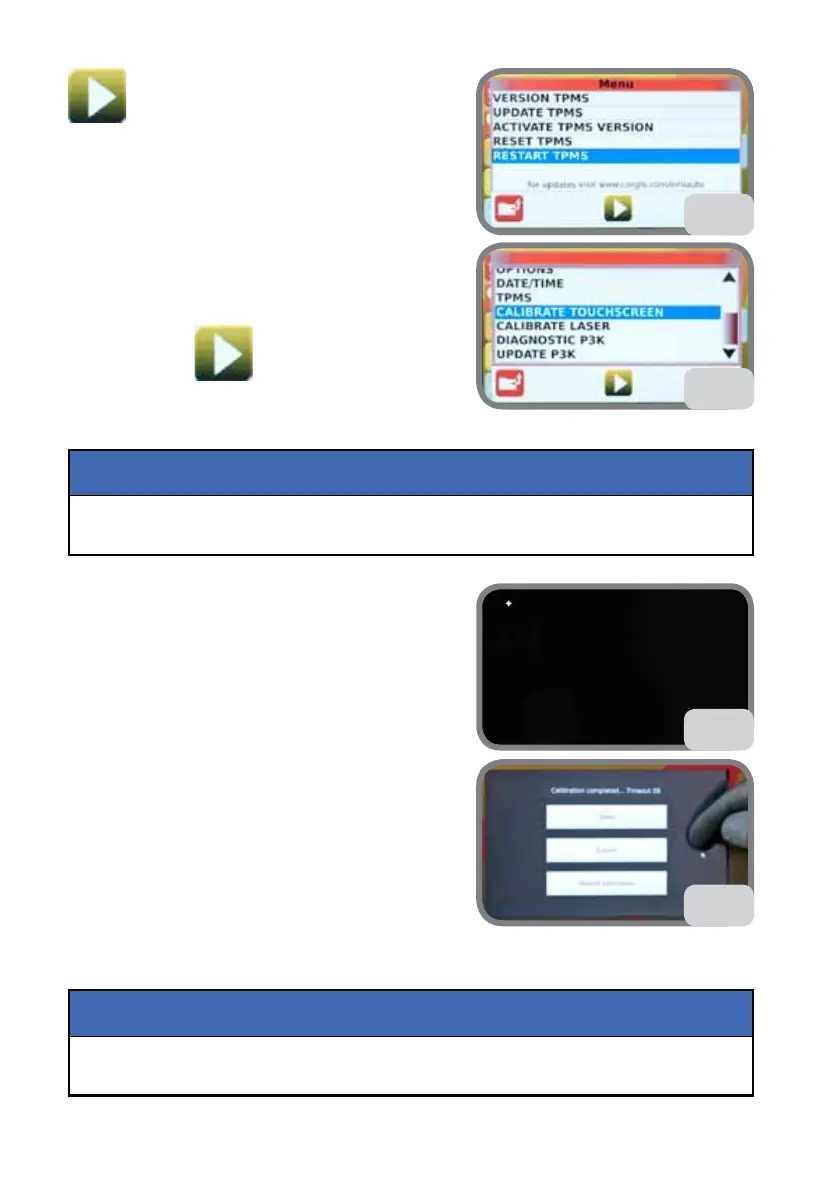
(Fig. 66).
5.9.i. CALIBRATE TOUCH SCREEN
1. Select CALIBRATE TOUCH SCREEN then press
the confirm key
(Fig. 67).
For greater precision, wear gloves when carrying out calibration.
NOTICE
2. With your finger, press the 5 crosses which ap-
pear in sequence on the touch screen (Fig. 67a).
Do not use sharp objects, such as pencils, to touch
the screen, as this will affect calibration.
3. At the end, Fig. 67b will be displayed.
Touch the display with your finger, making sure the
point follows the direction of your finger (Fig. 67b).
Otherwise, repeat the procedure.
4. Then you can select (see Fig. 67b):
- SAVE to save calibration
- CANCEL to exit calibration without saving
- RESTART CALIBRATION to repeat the procedure.
5.9.l. CALIBRATE LASER
This operation must be carried out only if recommended by technical assistance.
NOTICE
67
67a
67b
66



 To Next Page