92 Artiglio Master Code User Manual
maximum control for the operator. The camera also has an automatic luminosity regula-
tion system for correct vision at any time of the day.
Intended operating conditions
The camera has been designed exclusively to display operations carried out on the tyre
underside, as described in this manual. Any other use is inappropriate.
Technical specifications
-power supply………………………………24Vdc
OPERATION
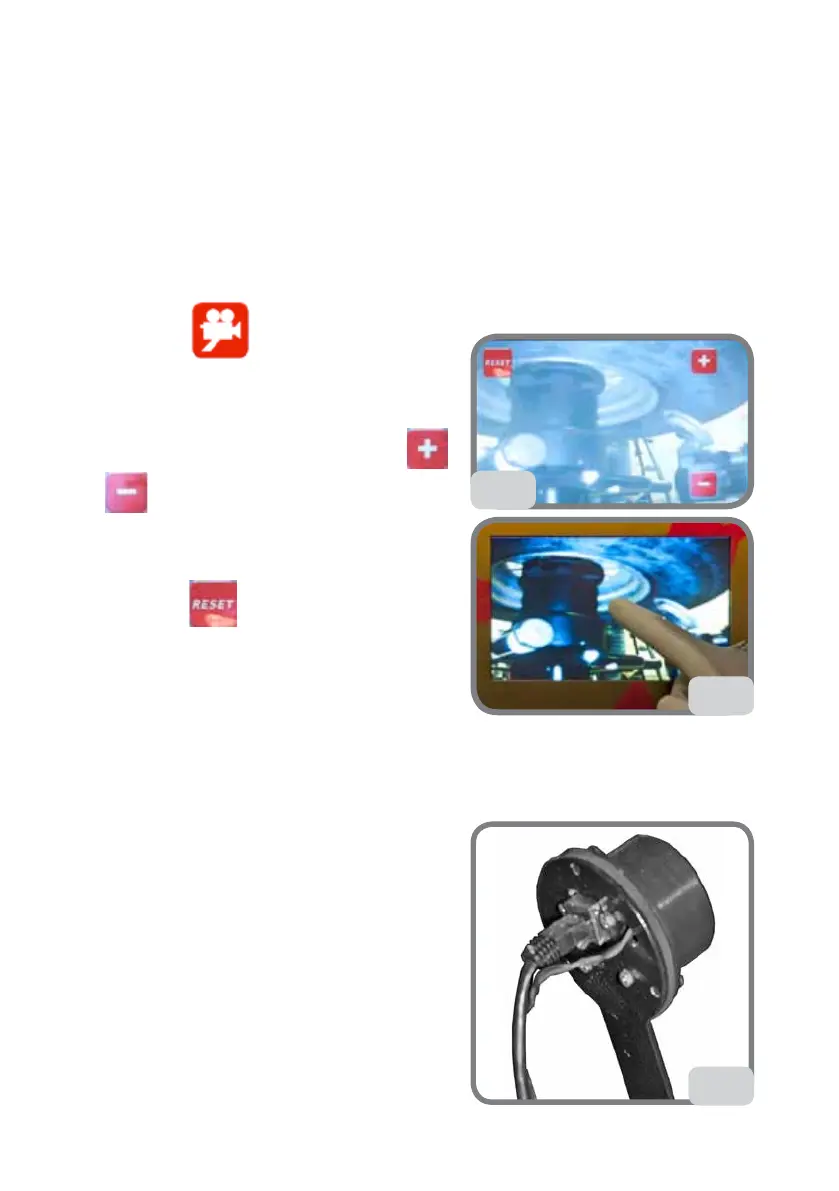
- Press the key to use the camera.
- An image of the tyre underside will appear on
the display (Fig. 74a).
Luminosity will be automatically configured.
If the image is not optimal, press the keys
and
, pressing gently on the right side of
the display, to manually adjust luminosity. The
configuration will be automatically stored and kept
each time the camera is used again.
- Press the key
in the top left-hand corner
to go back to automatic mode.
- Press the middle of the display to exit the applica-
tion and go back to the main screen (see Fig. 74b).
Note: If the camera is not used for more than 5
minutes, the main screen will appear automatically.
TROUBLESHOOTING
The camera does not show any images
Cable disconnected on the camera
- Connect the cable (Fig. 74c)
Camera failure
- If the problem persists, contact technical as-
sistance.
The image is out of focus
The optics are not set properly
- Contact technical assistance
74b
74a
74c



 To Next Page