5-4 5-INSTALLATION
COROB™ TATOCOLOR
2. If the computer is complete with monitor and keyboard, connect as needed. The keyboard
cable can be hidden inside the dispensing head (chapter 5.5.1).
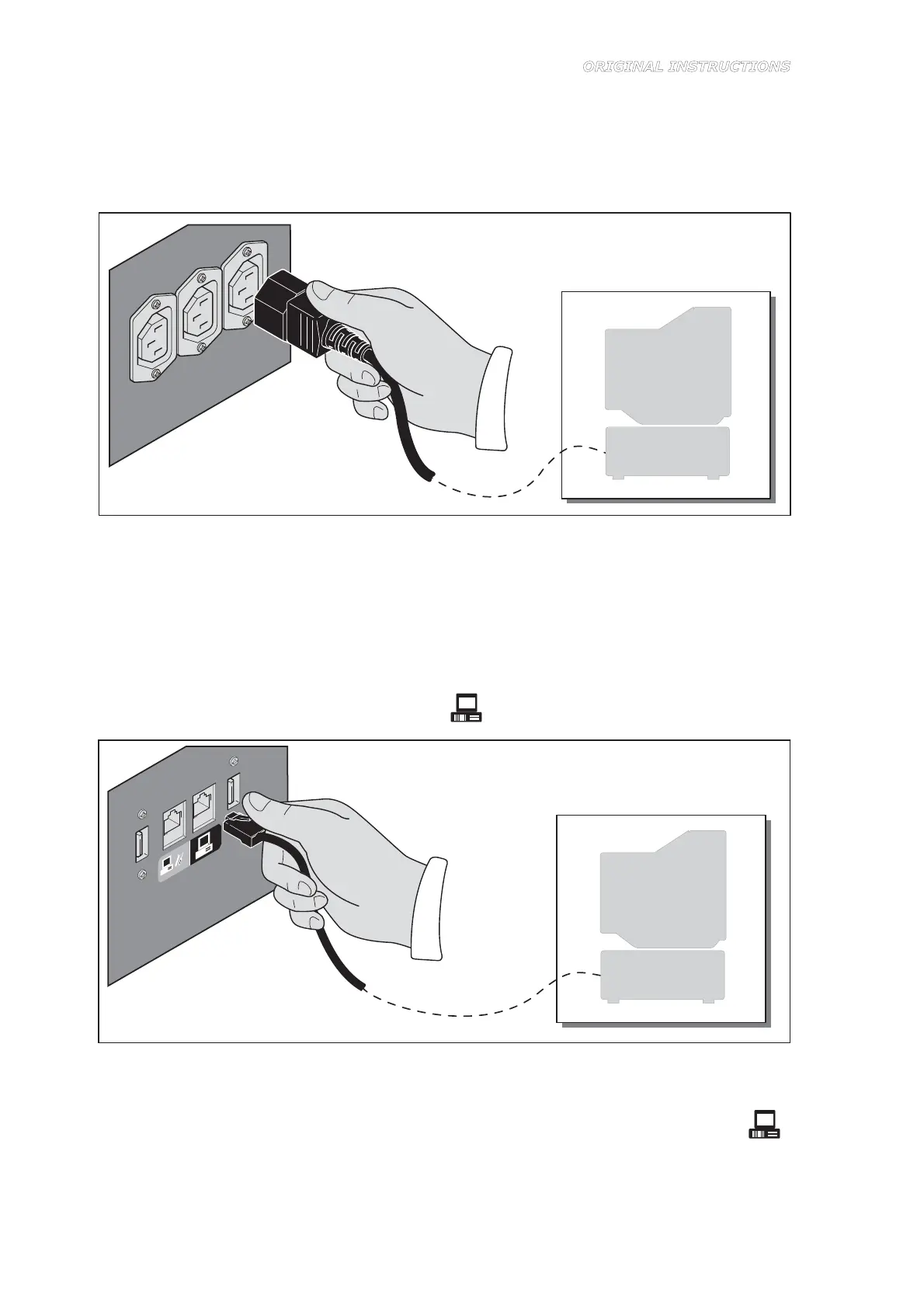
3. Connect the computer and monitor power supply cords to the auxiliary sockets on the rear
door (Figure 5-3). Do not use power cords that are not in good condition or are
unsuitable.
Figure 5-3
4. Connect the computer to the machine as follows:
RS232 serial connection
– Connect the 9-pin female connector of the communication cable to the serial port of the
computer (preferably serial port COM1); if the serial port connector of your computer has
25 pins, use a 9/25-pin adapter.
– Insert the communication cable connector (RJ11 male) into the connector (RJ11 female)
on the rear door, marked with the symbol (Figure 5-4).
Figure 5-4
USB connection
– Connect the USB interface cable to the dispenser USB port, marked with the symbol
(Figure 5-5).
– Connect the other end to one of the USB ports of the computer.



 To Next Page