7-4 7-USING THE DISPENSER
COROB™ TATOCOLOR
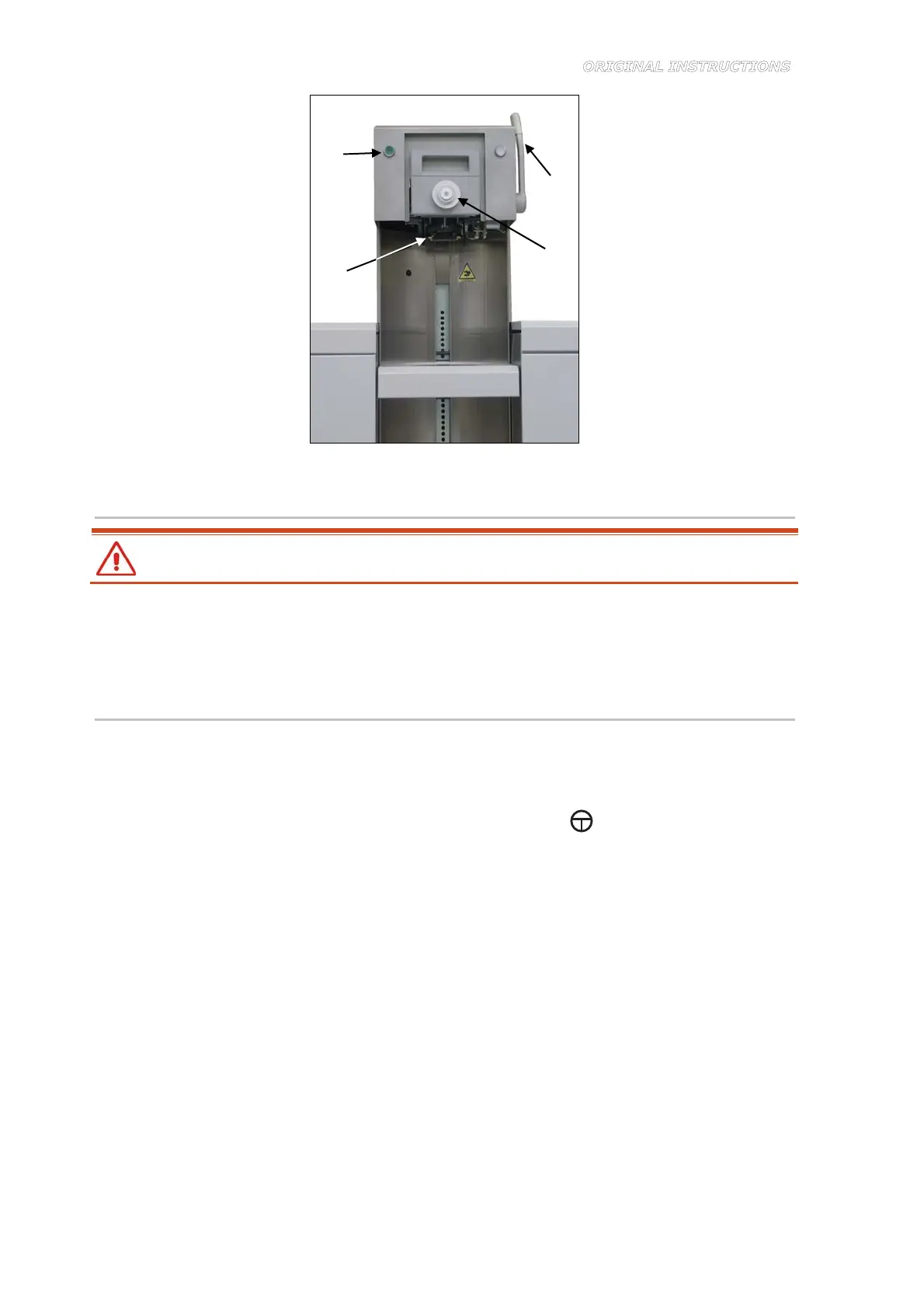
Figure 7-1
7.3.3 Dispensing
After you have loaded the can and confirmed dispensing, keep hands away from the
dispensing area, until when the machine has finished dispensing.
Once the dispensing command has been received, the machine will begin to dispense the
colorants included in the formula in the set amounts. The dispensing time is the time required by
the colorant of which the greatest amount is used in the formula.
After dispensing, you may proceed with inserting the plastic plug on the can (next chapter).
7.3.4 Inserting the plastic plug on the can lid
1. Insert the plastic plug into the slot provided on the plugger device (1) (Figure 7-4).
2. Grasp the upper plugger grip (2) and lower it to turn the device downward, into working
position (3) (Figure 7-4 and Figure 7-3).
3. If illuminated, press and hold down the green enabling button
(4) and lower the punch
side lever (5) to insert the plug (Figure 7-3). If the green button is not illuminated, it means
that the can has not been correctly positioned (chapter 7.3.1).
4. Release the button and return the lever to its original position.
5. Grasp the plugger grip again and raise it, to turn the plugger upward into its resting position.
At this point, you may remove the can from the shelf and proceed with the next dispensing
process.
1
2
4
3



 To Next Page