4-2 4-SHIPPING, HANDLING AND UNPACKING
COROB™ TATOCOLOR
Temperature between 10°C and 40°C
Relative humidity: from 5% to 85 % (without condensation)
The climatic working conditions may vary according to the type of colorants used. The
proper values are provided by the paint manufacturer or indicated on the colorant package and
safety data sheet. The climatic conditions listed above are valid for the machine only.
Environment conditions outside the values indicated may cause serious damage to the
machine, especially the electronic equipment.
The area called the operator area (border area around the machine) must remain as dry
as possible and free of obstacles.
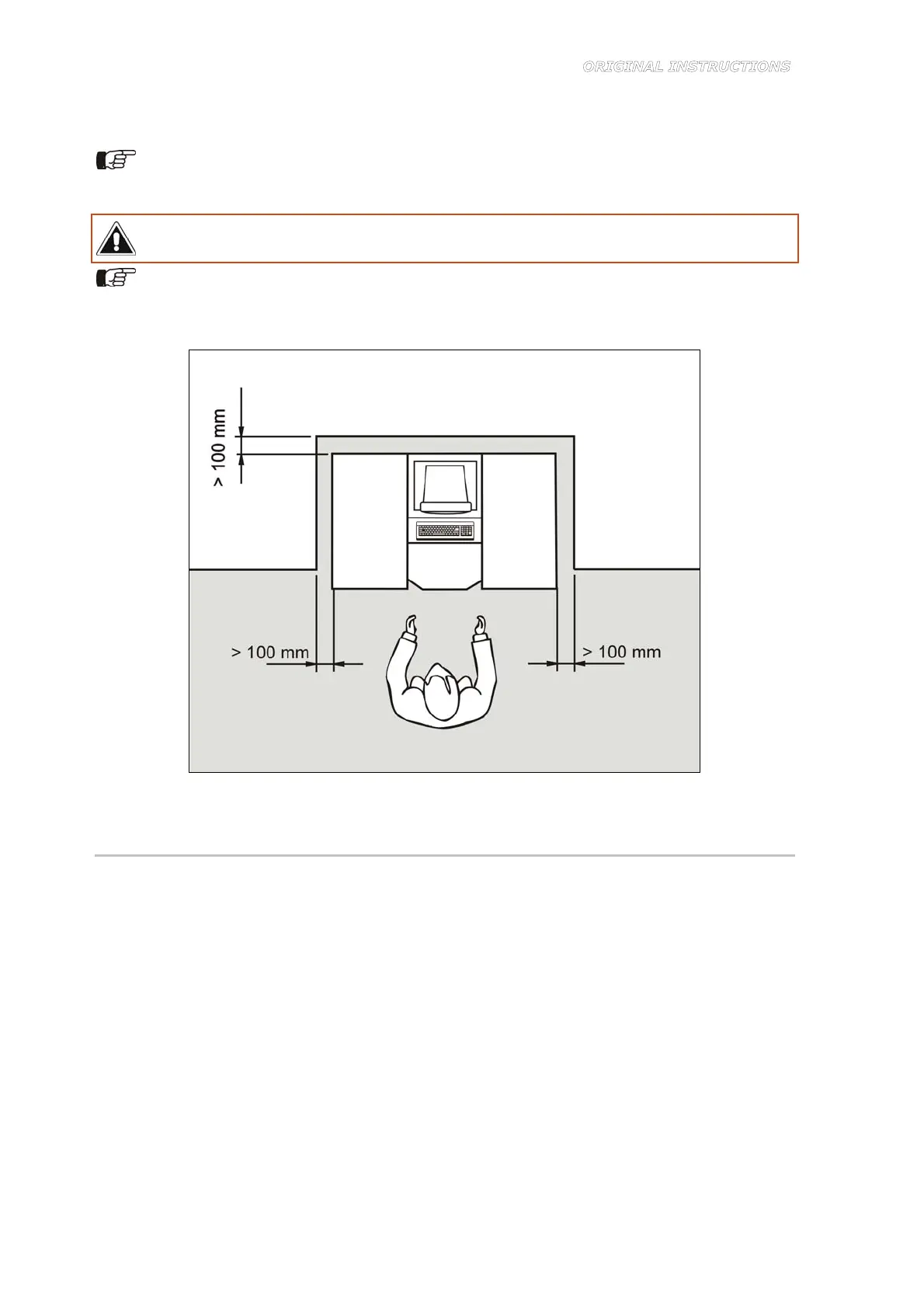
When positioning the machine, observe the distances shown in Figure 4-1.
Figure 4-1
4.4 Unpacking and placement
Make sure the packing has not suffered any damage or tampering during shipping; if so, contact
the authorized technical service or your dealer.
We recommend that you store the packing material for future use, or dispose of it according to
current regulations. In any case, we recommend that you keep it for the entire duration of the
machine warranty.
To unpack the machine, follow the instructions below:
1. Cut the plastic straps wrapped around the packing (cardboard box only).
2. Remove the covering from the pallet, also removing the corresponding fasteners.
3. Any accessories ordered may be inserted in the packing and packed separately, such as:
computer and monitor in their original packing, etc.. Remove all individually packed
accessories and set them aside for installation.
4. Remove the bubble plastic and/or cellophane wrapped around the machine.



 To Next Page