6-2 6-START-UP
COROB™ TATOCOLOR
Main plug (3) Main power supply to the machine.
Auxiliary sockets (4)
Power supply to the computer and other
equipment (calibration scale or label printer).
RS232 serial port for service
computer (5)
RJ11 female connector for the RS232 serial
interface connection to the service computer.
USB port for service computer
(6)
Connector for the USB interface connection to the
service computer.
RS232 serial port for
management computer (7)
RJ11 female connector for the RS232 serial
interface connection to the machine management
computer.
USB port for management
computer (8)
Connector for the USB interface connection to the
machine management computer.
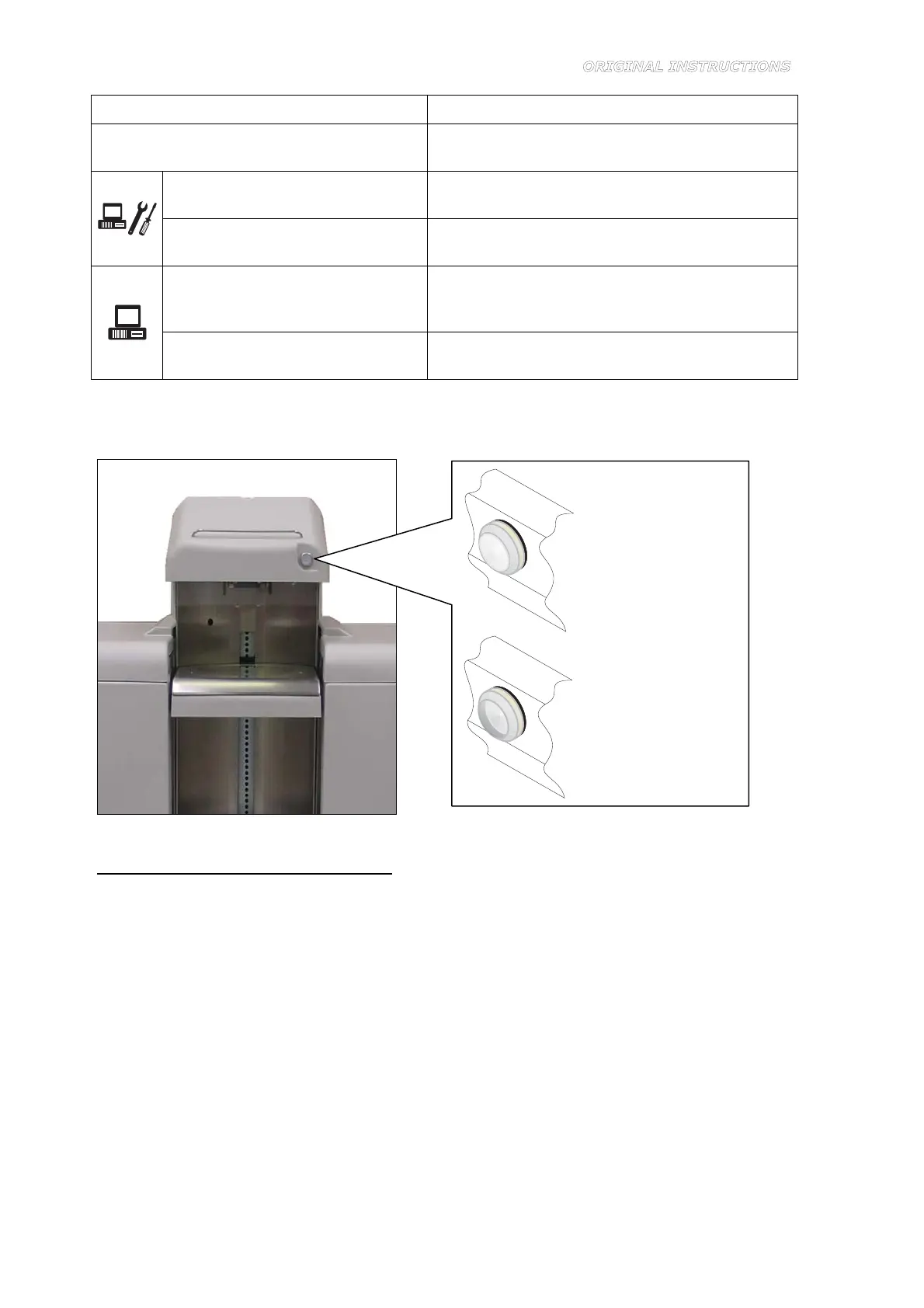
The following device is present on the dispensing section, in a functional position for the operator
station (Figure 6-2):
Figure 6-2
ON lamp, with built-in ON-OFF button
White lamp, with built-in button. When this lamp is lit, it indicates that the machine is powered
and the main switch is in the ON position (I). When the ON-OFF button is pressed, power is cut off
to the machine control circuits and the ON lamp turns off, but the auxiliary sockets remain
powered.
To power up and start the machine, proceed as follows:
1. Visually make sure that the main switch is in the OFF position (O).
2. Visually make sure that the ON-OFF button is not pressed.
3. Insert the power supply cable socket into the main machine plug (Figure 6-3), and the other
end to the mains socket outlet.
4. Set the main switch to the ON position (I) (Figure 6-4). At this point, the ON lamp will light to
indicate that the machine is on.
5. Turn on the computer and monitor.
Lamp with ON-OFF
button released
Lamp with ON-OFF
button pressed



 To Next Page