9-2 9-SERVICE COMPUTER
COROB™ TATOCOLOR
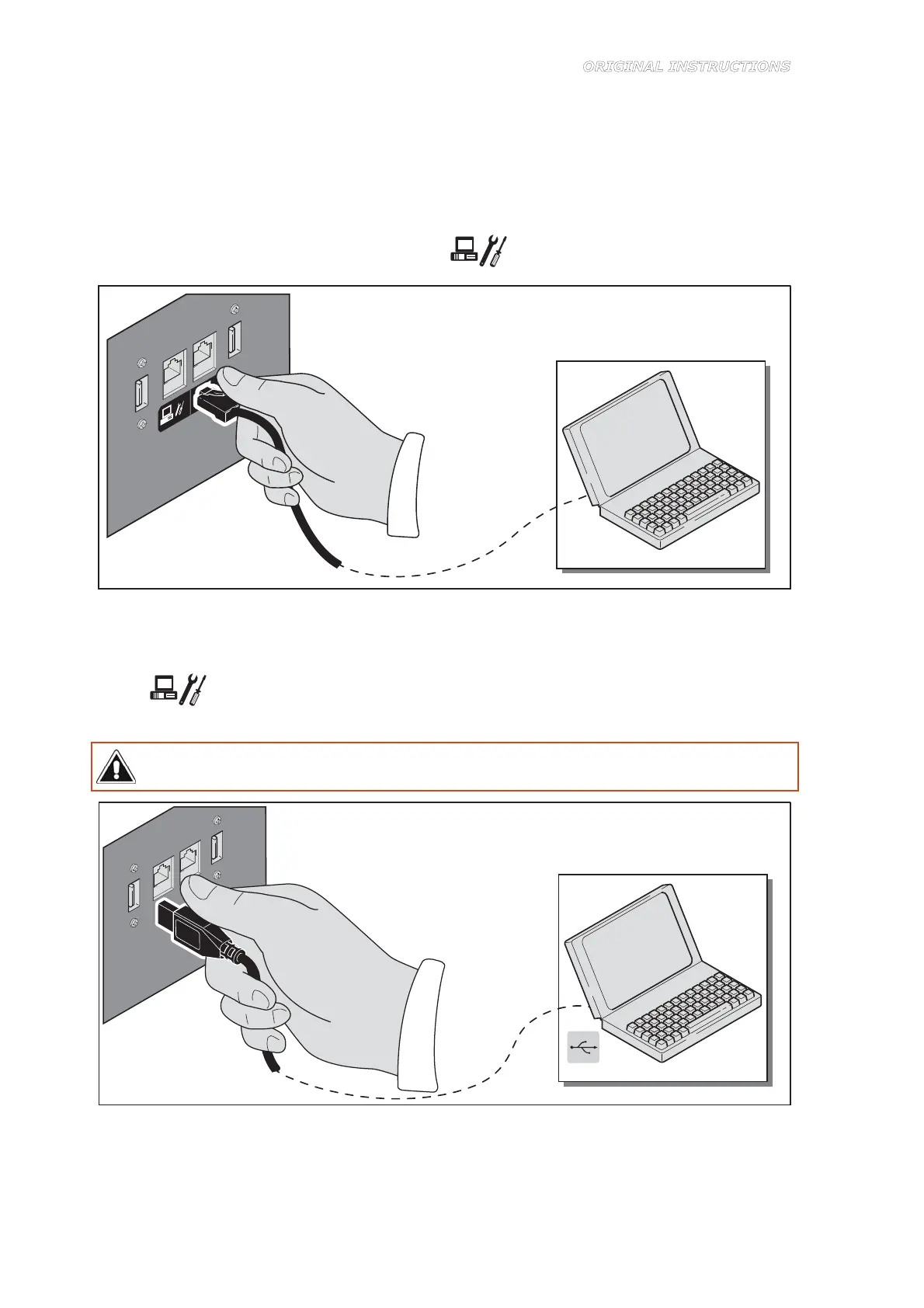
1. Connect the computer to the machine as follows:
RS232 serial connection
– Connect the 9-pin female connector of the communication cable to the serial port of the
computer (preferably serial port COM1); if the serial port connector of your computer has
25 pins, use a 9/25-pin adapter.
– Insert the communication cable connector (RJ11 male) into the connector (RJ11 female)
on the rear door, marked with the symbol
(Figure 9-2).
Figure 9-2
USB connection
– Connect the USB interface cable to the dispenser USB port, marked with the symbol
(Figure 9-3).
– Connect the other end to one of the USB ports of the computer.
Do not use an USB interface cable longer than 2 meters. USB not supported in Microsoft
Windows 95 or Microsoft Windows NT 4.0.
Figure 9-3
4. Turn on the machine (chapter 6.2).



 To Next Page