Product Manual — Doc. 8559B 4-Series™ Control Systems • 123
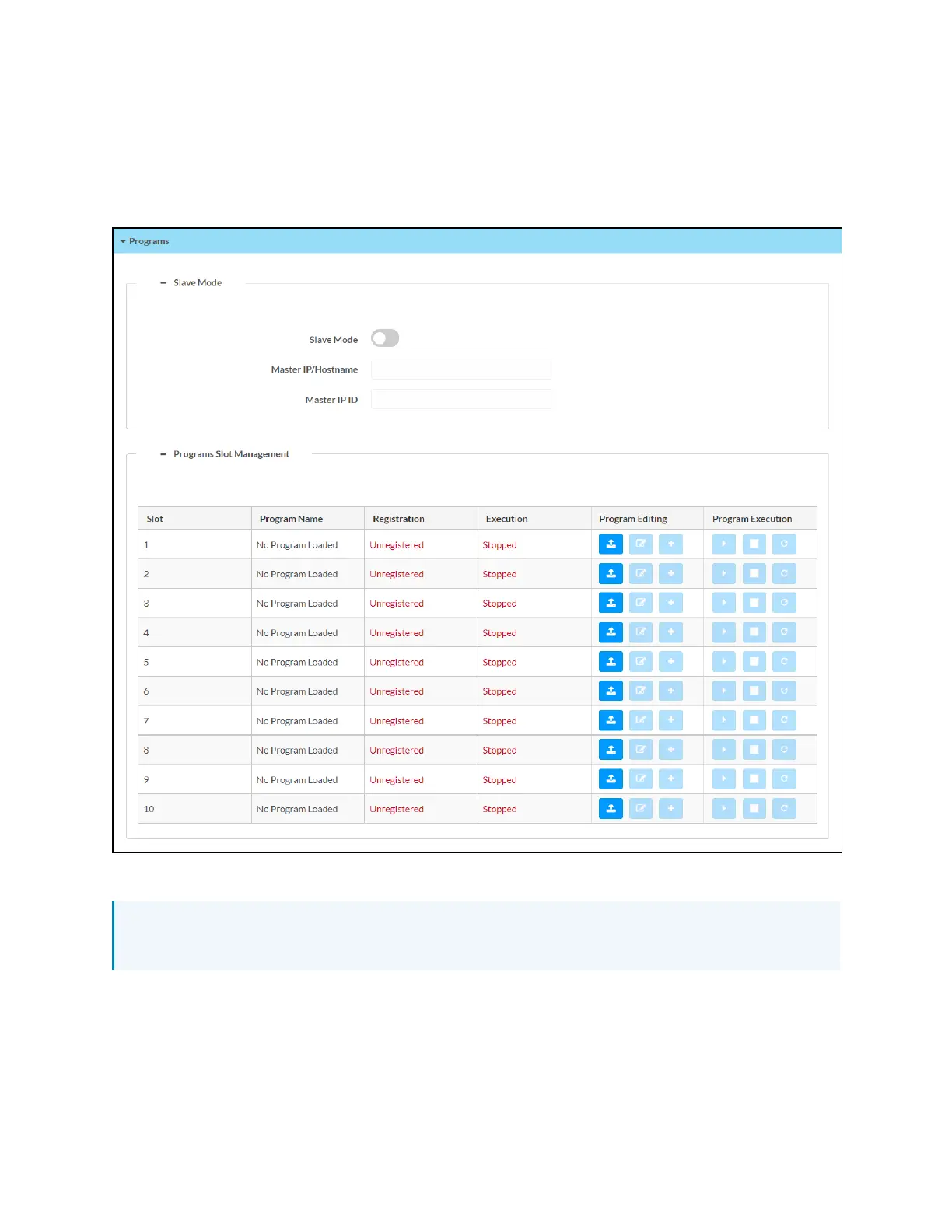
Programs
Select Programs to manage control system programs and to configure subordinate mode
settings for the control system.
Settings Tab - Programs
Slave Mode
NOTE:For more information on using subordinate mode for a 4-Series control system, refer
to Primary-Subordinate Mode (on page194).
Select the + (plus)icon next to Slave Mode to display the following subordinate mode settings.
l
Turn the Slave Mode toggle on to run the control system in subordinate mode. If this
toggle is turned on, the control system will follow a program running on the primary
control system and will make its ports available to that control system.



 To Next Page