Product Manual — Doc. 8559B 4-Series™ Control Systems • 125
Load a New Program
To load a new program to the control system:
1.
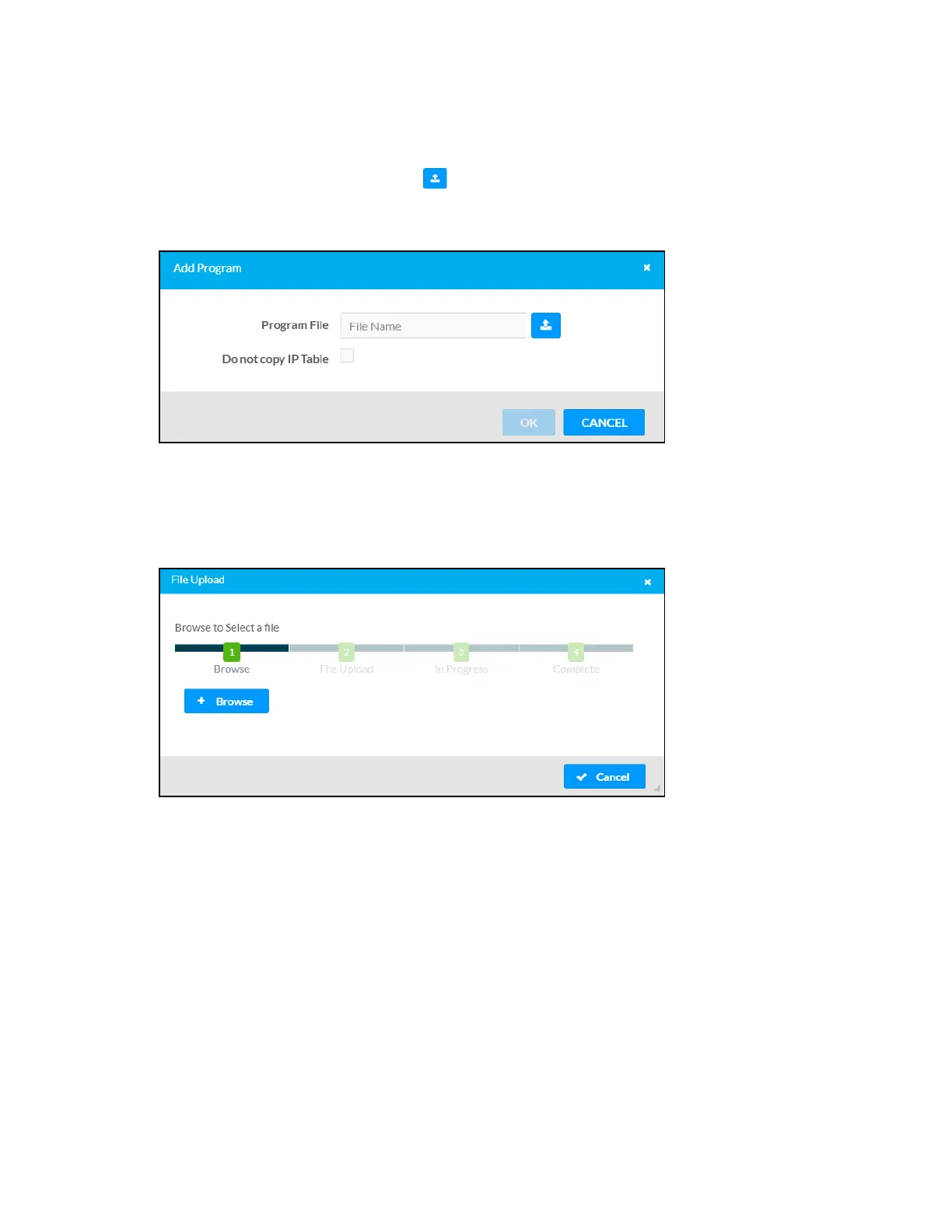
Select the Upload Program button in an available program slot. The Add Program
dialog box is displayed.
Add Program Dialog Box
2. If desired, fill the Do not copy IPTable check box to prevent the program IPtable from
being copied to the control system following the upload.
3. Select the Program File button. The File Upload dialog box is displayed.
File Upload Dialog Box
4. Select Browse, and then navigate to the programfile (LPZor CPZ)on the host computer.
5. Select the program file, and then select Open.
6. Select Load to load the program file to the control system. The upload progress is shown
in the dialog box.
7. Once the control system has completed the program upload, select OK. The program will
appear in the Program Slot Management table and will automatically try to register and
start itself on the control system.



 To Next Page