Product Manual — Doc. 8559B 4-Series™ Control Systems • 127
Projects
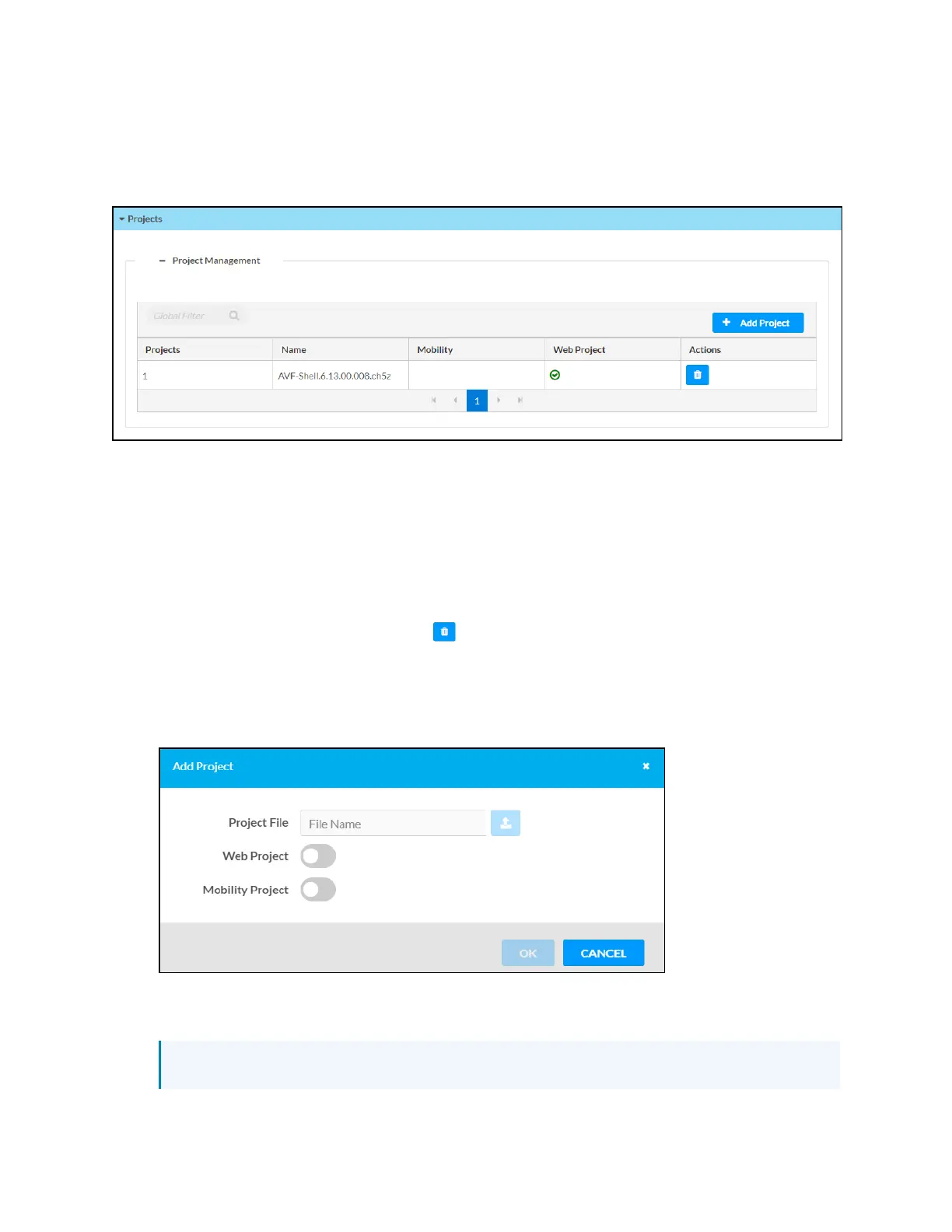
Select Projects to manage web and mobility projects for the control system.
Settings Tab - Programs
Each loaded project is represented in a table that provides the following information and
controls:
l
Projects:The project number on the control system
l
Name:The name for the web or mobility project
l
Mobility:Displays a green check icon if the project is a mobility project
l
Web Project:Displays a green check icon if the project is a web project
l
Actions:Select the trash can button to delete the project from the control system
To load a new web or mobility project to the control system:
1. Select Add Project. The Add Project dialog box is displayed.
Add Project Dialog Box
2. Turn on the Web Project or Mobility Project toggles to define whether the loaded project is
a web or a mobility project.
NOTE:If the project is both a web and a mobility project, both toggles can be selected.



 To Next Page