Section 8B Page 2
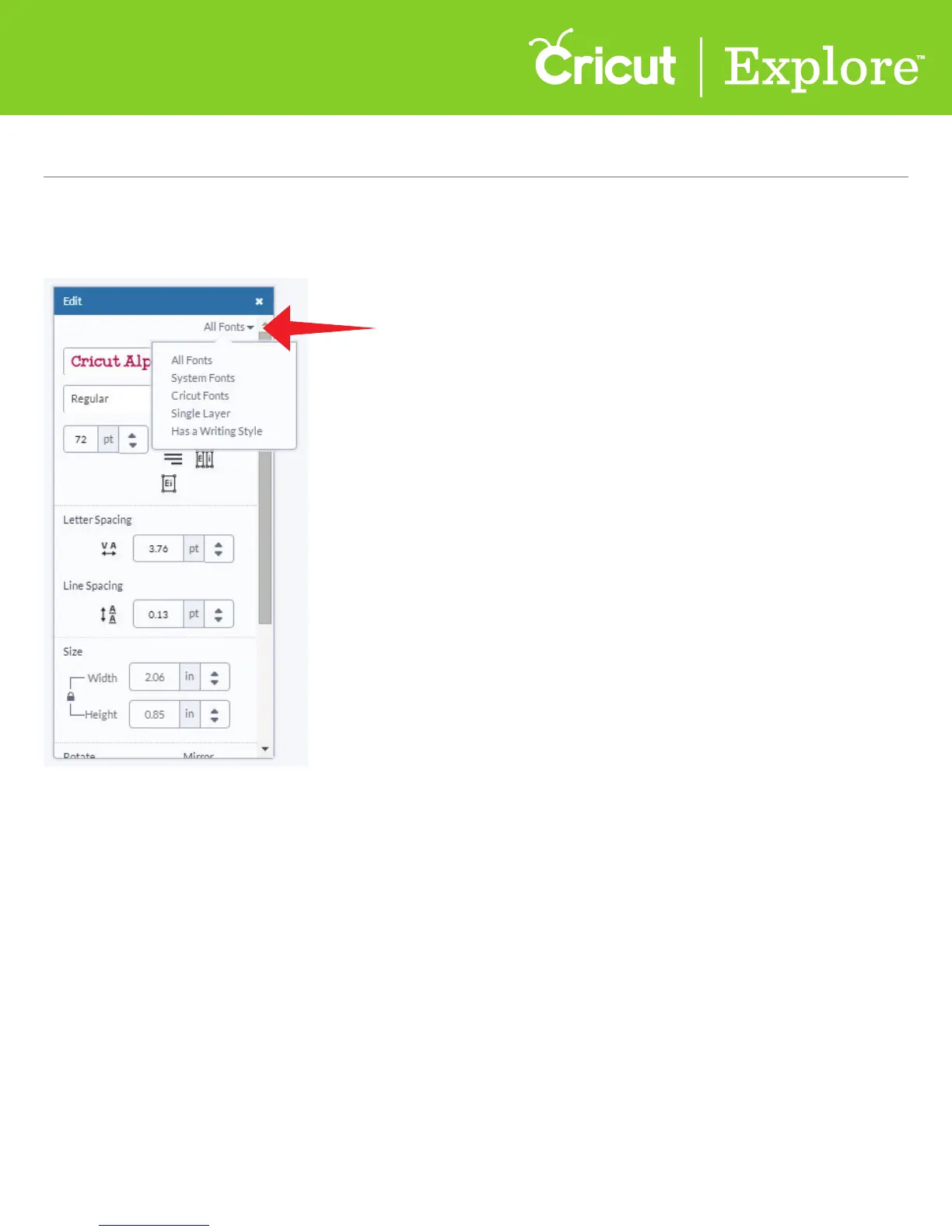
• All Fonts: displays all fonts available for use.
• System Fonts: shows only fonts found on your computer.
• Cricut
®
Fonts: filters for fonts from the Cricut Design Space
™
Image Library.
• Single Layer: filters for fonts that only contain one layer.
• Writing style fonts: filters for Cricut
®
fonts specifically designed to be drawn with a pen and
not cut. While most fonts will trace the outside of the letters, writing style fonts feature letters
with single strokes, so they’re the most similar to handwritten text. Writing style fonts
automatically default to being drawn with a pen rather than cut.
Step 2 Click on “All Fonts” to filter for dierent font options. There are five options to choose
from; however, not all fonts have all options available.
Section 8B
Working with Text/Edit Panel - Editing text
Working with Text/Edit Panel (cont.)















 To Next Page