Working with Text/Edit Panel (cont.)
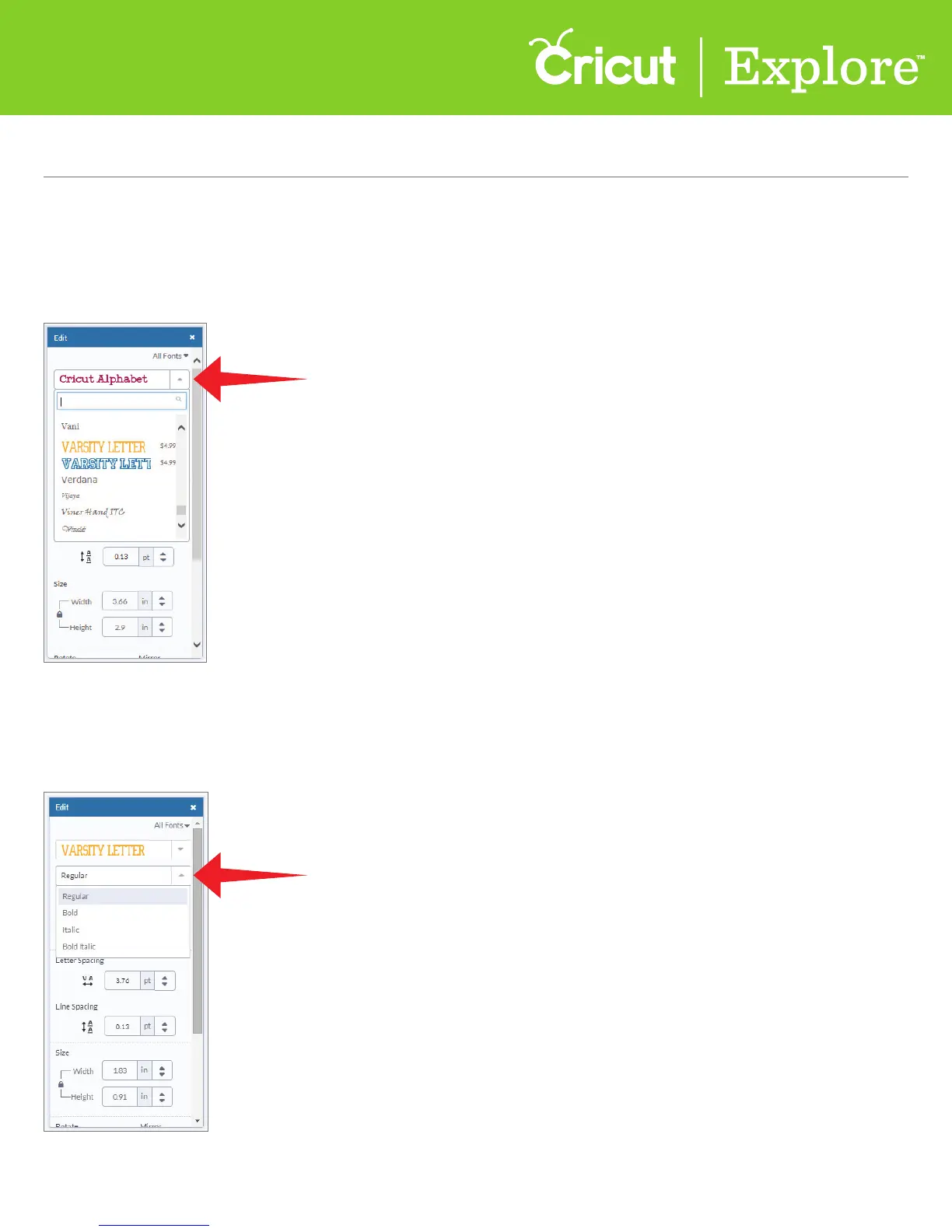
Step 3 Once you’ve narrowed your fonts using filters, the next step is to choose a font design by
clicking on the main drop-down menu. Scrolling through the options and then click on your font
of choice.
Alternatively, if you know the name of the font you want to work with, type the name in the search field.
Step 4 Most fonts often have style options. To select a font style, click on the second dropdown menu.
Choose from options like: regular, bold, italic, bold italic, or writing style. Purchased fonts include all
available styles for the font.
Section 4B
Image library - Insert/Search for images
Section 8B Page 3
Section 8B
Working with Text/Edit Panel - Editing text















 To Next Page