If the maximum value of “noise” read by the sensor is very close to the peak value, it might be diffi cult to place the
value of the “Notch Threshold” at an intermediate point. In these cases, it is mandatory that the portion of paper be-
tween the point of printing end and the front notch is completely white (no graphics). In this way, the only next graphic
detected by the sensor for alignment after the printing end will be the notch.
10.3 Alignment parameters
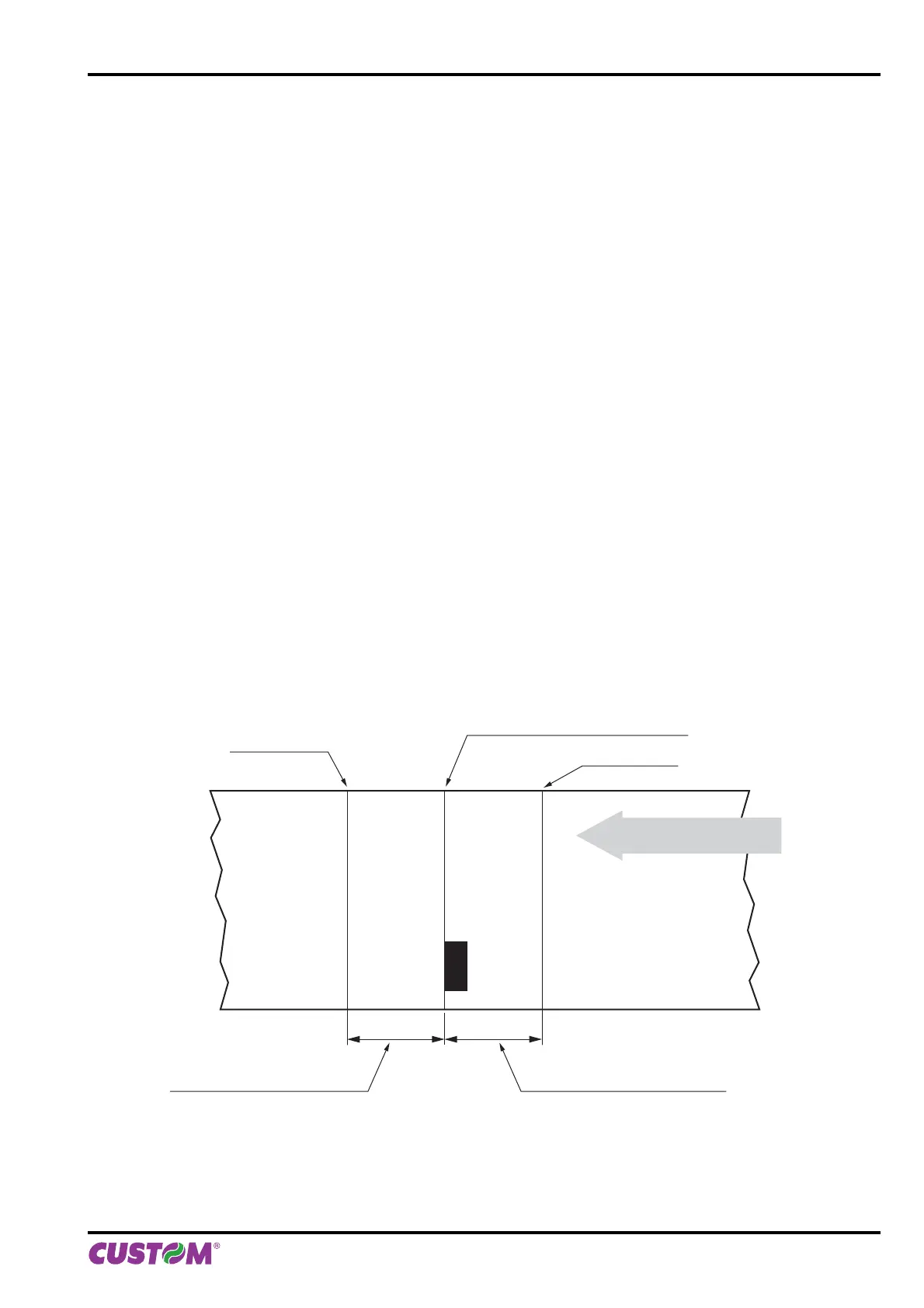
The “alignment point” is defi ned as the position inside the ticket to use for the notch alignment.
The distance between the notch edge and the alignment point is defi ned as “Notch Distance”.
Referring to the front of the notch, the value of “Notch Distance” value varies from -20mm minimum and +24mm
maximum.
If the “Notch Distance” value is set to 0, the alignment point is set at the beginning of the notch.
negative values of “Notch Distance”
0
-+
alignment point
alignment point
alignment point = notch front
positive values of “Notch Distance”
PRINTING DIRECTION
10. ALIGNMENT
User manual KPM216HII ETH 87












 To Next Page