26D-Link DSL-2750B Wireless N300 ADSL2+ Modem Router User Manual
Section 3 - Conguration
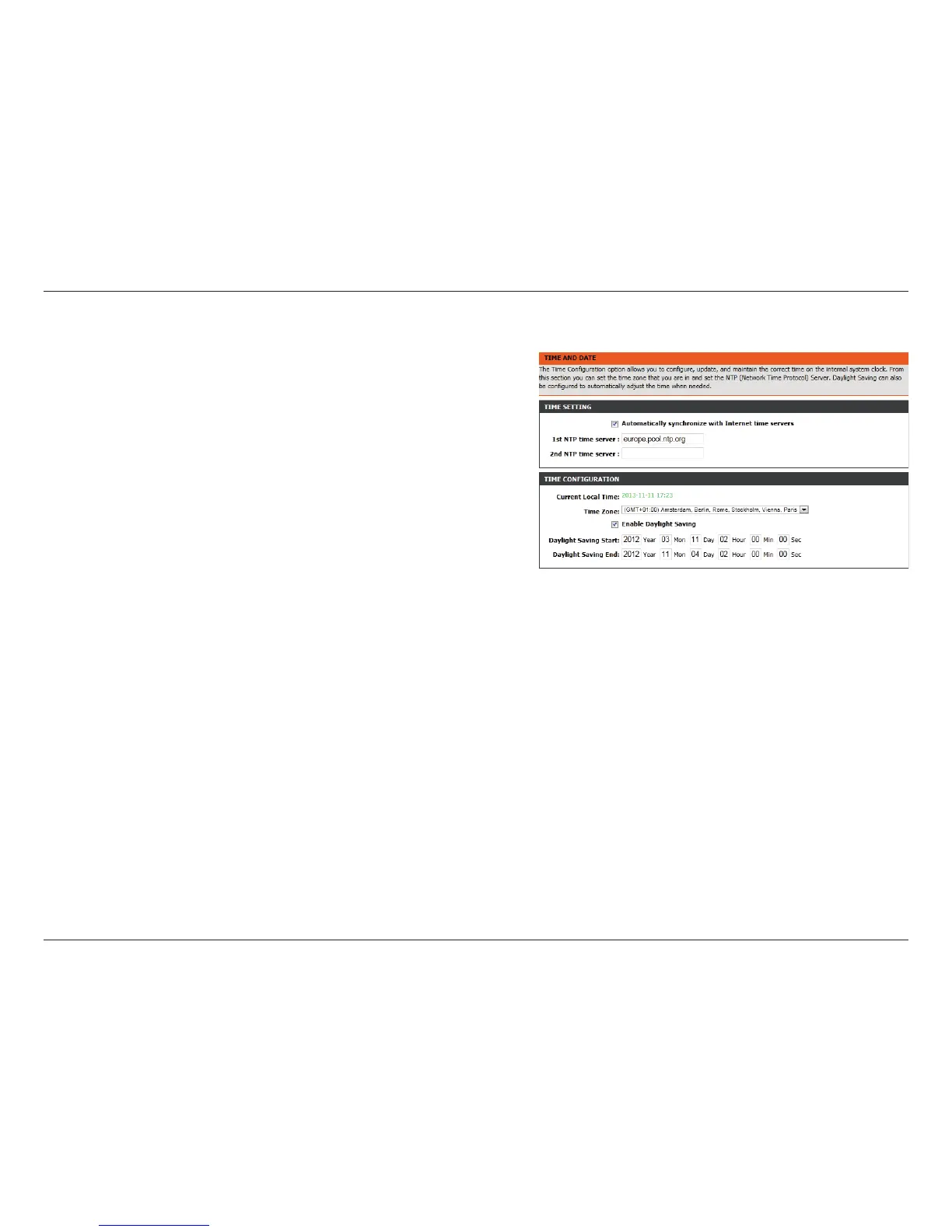
Time and Date
This section enables you to use an international time server to set
the internal time and date for the router.
Automatically
Synchronize:
Enable or disable automatic synchronisation with an Internet
Time Server.
1st NTP Time
Server:
Specify an address for the primary Internet time server.
2nd NTP Time
Server:
Specify an address for the secondary Internet Time Server.
Current Local
Time:
Displays the current local time.
Time Zone:
Select the appropriate time zone for your location. This
information is required to congure the time-based options
for the router.
Enable Daylight
Saving:
Enable or disable daylight saving.
Daylight Saving
Start/End:
Specify the time and date when daylight saving should start/
end.



 To Next Page