X64 Xcelera-CL PX4 User's Manual Installing X64 Xcelera-CL PX4 • 15
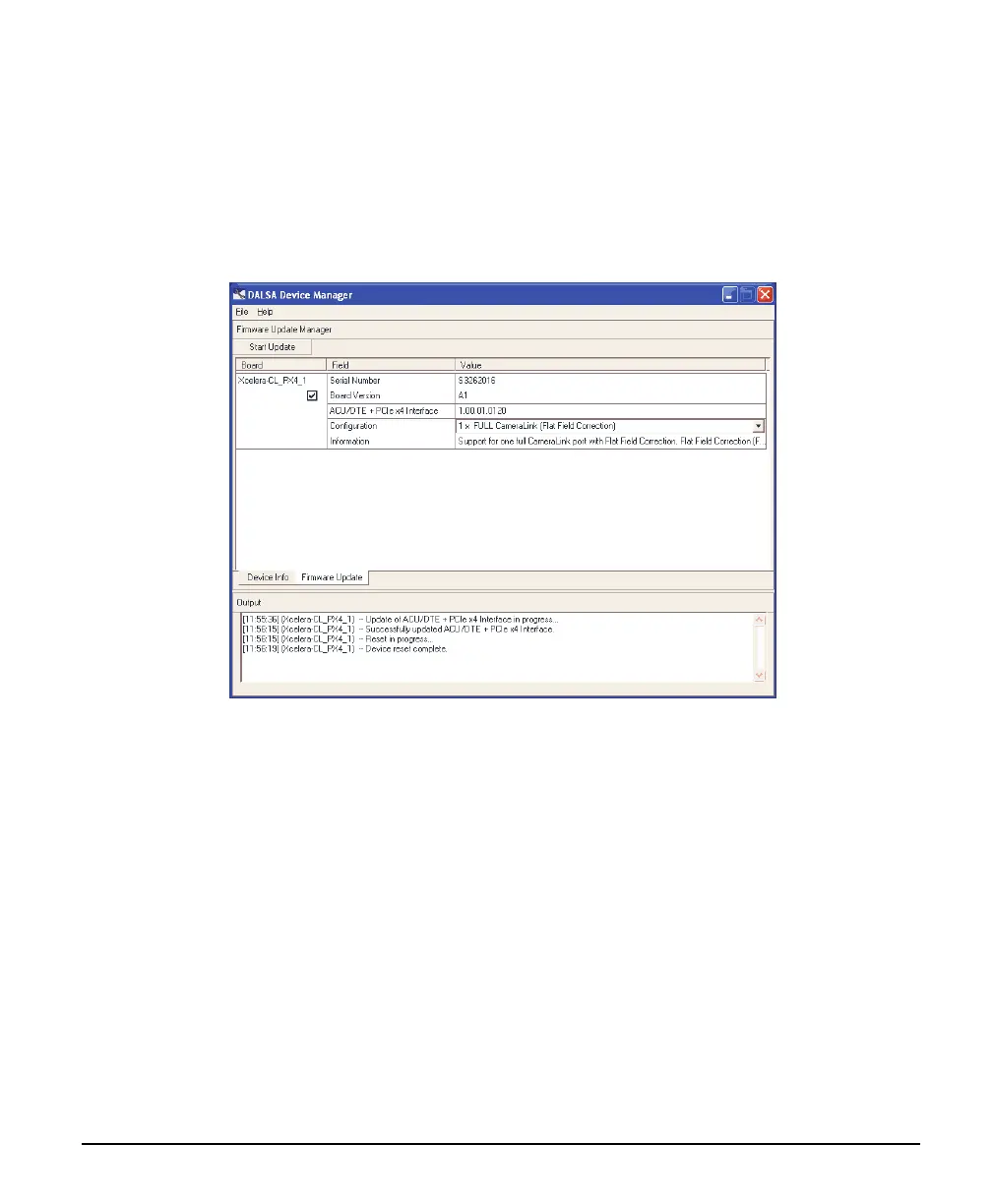
A manual firmware update is made as follows:
• Select the X64 Xcelera-CL PX4 to update via the board selection box (if there are multiple
boards in the system)
• From the Configuration field drop menu select the firmware version required
• Click on the Start Update button
• Observe the firmware update progress in the message output window
• Close the Device manager program when the device reset complete message is shown.
Executing the Firmware Loader from the Start Menu
If required, the X64-CL Firmware Loader program is executed via the Windows Start Menu shortcut
Start • Programs • DALSA • X64 Xcelera-CL PX4 Driver • Firmware Update. A firmware change
after installation would be required to select a different Camera Link configuration mode. See "
User
Pro
grammable Configurations" on page 7.



 To Next Page