Manual Datafox Evo 4.3 Page 20 Date: 27.12.2017 V 04.03.09.XX
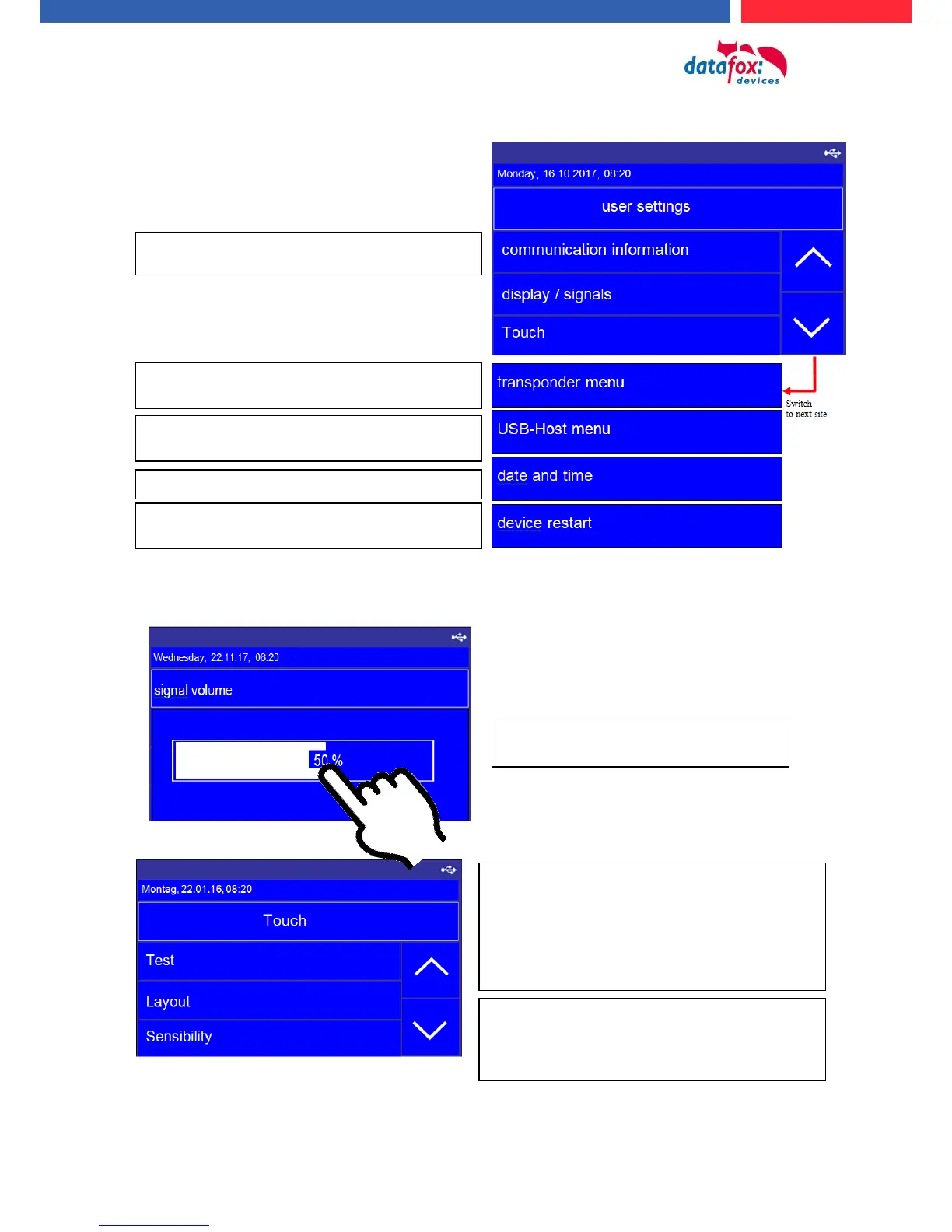
Menu, user Settings:
Menu Anzeige /Signallautstärke -> Lautstärke
Menu Touch:
To adjust the volume, simply tap on
the bar in the display.
Here you get information about the RFID reader
and you can programming badges in this menu.
If set the communication on TCP/IP the see you here the
IP address.
Here you can reboot the device.
Setting for date and time
setting to use a USB Memory stick for data transfer
Testing the toutch!
Test environment for the touch. You will see the entire
touch area on the right and the x-y coordinates on the
left.
You can leve the menu, if you toutch with 2 fingers on the
same time witch 5 cm distance between.
Layout:
Here you can see the defined keys on the touchscreen
such as numbers or ESC function keys.
See the capter: Touchconfiguration and displaydesign.



 To Next Page