696 Configuring Port-Based Traffic Control
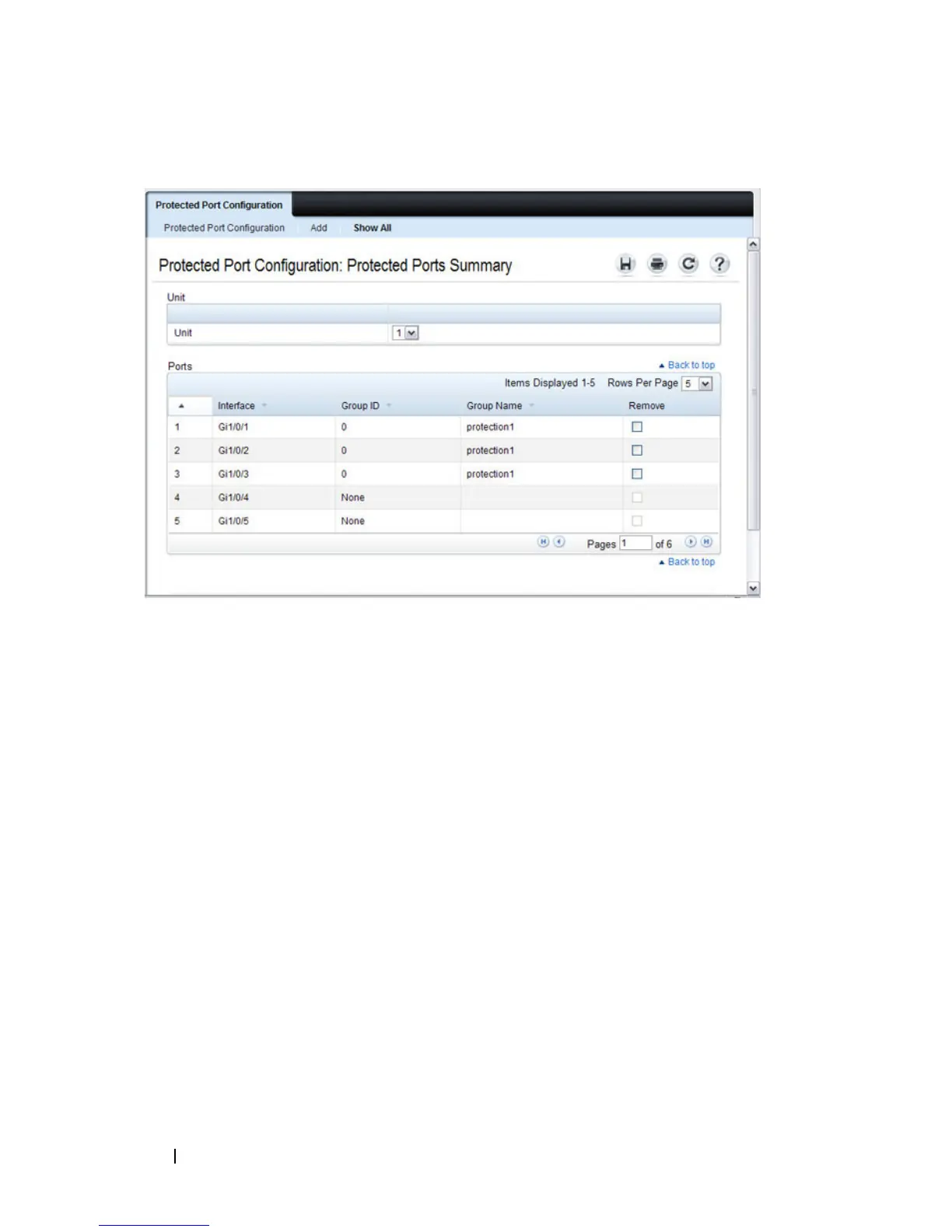
Figure 24-7. View Protected Port Information
11
To remove a port from a protected port group, select the
Remove
check
box associated with the port and click
Apply
.
LLPF Configuration
Use the LLPF Interface Configuration page to filter out various proprietary
protocol data units (PDUs) and/or ISDP if problems occur with these
protocols running on standards-based switches.
To display the LLPF Interface Configuration page, click Switching
→
Network Security
→
Proprietary Protocol Filtering
→
LLPF Interface
Configuration the navigation menu.






 To Next Page