Steps
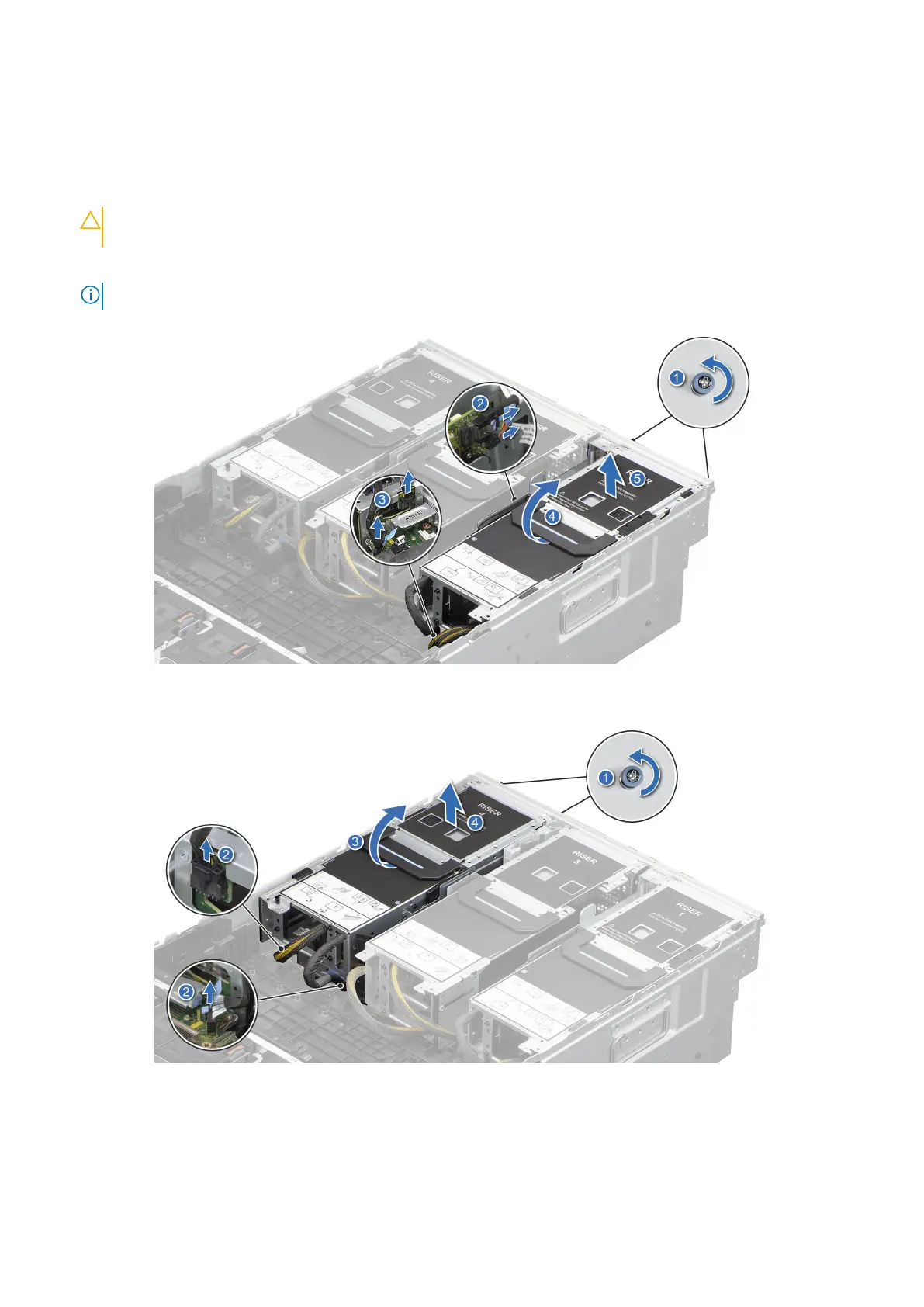
To remove full length expansion card riser:
a. Loosen the captive screws on the riser and system.
b. Rotate the riser handle to unlock the riser from the system.
c. Holding the riser handle and edges lift the expansion card risers from the connector on the system board.
CAUTION: To avoid damaging the riser connectors, place the riser on the riser air shroud or the adjacent
riser facing card holder side on top.
d. Disconnect the GPU power cables and signal cables from the system board, PEM, and power distribution board (PDB).
NOTE: The numbers on the image do not depict the exact steps. The numbers are for representation of sequence.
Figure 109. Removing the expansion card riser 1
Figure 110. Removing the expansion card riser 4
Installing and removing system components
143














 To Next Page