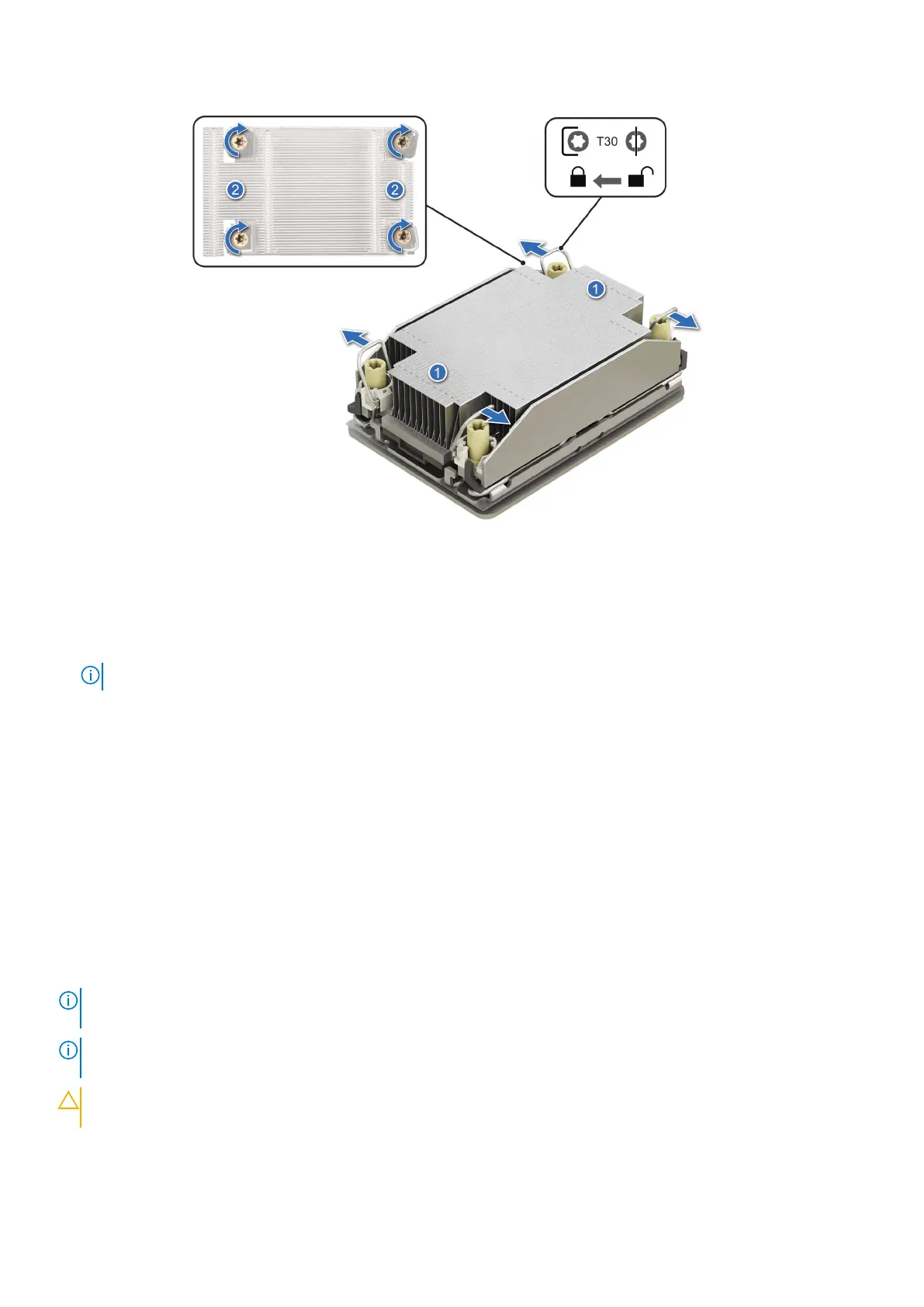
Figure 133. Set the anti-tilt wires to the locked position and tightening the nuts
Next steps
1. If removed, install the PEM.
2. If removed, Install the full length expansion risers.
NOTE: Before installing the full length expansion card risers, install the GPU air shroud.
3. Install the air shroud or install the GPU air shroud.
4. Install the cooling fan cage assembly.
5. Install the air shroud top cover.
6. Install the support bar.
7. Follow the procedure listed in the After working inside your system.
Processor expansion module
This is a service technician replaceable part only.
Removing the processor expansion module (PEM)
Prerequisites
NOTE:
A PEM is required to install the third and the fourth processors. In order to replace the PEM board, the complete
PEM must be replaced.
NOTE: Remove the faulty PEM from the system and transfer the DIMMs and processor heat sink modules to the
replacement PEM before installing it in the system.
CAUTION: Do not lift the PEM board by holding the memory module, processor, or any other components. Use
the handle bar on the module to lift.
1. Follow the safety guidelines listed in the Safety instructions.
2. Follow the procedure listed in the Before working inside your system.
3. Remove the support bar.
Installing and removing system components
161














 To Next Page