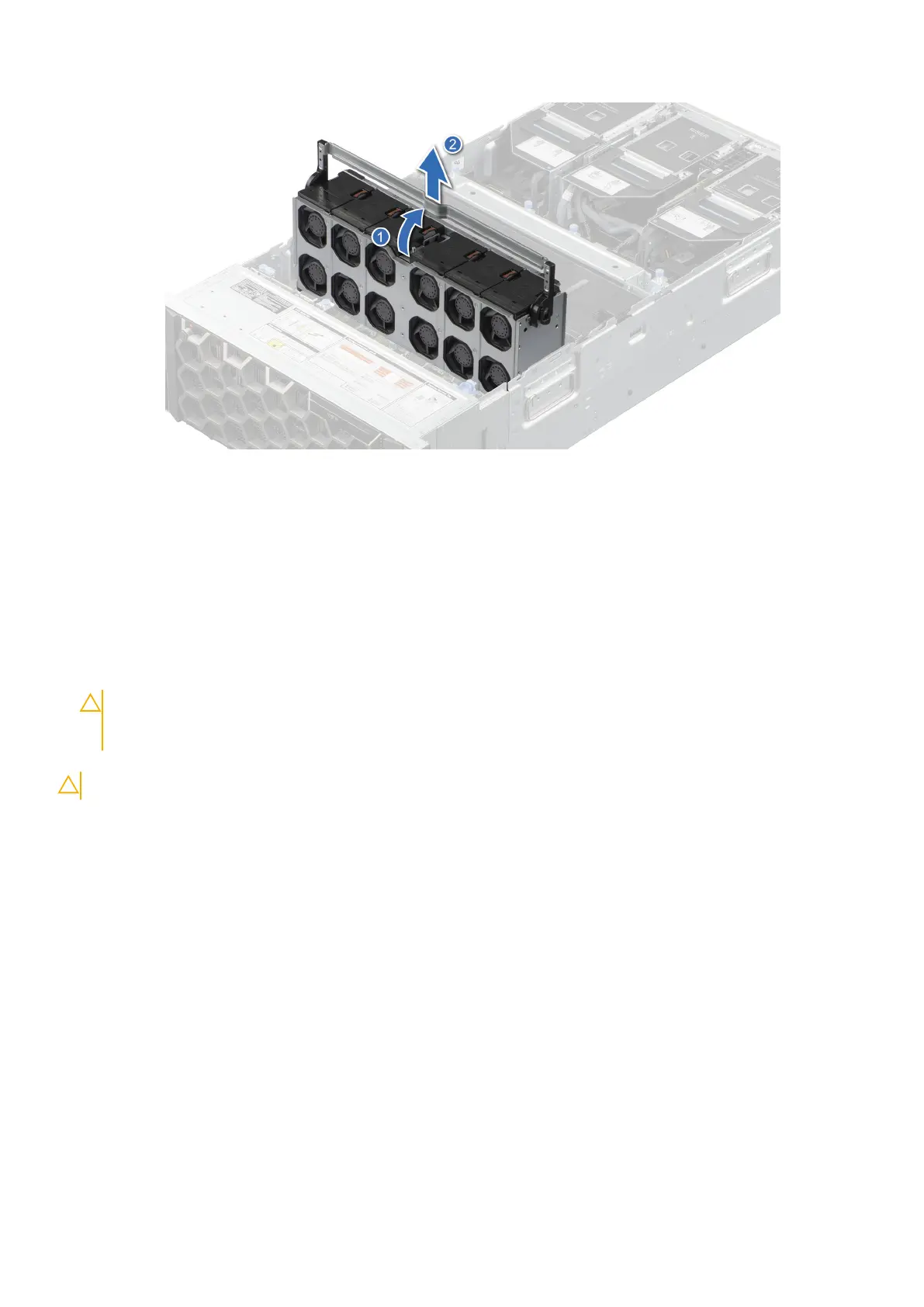
Figure 34. Removing the cooling fan cage assembly
Next steps
1. Replace the cooling fan cage assembly.
Installing the cooling fan cage assembly
Prerequisites
1. Follow the safety guidelines listed in the Safety instructions.
CAUTION:
Ensure that the cables inside the system are correctly installed and retained by the cable
retention bracket before installing the cooling fan cage assembly. Incorrectly installed cables may get
damaged.
2. Follow the procedure listed in Before working inside your system.
CAUTION: Handle with care because the cooling fan cage assembly is heavy, and lay it down horizontally.
Steps
1. Holding the handle of the cooling fan cage, align the guide rails with the guides on the system.
2. Lower the cooling fan cage assembly into the system until seated firmly.
3. Rotate the handle to lock the cooling fan cage assembly into the system.
Installing and removing system components
75














 To Next Page