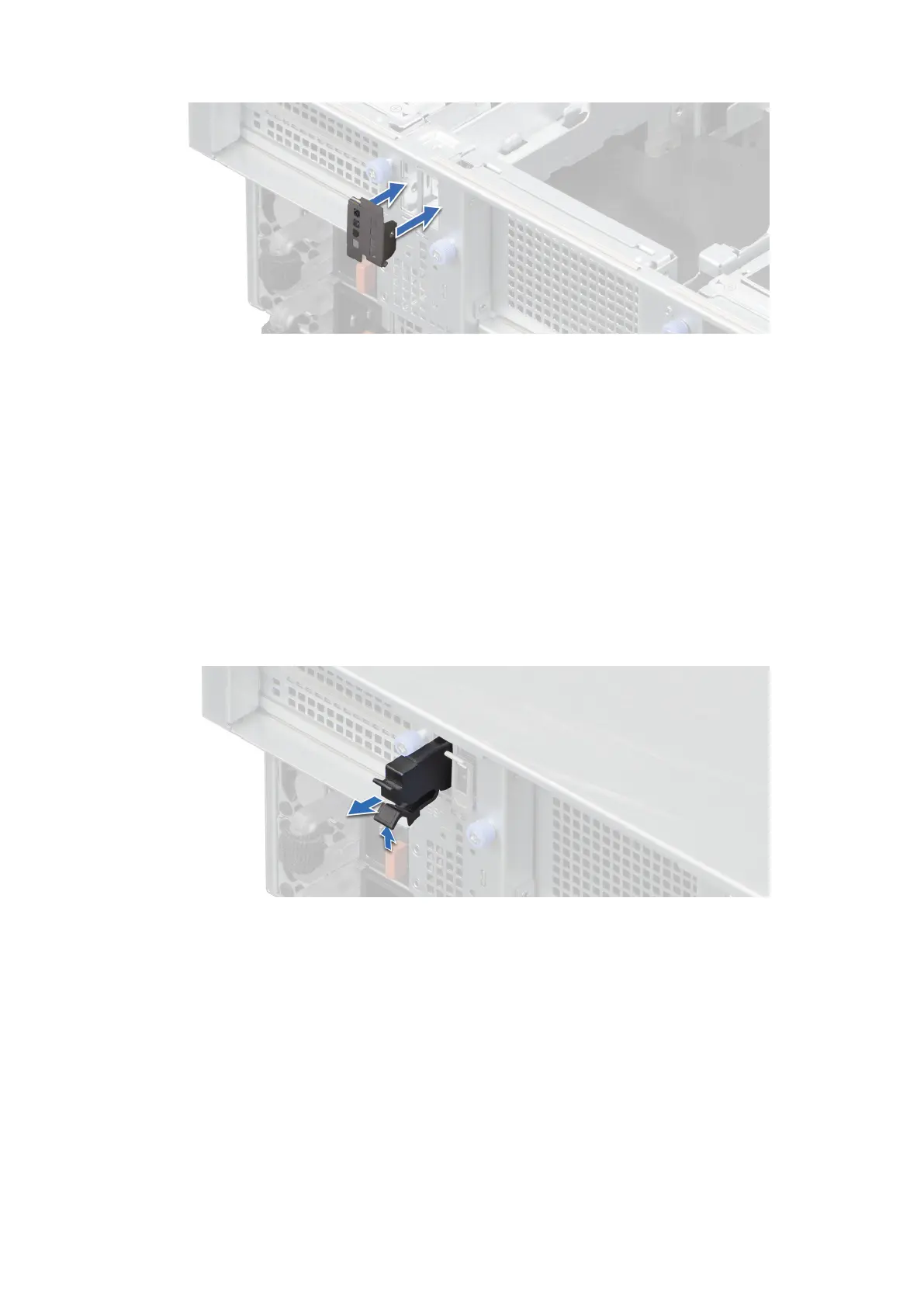
Figure 143. Installing the BOSS-N1 module blank
Next steps
1. Follow the procedure listed in After working inside your system.
Removing the BOSS-N1 card carrier blank
Prerequisites
1. Follow the safety guidelines listed in the Safety instructions.
2. Follow the procedure listed in Before working inside your system.
Steps
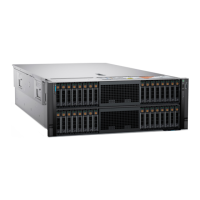
Press and pull the BOSS-N1 card carrier blank out from the BOSS-N1 module.
Figure 144. Removing the BOSS-N1 card carrier blank
Next steps
1. Replace the BOSS-N1 card carrier blank or install BOSS-N1 card carrier.
Installing the BOSS-N1 card carrier blank
Prerequisites
1. Follow the safety guidelines listed in the Safety instructions.
170
Installing and removing system components






 To Next Page