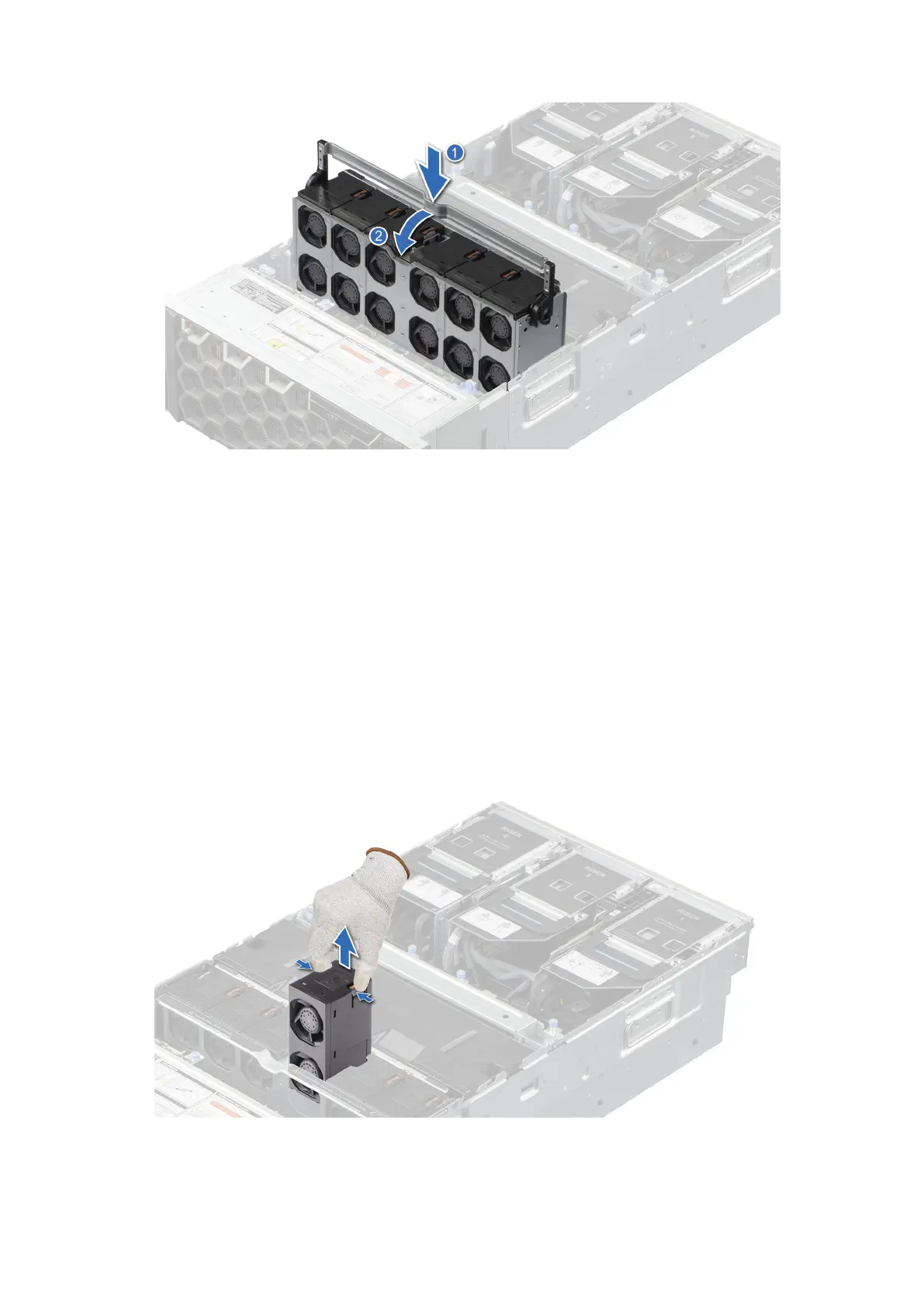
Figure 35. Installing the cooling fan cage assembly
Next steps
1. Follow the procedure listed in After working inside your system.
Removing a cooling fan
Prerequisites
1. Follow the safety guidelines listed in the Safety instructions.
2. Follow the procedure listed in Before working inside your system.
Steps
Press the orange release tab and lift the cooling fan to disconnect the fan from the connector on the system board.
Figure 36. Removing a cooling fan
76
Installing and removing system components














 To Next Page