Dell PowerEdge R960 system overview
The PowerEdge R960 system is a 4U server that supports:
● Up to four 4
th
Gen Intel® Xeon® Scalable Processors with up to 60 cores
● 64 DIMM slots
● Four AC or DC power supply units with 2+2 redundancy
● Up to 8 x 2.5-inch SAS/SATA (HDD/SSD) drives
● Up to 16 x 2.5-inch SAS/SATA (HDD/SSD) drives
● Up to 32 x 2.5-inch SAS/SATA (HDD/SSD) drives
● Up to 24 x 2.5-inch NVMe (SSD) drives
● Up to 16 x 2.5-inch SAS/SATA (HDD/SSD) + 8 x 2.5-inch NVMe (SSD) drives
NOTE: For more information about how to hot swap NVMe PCIe SSD U.2 device, see the Dell Express Flash NVMe
PCIe SSD User's Guide at https://www.dell.com/support > Browse all products > Infrastructure > Data Center
Infrastructure > Storage Adapters & Controllers > Dell PowerEdge Express Flash NVMe PCIe SSD > Select This
Product > Documentation > Manuals and Documents.
NOTE: All instances of SAS, SATA, and NVMe drives are referred to as drives in this document, unless specified otherwise.
CAUTION: Do not install GPUs, network cards, or other PCIe devices on your system that are not validated
and tested by Dell. Damage caused by unauthorized and invalidated hardware installation will null and void the
system warranty.
Topics:
• Front view of the system
• Rear view of the system
• Inside the system
• Locating the Express Service Code and Service Tag
• System information labels
• Rail sizing and rack compatibility matrix
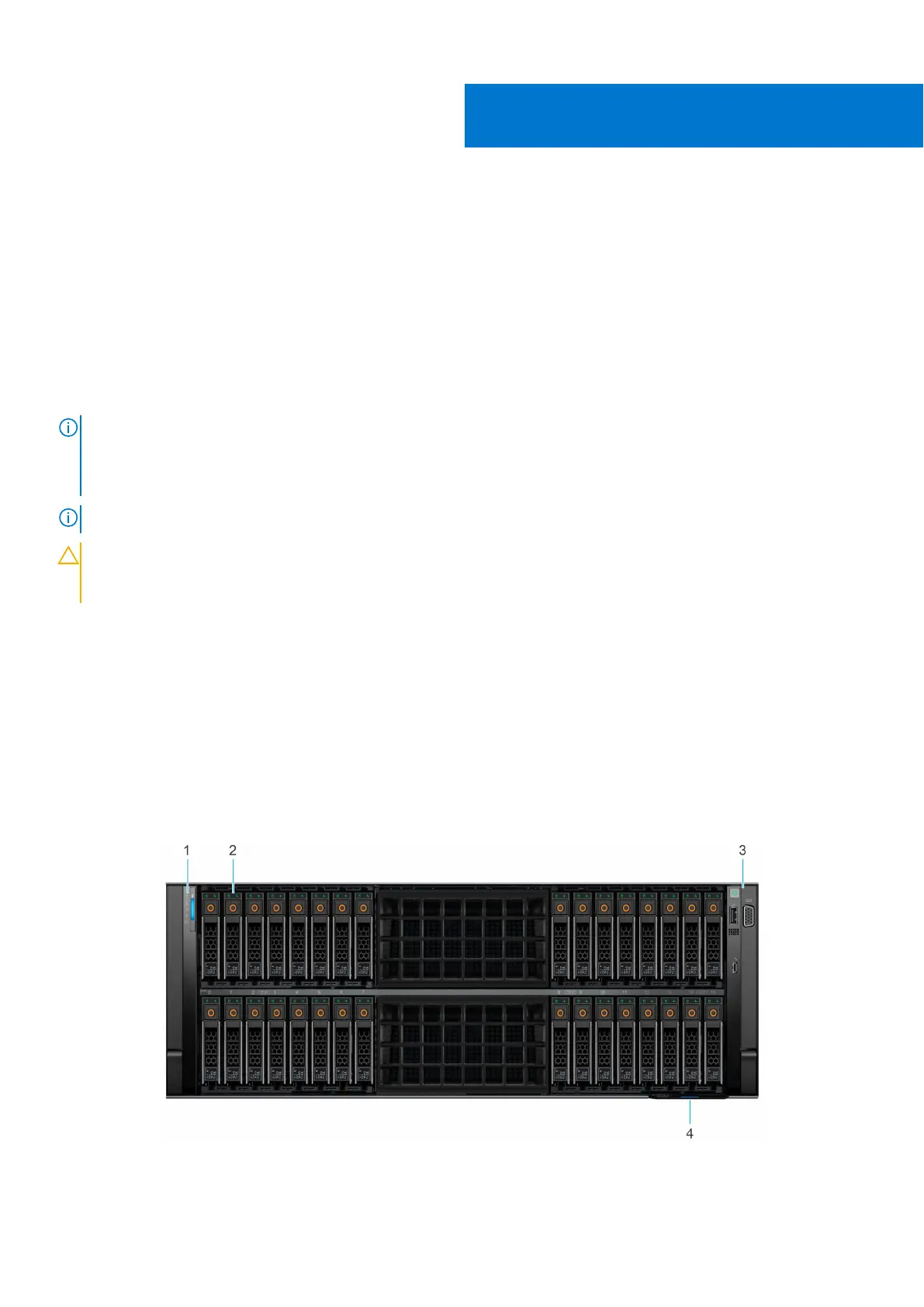
Front view of the system
Figure 1. Front view of 32 x 2.5-inch drive system
2
Dell PowerEdge R960 system overview 9














 To Next Page