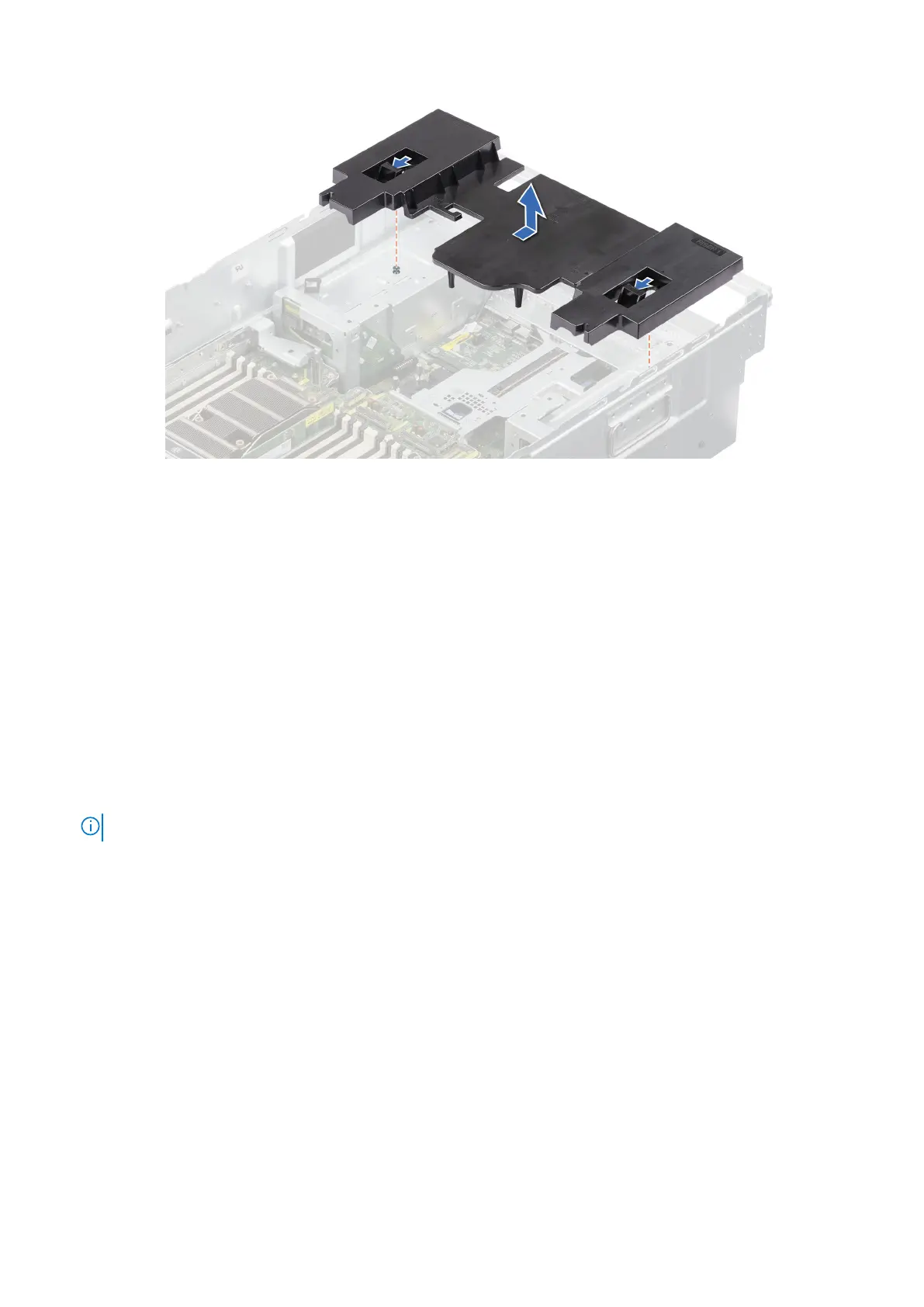
Figure 44. Removing the riser air shroud
Next steps
1. Replace the riser air shroud.
Installing the riser air shroud
Prerequisites
1. Follow the safety guidelines listed in the Safety instructions.
2. Follow the procedure listed in Before working inside your system.
3. Remove the support bar.
4. Remove the air shroud top cover
5. Remove the cooling fan cage assembly.
6. If required, remove the air shroud.
7. Remove the expansion card risers or remove the full length expansion card riser.
NOTE: See cable routing section for more information.
Steps
1. Align the slots on the riser air shroud with the guides on the system.
2. Lower the riser air shroud and, using the latches, slide it to the rear of the system until it is firmly seated.
84
Installing and removing system components














 To Next Page