4. Remove the air shroud top cover.
5. Remove the cooling fan cage assembly.
6. Remove the air shroud or remove the GPU air shroud.
NOTE: The GPU air shroud can be removed only after the full length expansion card risers have been removed.
7. Disconnect all the UPI and riser cables from the PEM, observe the cable routing.
NOTE: See cable routing section for more information.
8. If installed, remove the full length expansion card risers.
9. If required, remove the processor and heat sink module on the PEM
NOTE: Rotate the PEM handle to the mid position to remove the cables/connectors and the heat sink modules that are
installed on the PEM board.
Steps
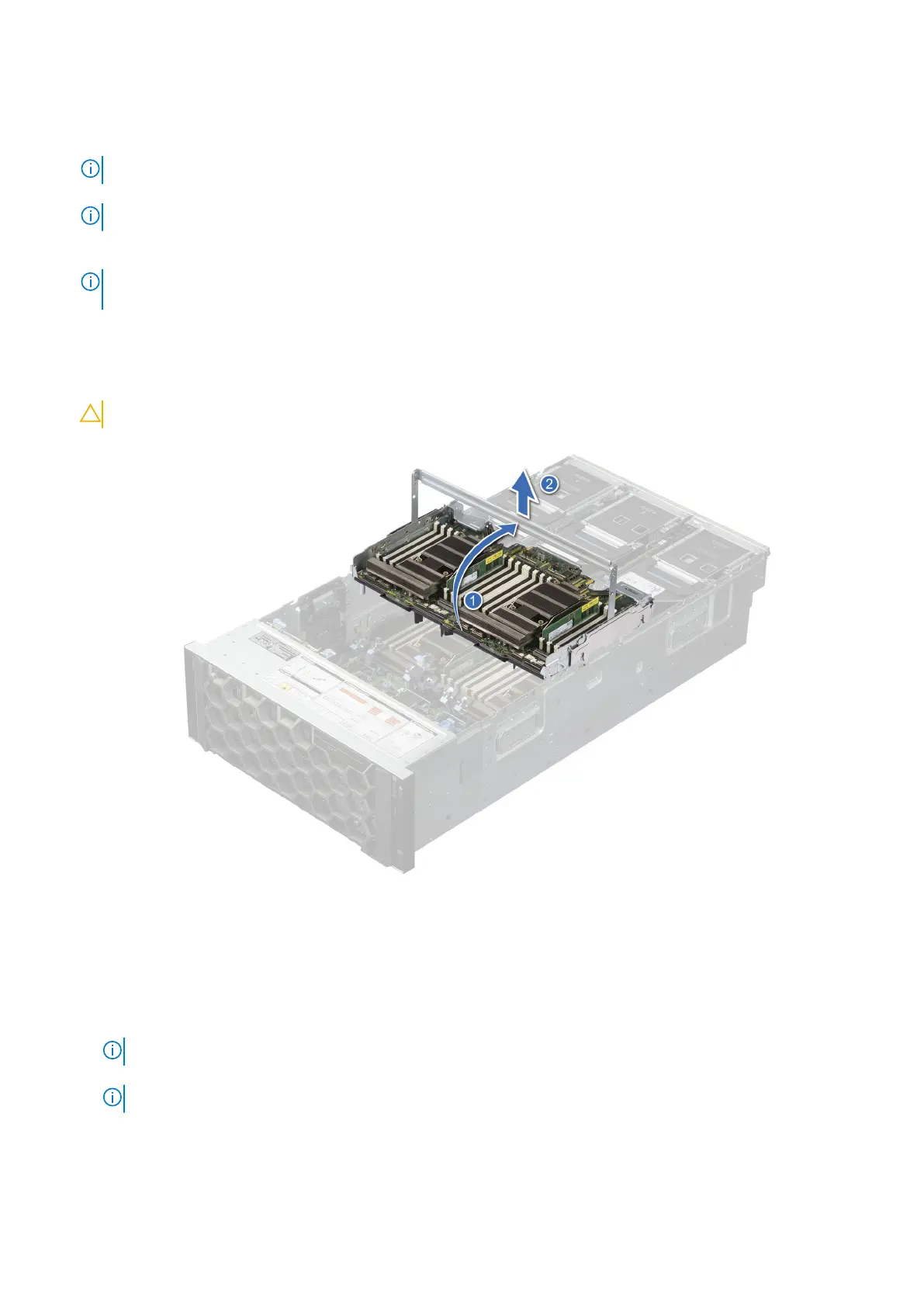
1. Rotate the PEM handle to unlock the PEM from the system.
2. Hold the handle, and lift the PEM away from the system.
CAUTION: Handle with care because the PEM is heavy, and lay it down on a flat surface.
Figure 134. Removing the PEM
Next steps
1. Before replacing the processor expansion module (PEM):
a. Remove Memory modules from the faulty PEM
b. Remove Processor and heat sink module from the faulty PEM
NOTE: Rotate the PEM handle to the mid position to remove the heat sink modules installed on the faulty PEM.
c. Install Processor and heat sink module into the replacement PEM
NOTE: Rotate the PEM handle to the mid position to install the heat sink modules to the replacement PEM.
d. Install Memory modules into the replacement PEM
2. Replace the processor expansion module.
162
Installing and removing system components














 To Next Page