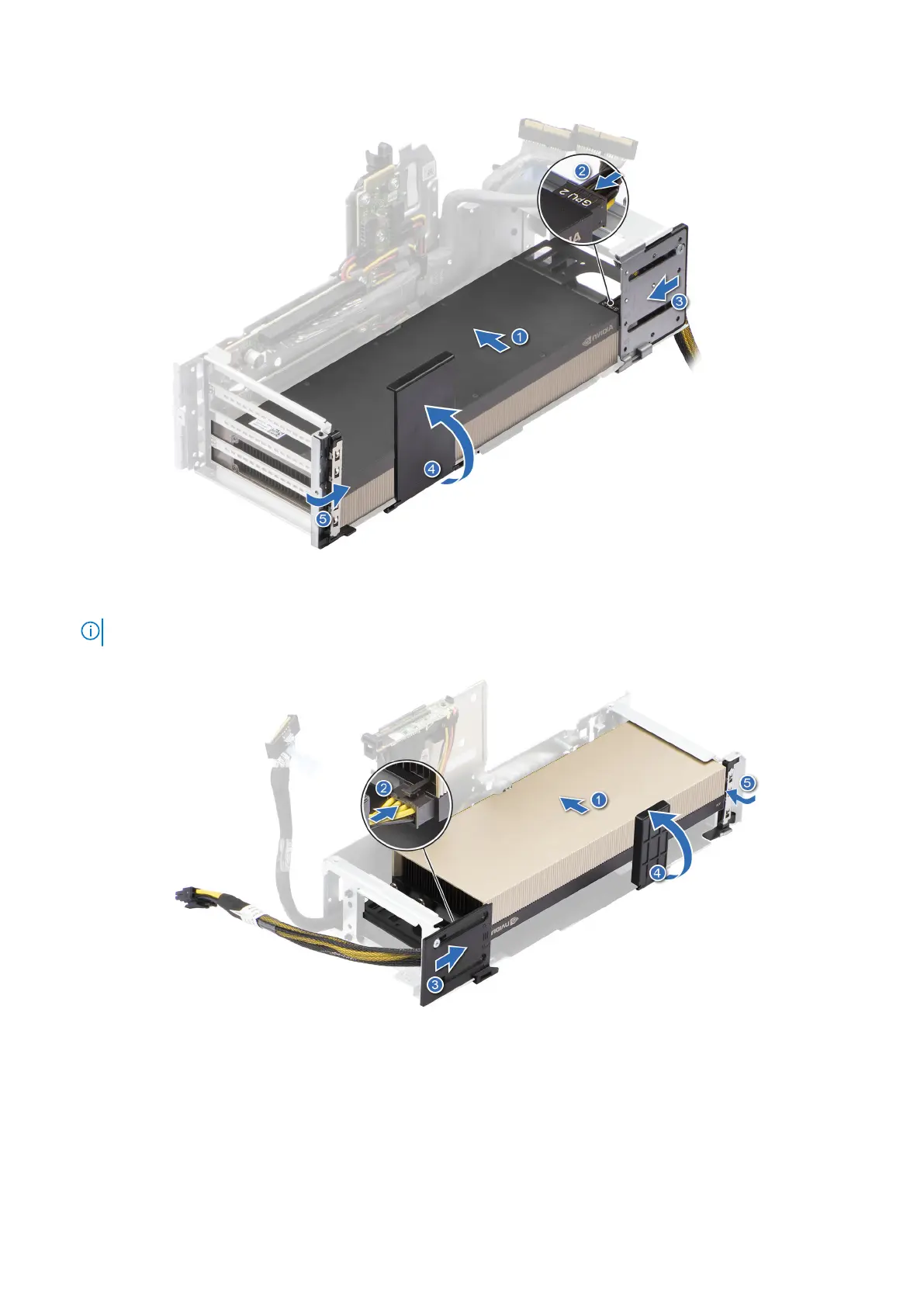
Figure 119. Installing GPU on Riser 3
NOTE: Follow the same procedure, if two GPU cards are available in riser3.
Figure 120. Installing GPU on Riser 4
Next steps
1. If removed, connect the BOSS-N1 signal and power cable to the connectors on the BOSS module.
2. Install the full length expansion card riser
3. Install the cooling fan cage assembly.
4. Install the air shroud top cover.
150
Installing and removing system components














 To Next Page