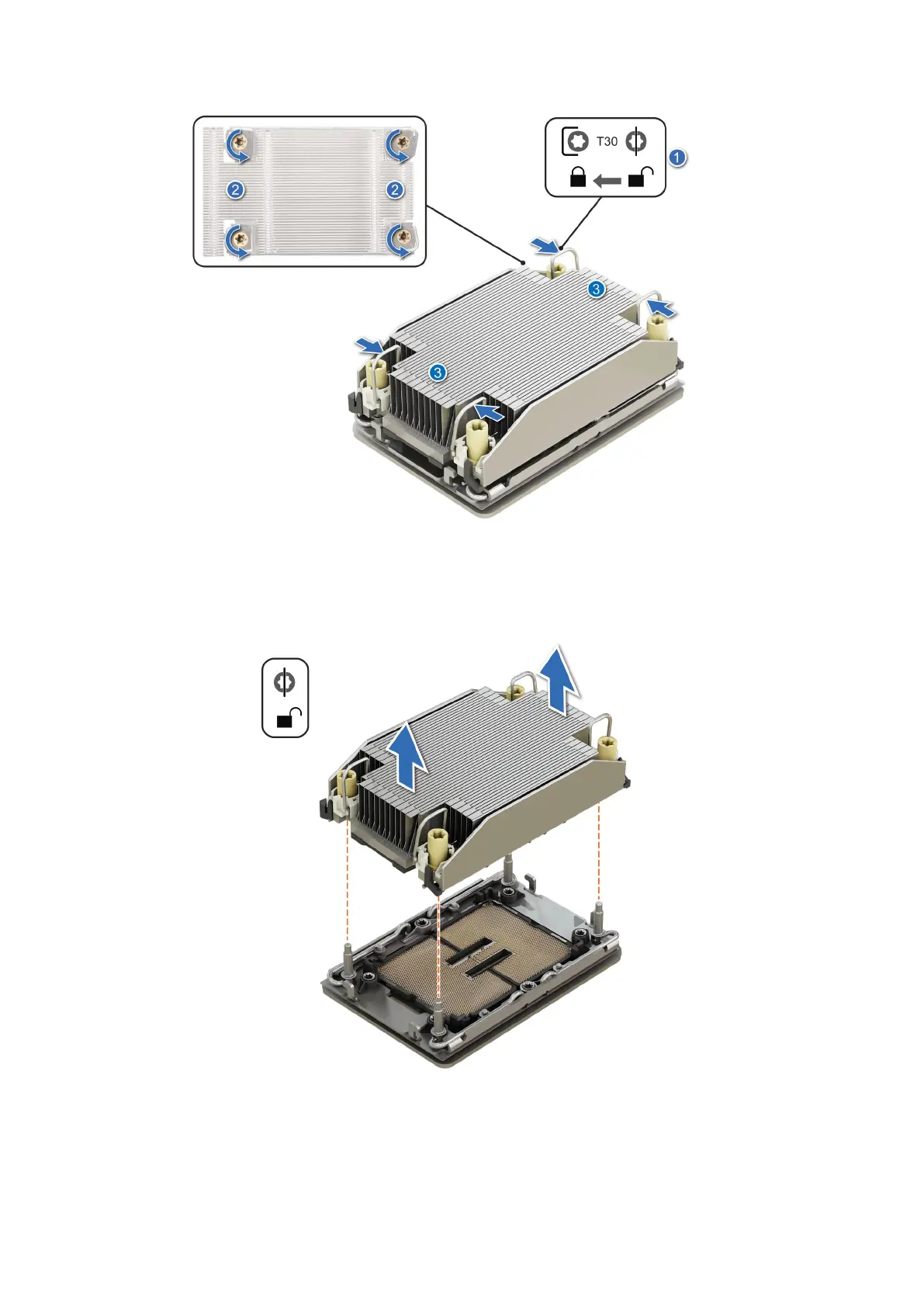
Figure 123. Removing the processor heat sink module
3. Lift the PHM from the system board or processor expansion module and set the PHM aside with the processor side facing
up.
Figure 124. Removing a heat sink
Next steps
If you are removing a faulty heat sink, replace the heat sink, if not, remove the processor.
154
Installing and removing system components














 To Next Page