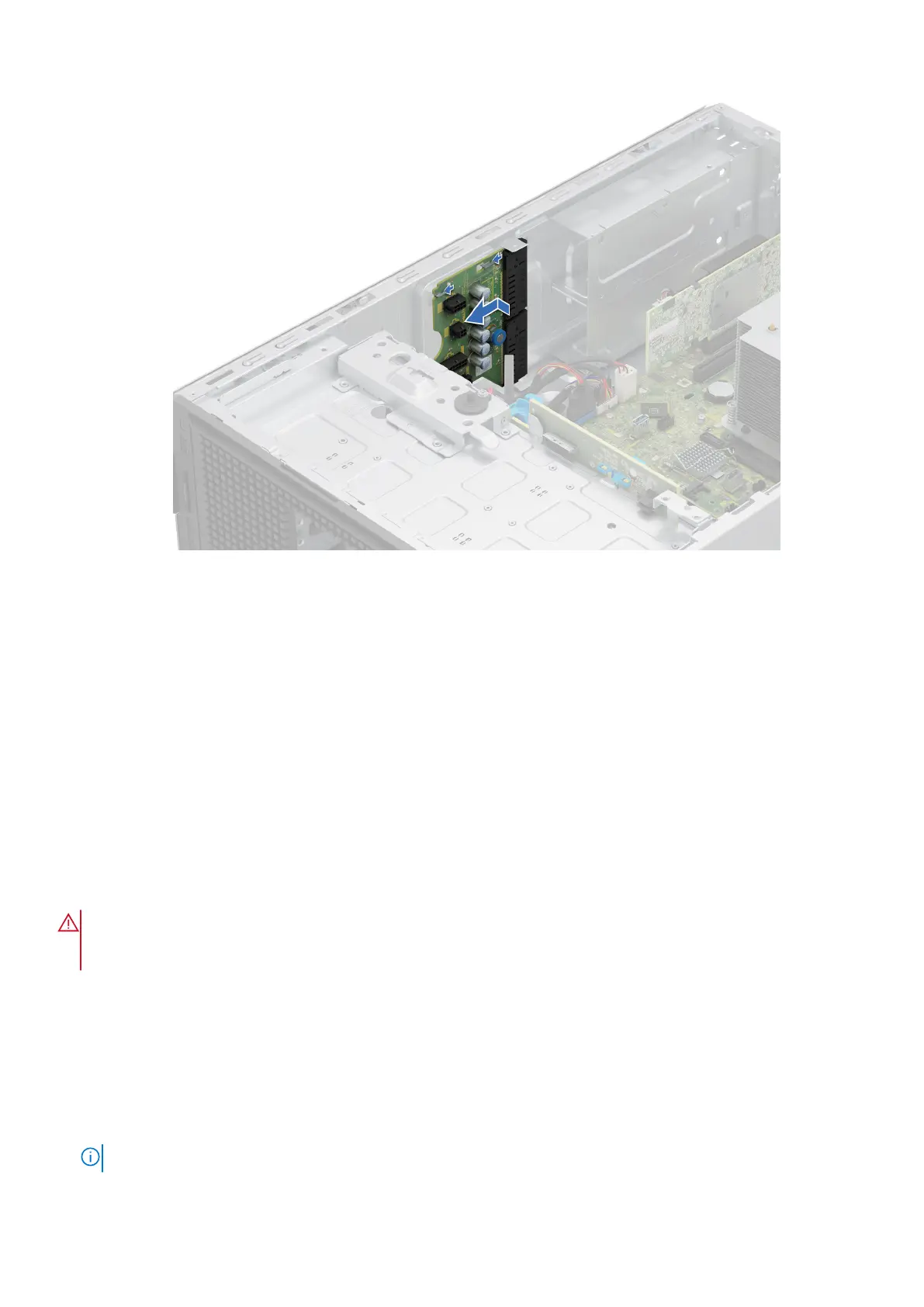
Figure 85. Installing the power interposer board
Next steps
1. Install the PSUs.
2. Install the air shroud.
3. Follow the procedure listed in After working inside your system.
System battery
This is a service technician replaceable part only.
Replacing the system battery
Prerequisites
WARNING:
There is a danger of a new battery exploding if it is incorrectly installed. Replace the battery only
with the same or equivalent type that is recommended by the manufacturer. Discard used batteries according to
the manufacturer's instructions. See the Safety instructions that came with your system for more information.
1. Follow the safety guidelines listed in the Safety instructions.
2. Follow the procedure listed in the Before working inside your system .
3. If applicable, disconnect the power or data cables from the expansion cards.
4. Remove the expansion cards.
Steps
1. To remove the battery:
a. Press and hold the battery socket retention latch, for the battery to pop out.
NOTE: If the battery does not pop out, then lift it out of the socket.
116 Installing and removing system components














 To Next Page