Steps
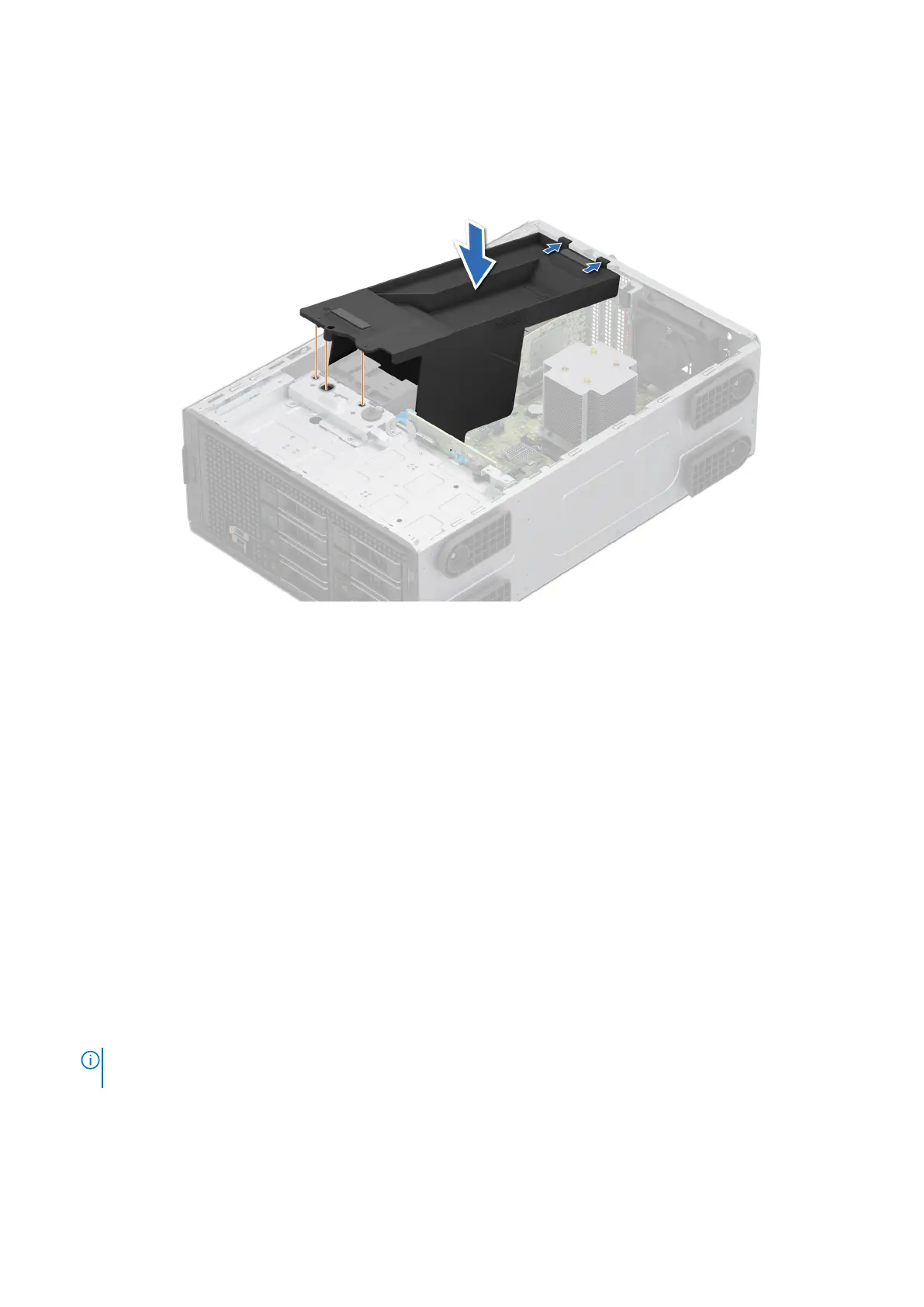
1. Align the tabs on the PCIe air shroud with the guide pins on the system.
2. Lower the PCIe air shroud into the system, until firmly seated.
Figure 21. Installing the PCIe air shroud
Next steps
Follow the procedure listed in After working inside your system.
Intrusion switch
This is a service technician replaceable part only.
Removing the intrusion switch module
Prerequisites
1. Follow the safety guidelines listed in Safety instructions.
2. Follow the procedure listed in Before working inside your system.
3. Remove the air shroud.
Steps
1. Disconnect the intrusion switch cable from the connector on the system board.
NOTE:
Observe the routing of the cable as you remove it from the system. Route the cable properly when you replace it
to prevent the cable from being pinched or crimped.
2. Slide the intrusion switch module out of the system slot.
Installing and removing system components
63













 To Next Page