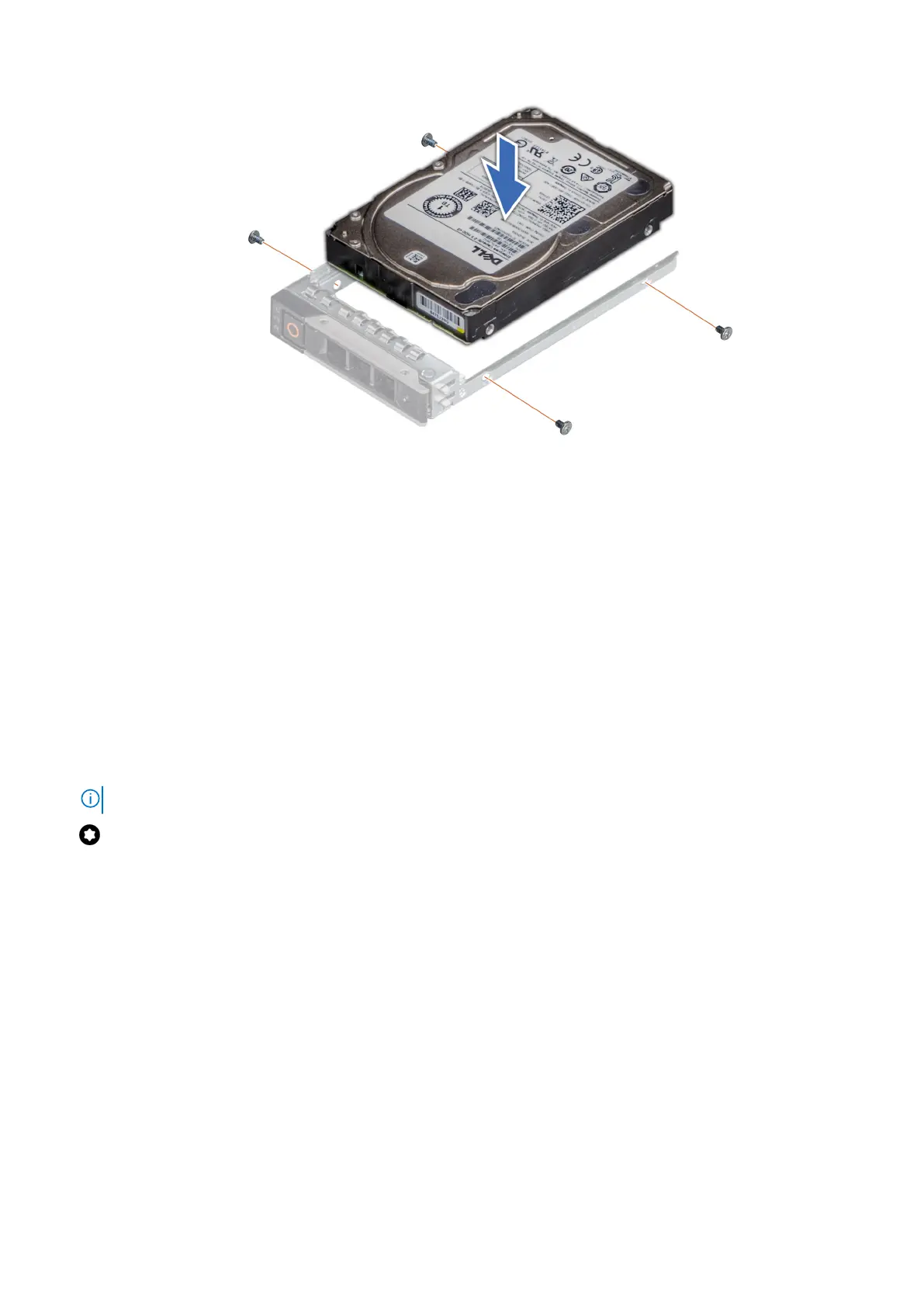
Figure 29. Installing a drive into the drive carrier
Next steps
1. Install the drive carrier.
2. Install the front bezel.
Removing a 3.5-inch drive adapter from a 3.5-inch drive carrier
Prerequisites
1. Follow the safety guidelines listed in Safety instructions.
2. Remove the drive carrier.
Steps
1. Remove the screws from the rails on the drive carrier.
NOTE: If the 3.5-inch drive has Torx screw, use Torx 6 screwdriver to remove the drive from a 3.5-inch drive adapter.
2. Lift the 3.5-inch drive adapter out of the drive carrier.
70
Installing and removing system components













 To Next Page