4. Remove all the drives
CAUTION: To prevent damage to the drives and backplane, remove the drives from the system before
removing the backplane.
5. Remove the air shroud.
6. Disconnect the cables from the drive backplane.
Steps
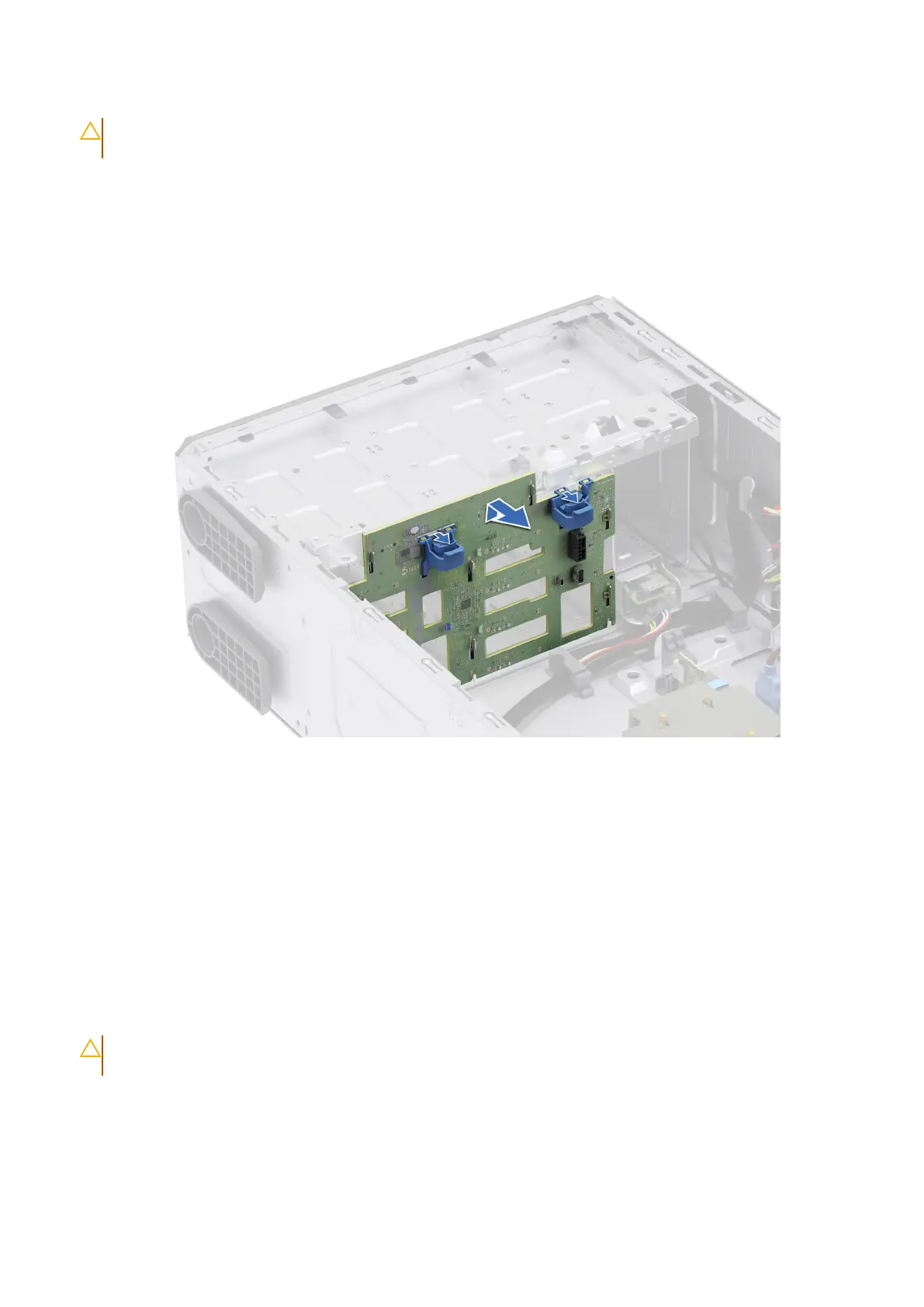
1. Press the blue release tabs to disengage the drive backplane from the hooks on the system.
2. Lift and pull out the backplane out of the system.
Figure 40. Removing the drive backplane
Next steps
Replace a drive backplane.
Installing the drive backplane
Prerequisites
1. Follow the safety guidelines listed in Safety instructions.
2. Follow the procedure listed in Before working inside your system.
3. Remove the front bezel.
4. Remove all the drives.
CAUTION:
To prevent damage to the drives and backplane, remove the drives from the system before
removing the backplane.
5. Remove the air shroud.
6. Disconnect the cables from the drive backplane.
Steps
1. Align the slots on the drive backplane with the guides on the system.
80
Installing and removing system components














 To Next Page