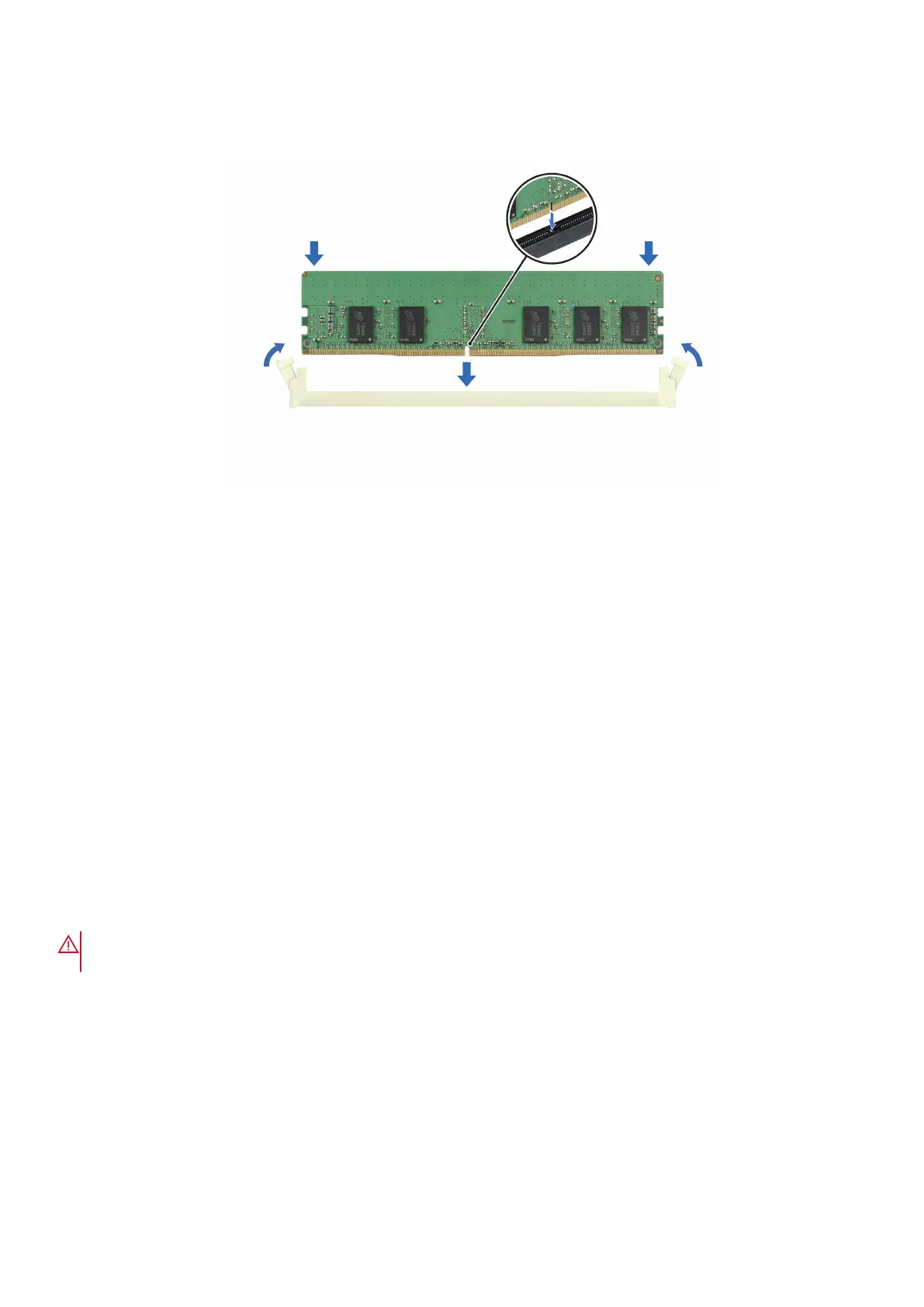
3. Press the memory module with your thumbs until the ejectors firmly click into place. When the memory module is properly
seated in the socket, the levers on the memory module socket align with the levers on the other sockets that have memory
modules that are installed.
Figure 51. Installing a memory module
Next steps
1. Install the air shroud.
2. Follow the procedure listed in After working inside your system.
3. To verify that the memory module has been installed properly, press F2 during reboot and navigate to System Setup Main
Menu > System BIOS > Memory Settings. In the Memory Settings screen, the System Memory Size must reflect the
updated capacity of the installed memory.
4. If the System Memory Size is incorrect, one or more of the memory modules may not be installed properly. Shut down the
system and ensure that the memory modules are firmly seated in the correct sockets.
5. Run the system memory test in system diagnostics.
Processor and heat sink
This is a service technician replaceable part only.
Removing the heat sink
Prerequisites
WARNING:
The heat sink may be hot to touch for some time after the system has been powered off. Allow the
heat sink to cool before removing it.
1. Follow the safety guidelines listed in the Safety instructions.
2. Follow the procedure listed in Before working inside your system.
3. Remove the air shroud.
Steps
1. Using a Phillips 2 screwdriver, loosen the captive screws on the heat sink in the order mentioned below:
a. Loosen the first captive screw three turns.
b. Loosen the captive screw diagonally opposite to the screw you loosened first.
c. Repeat the procedure for the remaining two captive screws.
d. Return to the first screw to loosen it completely.
Installing and removing system components
89














 To Next Page