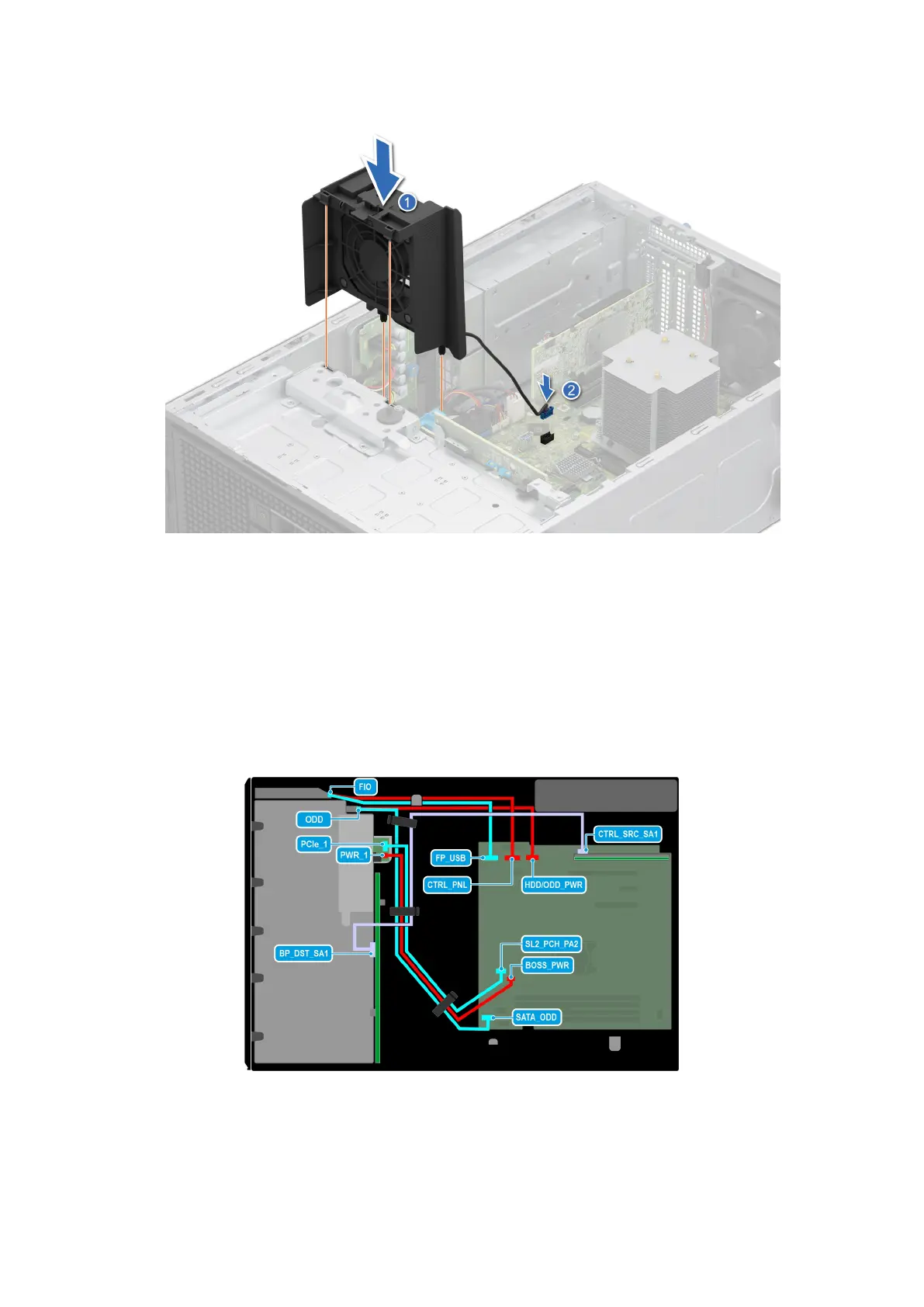
Figure 45. Installing the High Performance (HPR) PCI fan
The High Performance (HPR) PCI fan is needed when BOSS N1 or A2 GPU or >25 W PCIe or Broadcom 10G NIC is installed.
Next steps
1. Install the air shroud.
2. Follow the procedure listed in After working inside your system.
Cable routing
Figure 46. 8 x 3.5-inch drive system
84
Installing and removing system components














 To Next Page