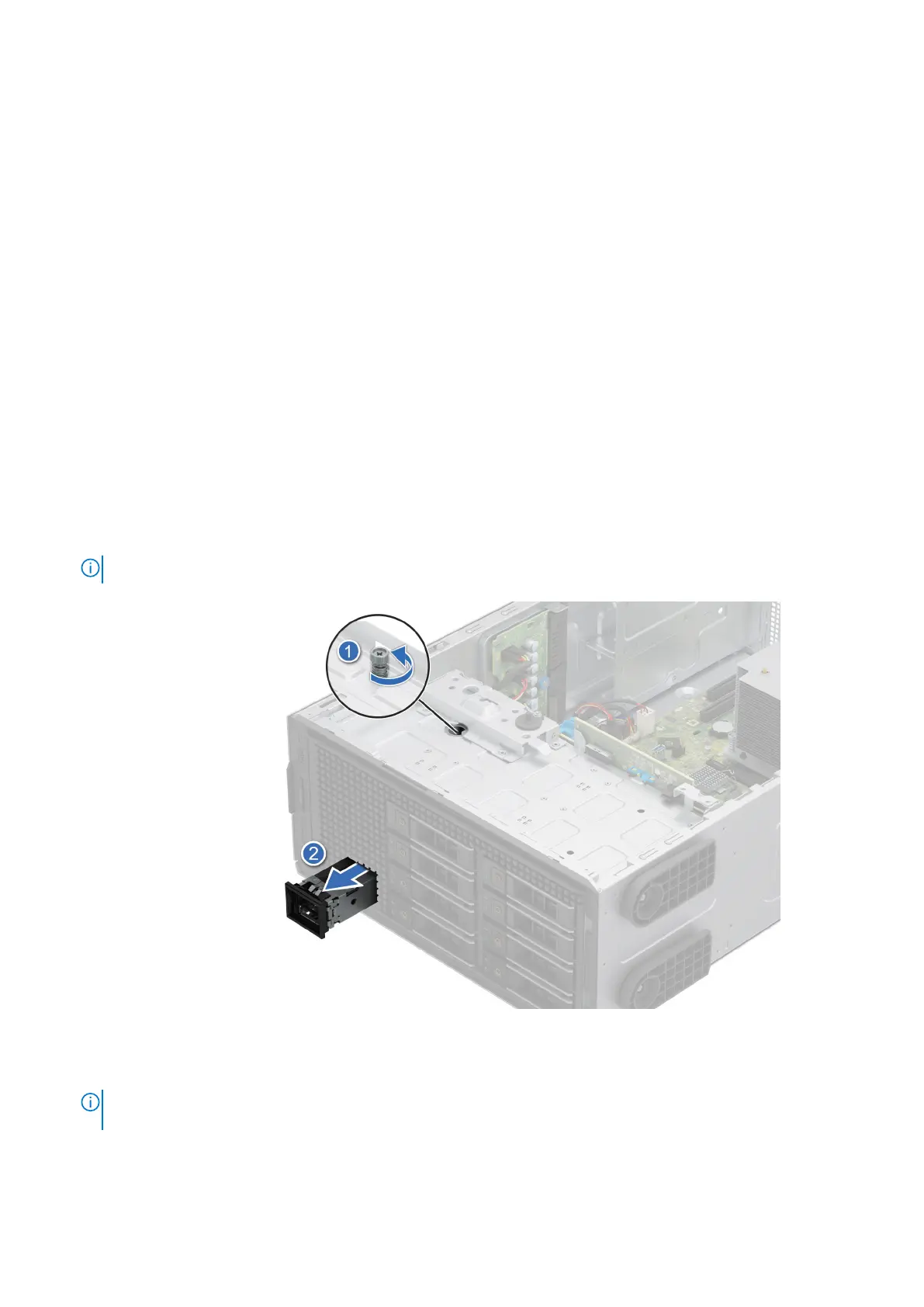
5. Tilt the metal bracket and tighten the captive screw.
Next steps
1. Install the air shroud.
2. Follow the procedure listed in After working inside your system.
Optional BOSS-N1 module
Removing the BOSS-N1 module
Prerequisites
1. Follow the safety guidelines listed in Safety instructions.
2. Follow the procedure that is listed in Before working inside your system .
3. Remove the air shroud.
4. If installed, remove the front bezel.
Steps
1. Disconnect the cables connected to the system board from the BOSS-N1 module.
2. Using a Phillips 2 screwdriver, remove the screw securing the BOSS-N1 module to the system.
3. Slide the BOSS-N1 module out of the system.
NOTE: The numbers on the image do not depict the exact steps. The numbers are for representation of sequence.
Figure 66. Removing the BOSS-N1 module
4. Align the blank with the BOSS-N1 module slot and push it into the bay until it clicks into place.
NOTE:
Blanks must be installed in empty slots to maintain FCC certification of the system. The blanks also keep dust
and dirt out of the system and aid in proper cooling and airflow inside the system.
Installing and removing system components 101







 To Next Page