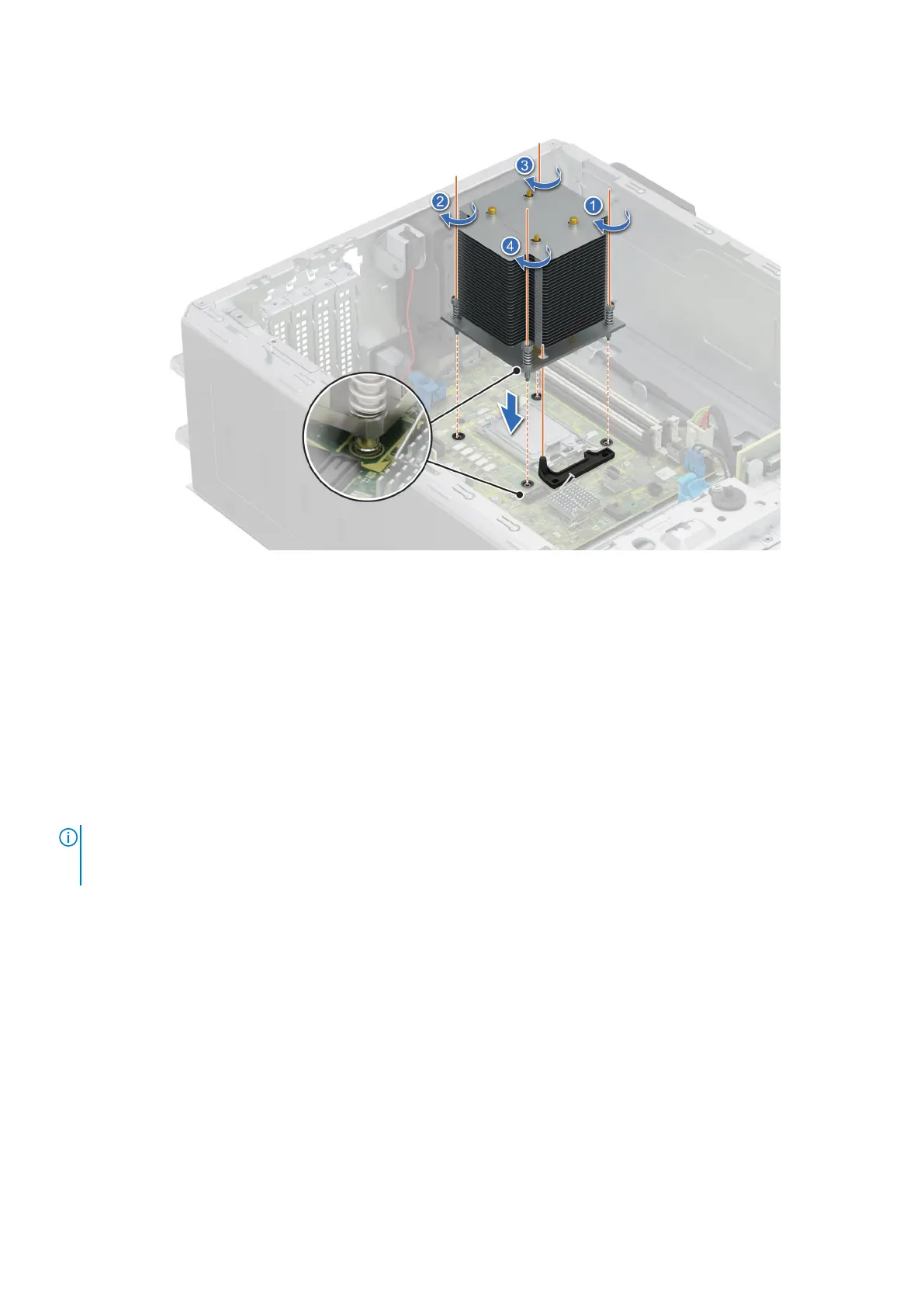
Figure 56. Installing the heat sink
Next steps
1. Install the air shroud.
2. Follow the procedure listed in After working inside your system.
3. While booting, press F2 to enter System Setup and check that the processor information matches the new system
configuration.
4. Run the system diagnostics to verify that the new processor operates correctly.
Expansion cards and expansion card risers
NOTE:
When an expansion card is not supported or missing, the iDRAC and Lifecycle Controller logs an event. This does
not prevent your system from booting. However, if a F1/F2 pause occurs with an error message, see Troubleshooting
expansion cards section in the PowerEdge Servers Troubleshooting Guide at www.dell.com/poweredgemanuals.
Installing and removing system components 93














 To Next Page