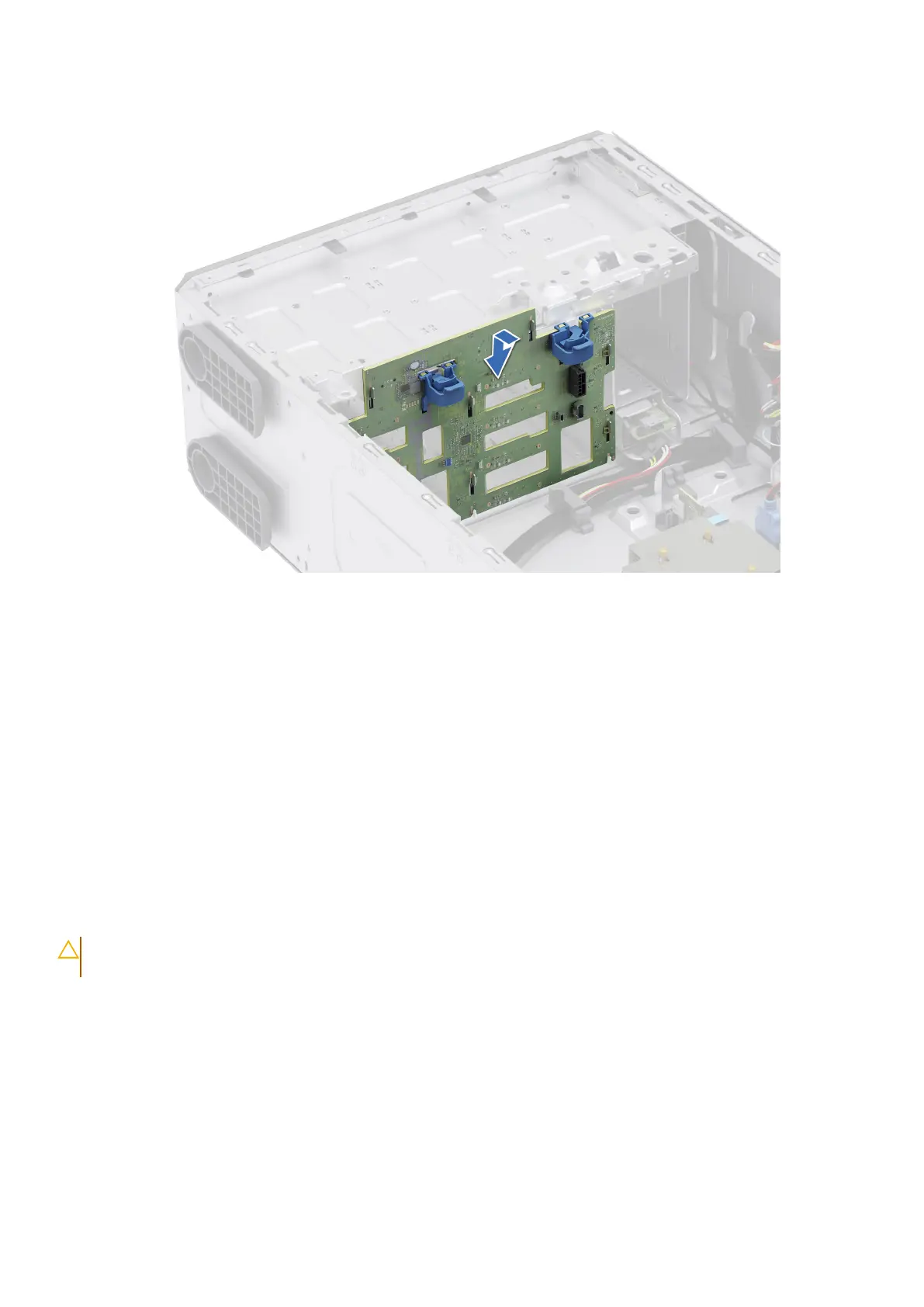
2. Slide the drive backplane into the guides and lower the backplane until the blue release tabs clicks into place.
Figure 41. Installing the drive backplane
Next steps
1. Connect the cables into the drive backplane.
2. Install the air shroud.
3. Install the drives.
4. Install the front bezel.
5. Follow the procedure listed in After working inside your system.
Cooling fans
Removing the cooling fan
Prerequisites
CAUTION:
Never operate your system with the fan removed. The system can overheat and result in the
shutdown of the system and loss of data.
1. Follow the safety guidelines listed in Safety instructions.
2. Follow the procedure listed in Before working inside your system.
3. Remove the air shroud.
Steps
1. Disconnect the fan cable from the connector on the system board.
2. Holding the fan, press the side release tab, and slide the fan in the direction of the arrow that is marked on the fan to
remove it from the system.
Installing and removing system components
81














 To Next Page