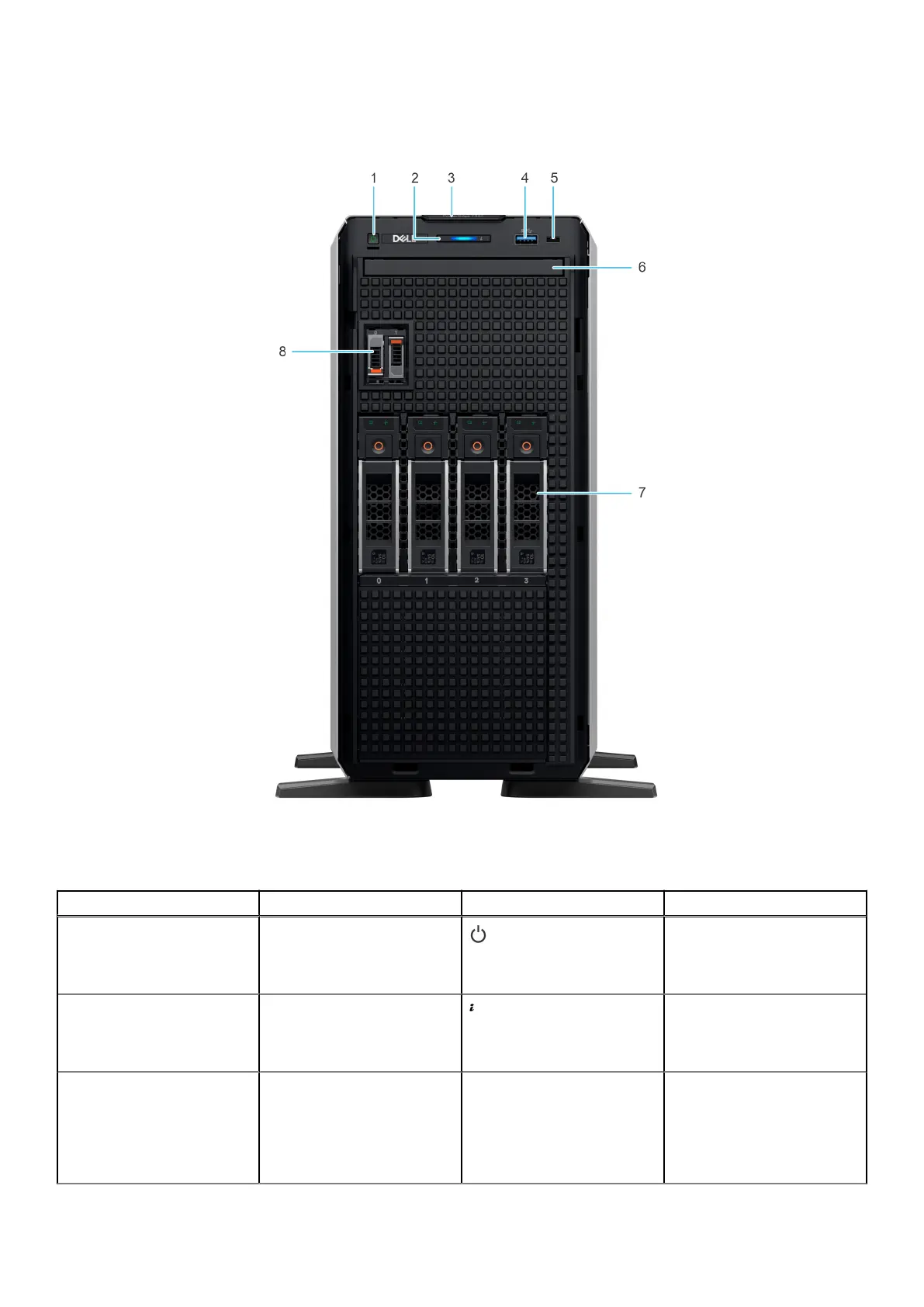
Front view of the system
Figure 1. Front view of 4 x 3.5-inch drive system
Table 1.
Features available on the front of the system
Item Ports, panels, and slots Icon Description
1 Power button Indicates if the system is
powered on or off. Press
the power button to manually
power on or off the system.
2 Status LED indicators Indicates the status of the
system. For more information,
see the Status LED indicators
section.
3 Express Service Tag N/A A slide-out label panel
that contains the Express
Service Tag that has system
information such as Service
Tag, NIC, MAC address, and
so on. If you have opted for
Dell PowerEdge T360 system overview 9














 To Next Page