Expansion card installation guidelines
The following table describes the supported expansion cards and riser configurations:
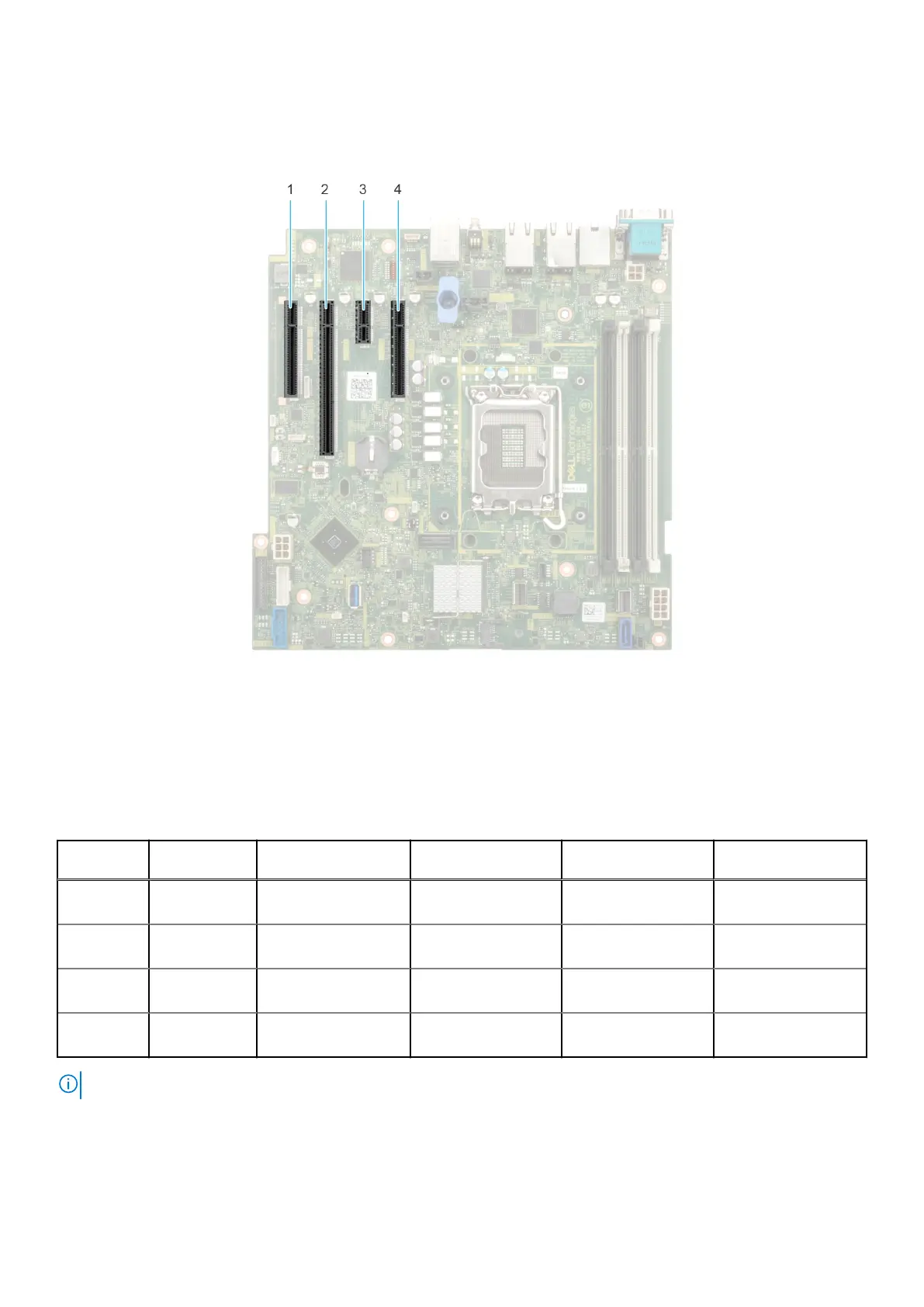
Figure 57. Expansion card slot connectors
1.
Slot 1 2. Slot 2
3. Slot 3 4. Slot 4
The following table describes the expansion card riser configurations:
Table 63.
Expansion card slots supported on the system board
PCIe slot Risers
Processor
connection
PCIe slot height PCIe slot length PCIe slot width
Slot 1
(Gen4)
N/A Processor 1 Full Height Half Length x4
Slot 2
(Gen5)
N/A Processor 1 Full Height Half Length x16
Slot 3
(Gen4)
N/A
Platform Controller
Hub
Full Height Half Length x1
Slot 4
(Gen4)
N/A
Platform Controller
Hub
Full Height Half Length x4
NOTE: The expansion-card slots are not hot-swappable.
The following table provides guidelines for installing expansion cards to ensure proper cooling and mechanical fit. The expansion
cards with the highest priority should be installed first using the slot priority indicated. All the other expansion cards should be
installed in the card priority and slot priority order.
94
Installing and removing system components














 To Next Page